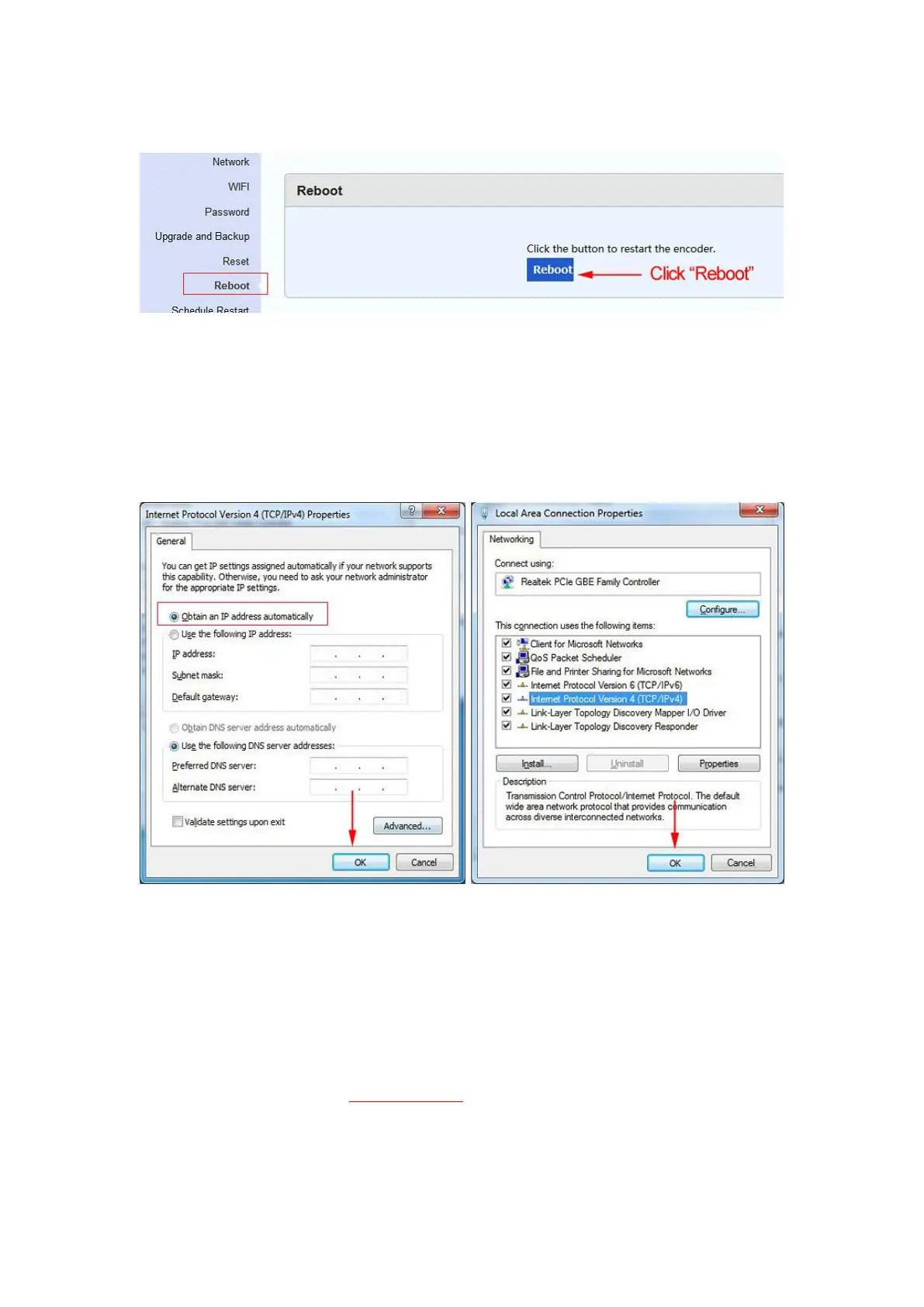
Step 11. Click ''Reboot'' to restart the video encoder
Step 12. Select ''Obtain an IP address automatically'', and then click ''OK''
Please remember the new IP address of the video encoder.
In order for the IP settings to take effect, please remember to click ‘‘OK’’ in the window of
<Local Area Connection Properties>.
Step 13. Log in to the new IP address of video encoder
2.2 MAC Operating System
Step 1. Connect the video encoder to the router via an Ethernet cable
Step 2. Connect the MAC to the same router via WIFI. Open the window of <System
Performance>
Step 3. Click ‘‘Network’’


 To Next Page