Step 14. Log in to the new IP address of video encoder
3. WIFI Connection
This chapter applies to all models with WIFI function. If your video encoder doesn’t have
WIFI function, you can ignore this chapter.
Step 1. Connect the WIFI antenna to the video encoder.
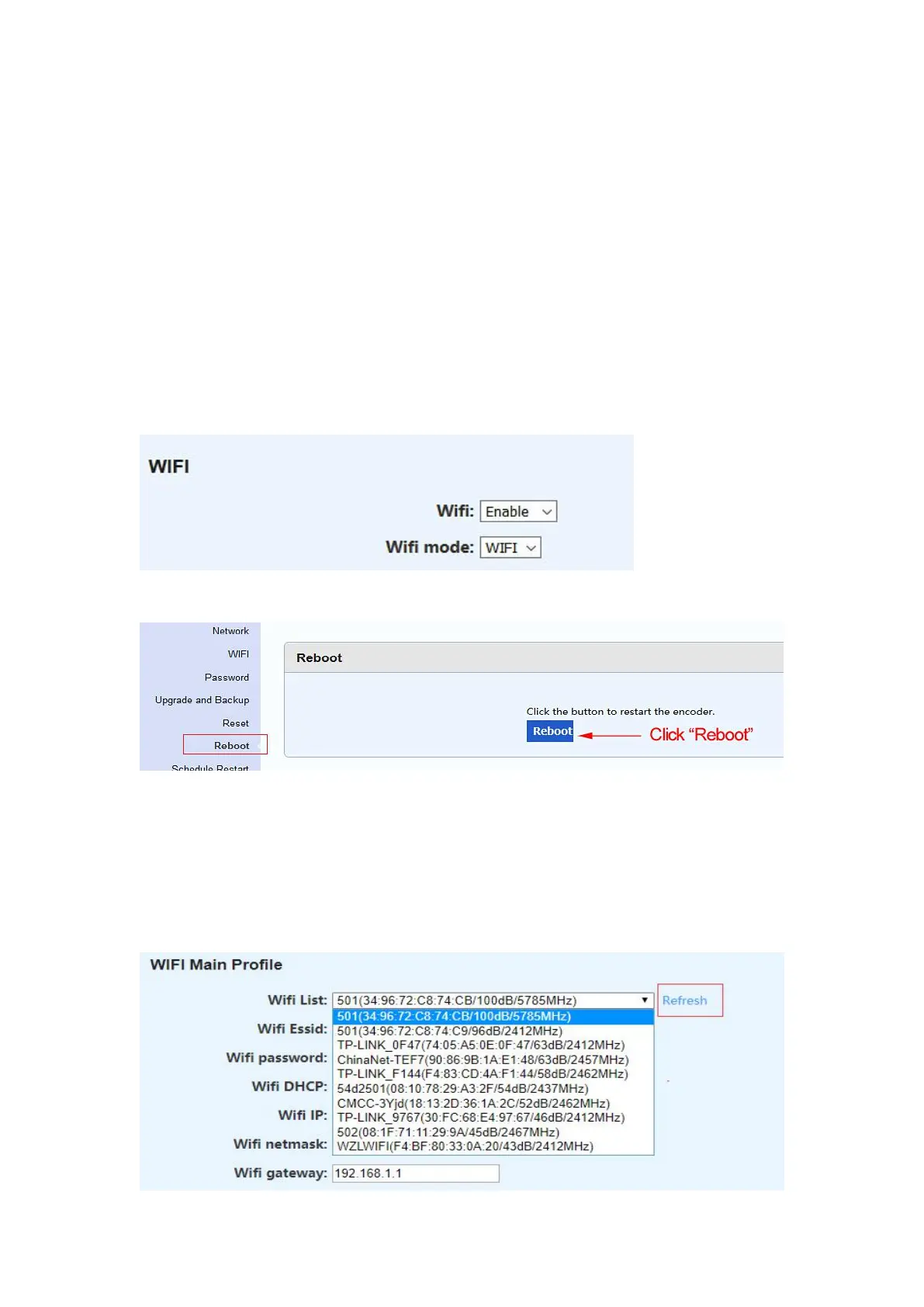
Step 2. Select ‘‘WIFI’’ in the ‘‘WIFI mode’’ setting, and then click ‘‘Apply’’.
Step 3. Click ''Reboot'' to restart the video encoder.
Step 4. Select a WIFI in the ‘‘WIFI List’’. You need to choose the WIFI which is sent from
the router to which the encoder is connected, so that the laptop or Mac can access WIFI
IP of the encoder.
If there is no WIFI list, please click ‘‘Refresh’’ or restart the encoder again.


 To Next Page