6
Total Control
TDC-5100
Owner’s Manual
Table of Contents
Sleep Settings
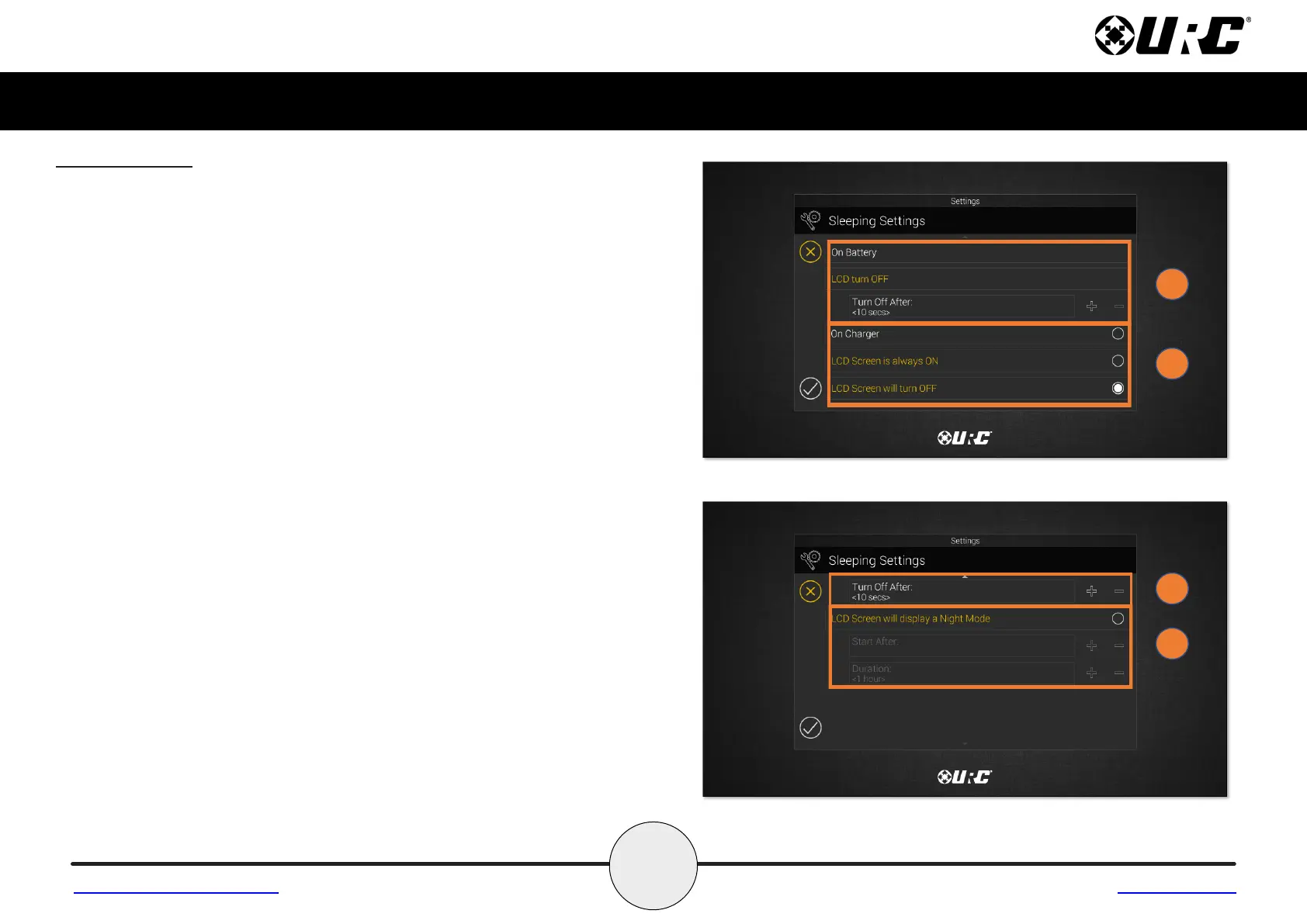
Control when the TDC-5100 LCD turns OFF with the following settings:
1. On Battery Settings: When the TDC-5100’s is not on the charger or not
plugged in:
• Use the + and - signs to determine when the LCD will turn off. The time
options are from 10 seconds to 3 minutes.
2. On Charger Settings: When the TDC-5100 is on the charger or plugged in:
• Use the radio button to select if the LCD Screen is always ON.
or
• Use the radio button to select if the LCD Screen will turn OFF after the
select time. The time options range from 20 seconds to 3 hours.
3. Night Mode Settings: When the TDC-5100’s LCD screen will dim itself and
for how long.
• Start After: The TDC-5100 times out based on the value entered
here and goes into Night Mode.
• Duration: The TDC-5100 turns off Night Mode after the
value entered here.
Return to Settings Menu Page


 To Next Page
 Loading...