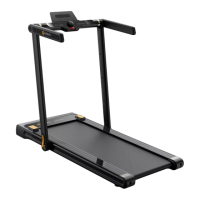
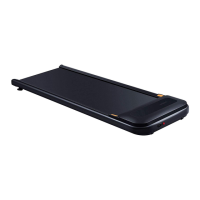
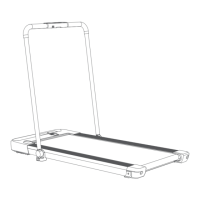
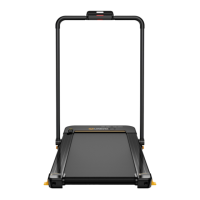
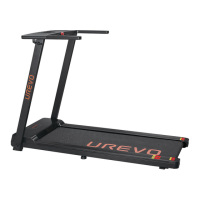
The UREVO SP1 LITE Walking Treadmill is a compact and user-friendly fitness device designed for home use, offering a convenient way to engage in walking exercises.
Function Description:
The UREVO SP1 LITE Walking Treadmill is primarily designed for walking exercises, providing a controlled environment for users to maintain their fitness. It features a walking belt that moves at adjustable speeds, allowing users to customize their workout intensity. The treadmill is controlled via a remote control, which enables starting/stopping, adjusting speed, and selecting different workout modes. It also includes a display that shows key workout metrics such as speed, time, distance, steps, and calories burned. The device is designed for easy storage and transportation, making it suitable for various living spaces. Safety features are integrated, including warnings about proper usage, weight capacity, and environmental considerations.
Important Technical Specifications:
- Model: URTMO22
- Product Dimension: 126.5 x 53 x 12.4 cm (49.8 x 20.87 x 4.88 inch)
- Walking Area: 102.4 x 40 cm (40.32 x 15.75 inch)
- Net Weight: 25 kg (55.11 lbs)
- Gross Weight: 28.5 kg (62.84 lbs)
- Maximum Load Capacity: 120 kg (264.5 lbs)
- Rate Voltage: 110-120V~
- Rated Power: 550W
- Peak Horsepower: 2.25Hp
- Maximum Speed: 4 mph
- Minimum Speed: 0.6 mph
- Suggested Age: 14-60 years old
- FCC Compliance: This device complies with Part 15 of the FCC rules, ensuring it does not cause harmful interference and accepts any interference received.
Usage Features:
- Remote Control: The treadmill is operated using a remote control that can be conveniently stored in a cavity on the side body. The remote allows users to start/stop the treadmill, adjust speed (accelerate/decelerate), and switch between different modes (Time, Distance, Steps, Calories countdown programs).
- Display Screen: The display shows real-time workout data including MPH (speed), TIME, MI (distance), STEP (steps), and CAL (calories). The workout data cycles through these metrics every 5 seconds.
- Start and Stop: A short press of the "Start" button initiates the walking treadmill. When stopping, all data recovers to "0". If the treadmill stops for 10 minutes, the system enters economic mode and turns off the display. Any button press will wake it up.
- Pause Function: During a workout, a short press of the "Pause" button will display "PAU". Previous workout metrics are preserved if the pause time is less than 10 minutes; otherwise, data resets to "0". Pressing any button will resume the treadmill at minimum speed.
- Speed Adjustment: Long pressing the "Accelerate" or "Decelerate" buttons for over 0.5 seconds will continuously increase or decrease the speed.
- Mute Function: A short press of the "Mute" button mutes buzzer voices.
- Safety Guidelines:
- Always unplug the appliance immediately after use and before cleaning.
- Do not operate under a blanket or pillow to prevent overheating.
- Close supervision is necessary when used by or near children, invalids, or disabled persons.
- Maintain at least 3.28 ft (1.0 m) of clearance behind the treadmill and 2 ft (0.6 m) on each side.
- Always wear athletic shoes.
- Do not use on uneven ground.
- Avoid trampling the treadmill lid.
- Do not store items on the treadmill or use it as a side stand.
- Be cautious with elderly and pregnant users.
- Never allow more than one person on the treadmill at a time.
- Do not walk with pets on the treadmill.
- Keep feet, hands, and fingers away from moving parts.
- Children must be supervised.
- Do not walk backward on the treadmill.
- The maximum weight capacity is 264.5 lbs/120 kg. Do not exceed this limit.
- Grounding Instructions: The product must be grounded to reduce the risk of electric shock. Ensure the plug is connected to an appropriate, properly installed, and grounded outlet.
- Error Codes: The device includes error warning indicators (E02-E08) for issues like Mosfet breakdown, flame protection, motor open circuit, communication interrupted, and overloading protection. In case of an error, users are advised to stop the workout immediately and contact customer service.
Maintenance Features:
- Walk Belt Centering and Slips:
- Centering Walk Belt Process: If the walk belt shifts to the left, use the hex tool to turn the left idler roller screw clockwise 1/4 of a turn. If it shifts to the right, turn the right idler roller screw clockwise 1/4 of a turn. The appliance must work 1-2 minutes after adjustment.
- Belt Slip Correcting Process: Power off the appliance. Using the hex tool, turn both idler roller screws clockwise 1/2 of a turn. After correction, allow the treadmill to walk 1-2 minutes under 1.0mph speed setting. Repeat until the walk belt is properly tightened.
- Belt Lubrication Process:
- Power off and unplug the treadmill.
- Using the hex tool, turn both idler roller screws counterclockwise until they are loose and lift the belt.
- Apply 5-10mL of lubrication oil evenly under the walking belt. Avoid excessive oil.
- Turn both idler screws clockwise as previously marked until the belt is tightened properly.
- Power on and walk for a few minutes to spread lubrication oil. Lubrication frequency is recommended every 125 miles.
- Appliance Cleaning:
- Power off and unplug the treadmill.
- Wipe and clean with a damp cloth. Do not use cleaning with acidic or caustic detergents.
- Do not clean opposite of the walk belt.
- Normal black powders residual under the appliance after long working are normal.
- Troubleshooting: The manual provides solutions for common issues such as "No working" (power switch dysfunction, power supply interrupted, power cord damaged), "Walking belt slips" (loose belt), "Remote control does not work" (incorrect use, battery shortage, malfunction), and "Friction noise" (walking belt off center).
- Warranty: UREVO offers a limited warranty for the original purchaser. The structural frame has a 1-year warranty for home use, and all other components have a 90-day warranty. Exclusions include improper installation, use beyond normal home use, cosmetic items, damage from normal wear and tear, acts of nature, environmental conditions, and improper operation. For replacement parts, users need to provide the order number, description of parts (with photos/videos), part number, and date of purchase.

 Need help?

 To Next Page
 General