2
DS4501-006A
INFORMATIVE NOTES
INTENDED USE OF THE DEVICE
This device has been designed and realized for connection to national telephone network (PSTN) or for Urmet switchboard (PABX) extension
using, or for a local network (LAN). Therefore his installation, and his programming – where necessary – must be done by qualifi ed staff.
PACKAGING
Check that packing and content are not visibly damaged. Contact the retailer immediately if parts are either missing or damaged. Do not
attempt to use the device in this case. Send the product back in its original packing if it is damaged.
RECOMMENDED INSTALLATION LOCATION
It is advisable to use the device in sheltered environments with temperature in the range from 5 to 40° and relative humidity in the range
from 20 to 75%.
Keep the device away from directly sunlight or sources of heat.
DEVICE INSTALLATION ADVICE
The VoIP ATA device was designed to work with power supply.
CLEANING THE DEVICE
Use a moist or antistatic cloth for cleaning the device only. Do not use volatile liquids, like petrol, alcohol, solvents, etc., or chemically
treated cloths; they could damage the surface fi nish.
Normally the phone feet do not mark the surface it is rested on but in consideration of the variety of materials available, it is advisable to
clean the resting points regularly.
CONTENTS OF THE BOX
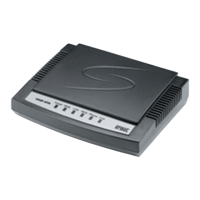
• n.1 VoIP ATA
• n.1 telephone plug/plug line cord
• n.1 Ethernet cable (RJ45)
• n.1 adapter kit
• n.1 “CONSUMER RIGHTS” list
• n.1 “WEEE DISPOSAL INFORMATION NOTE” sheet
• n.1 instruction manual
• n.1 CD
Urmet reserves the right to change the product specifications and performance without prior notice.
INDEX
QUICK INSTALLATION GUIDE ........................................................... 3
USER MANUAL .................................................................................. 7
1. Introduction ........................................................................... 7
2. Features ................................................................................. 7
3. Standard Compliances .......................................................... 7
4. LED Indicators ....................................................................... 7
5. Installations & SIP Configurations ......................................... 7
6. Default reset by telephone ..................................................... 7
7. Configurations by Web Browser ............................................ 7
8. Configurations by Telephone & IVR ..................................... 35
9. VoIP Application Examples .................................................. 36
10. Trouble Shooting for Web Configurations............................ 38
11. Glossary ............................................................................... 39


 To Next Page