- 12 -
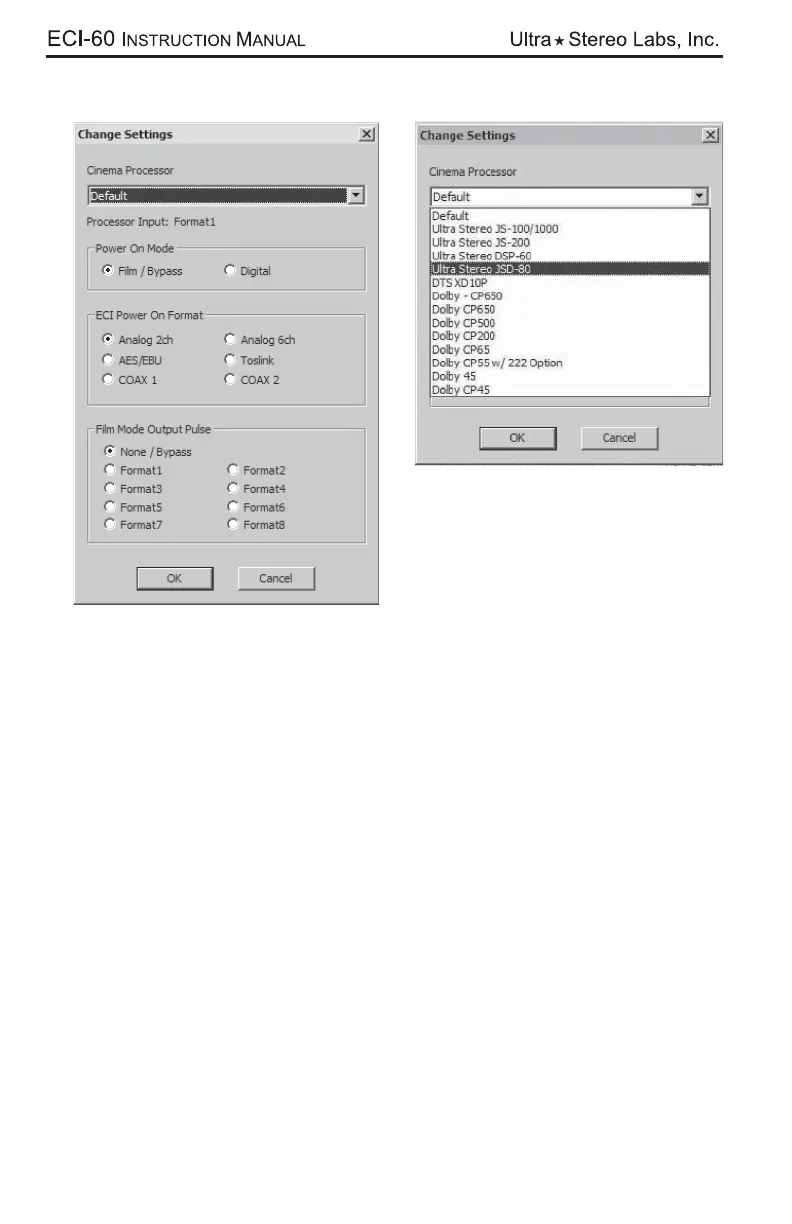
Selecting the “Change Settings” button will bring up the leftmost of the two dialogs.
To select your processor for operation, you will need to access the drop down
window as shown in the right graphic above. You may then choose a “power on”
mode and “Power On Format”. If Film/Bypass is selected, the ECI will not trigger
the connected processor at unit power up.
An automation pulse can be sent during a Digital to Film mode transition. If None/
Bypass is selected, no automation pulse will be generated when transitioning from
Digital to Film mode.



 To Next Page