12
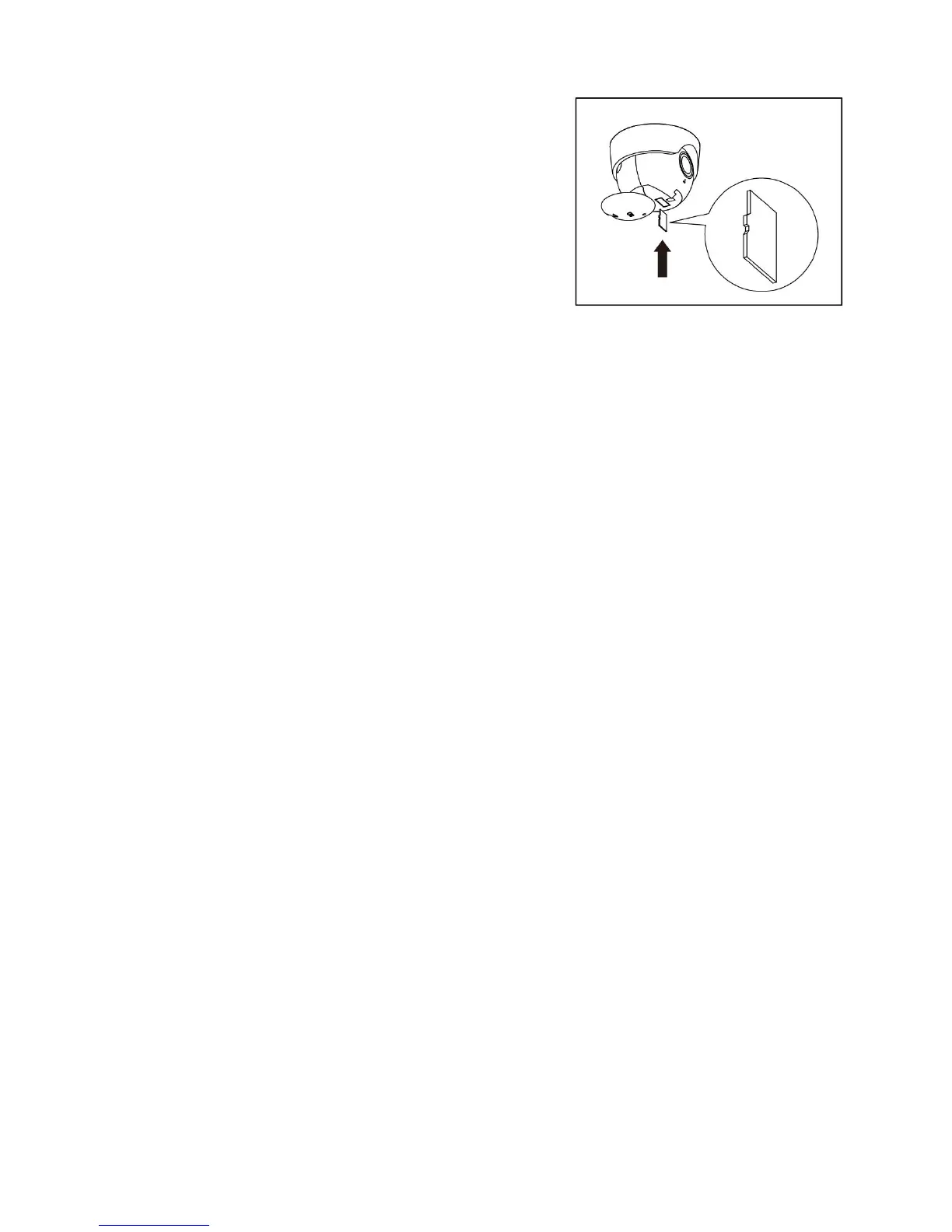
14. Change SD card
• Turn the SD cover clockwise to replace or remove the
SD card.
• The SD card can only save 8-9 hours of video content.
• If the SD card is full, it will automatically delete
existing video content.
15. Indicator light guide:
• Red light is on - the light is starting up;
• Red light flashes - the light is waiting for Wi-Fi connection;
• Green light flashes quickly - connecting to the Wi-Fi;
• Green light flashes slowly - connection succeeded.
16. Support
• When you meet a problem and can’t solve by yourself, you can go to the support page, in this
page you can find most of answer that you want.
• If you still can’t figure out the problem, please contact us by mail.
IMPORTANT CONSIDERATIONS
Avoid aiming the sensor at:
1. Objects that might produce heat and may cause false triggers, such as:
● Pools of water ● Air conditioners ● Animals
● Automobile traffic ● Heating vents ● Dryer vents
2. Objects that may reflect light at the sensor, triggering the shut-off feature. Do not aim the sensor
at other lights, or aim other lights at the sensor.


 To Next Page