8
OPERATING INSTRUCTIONS
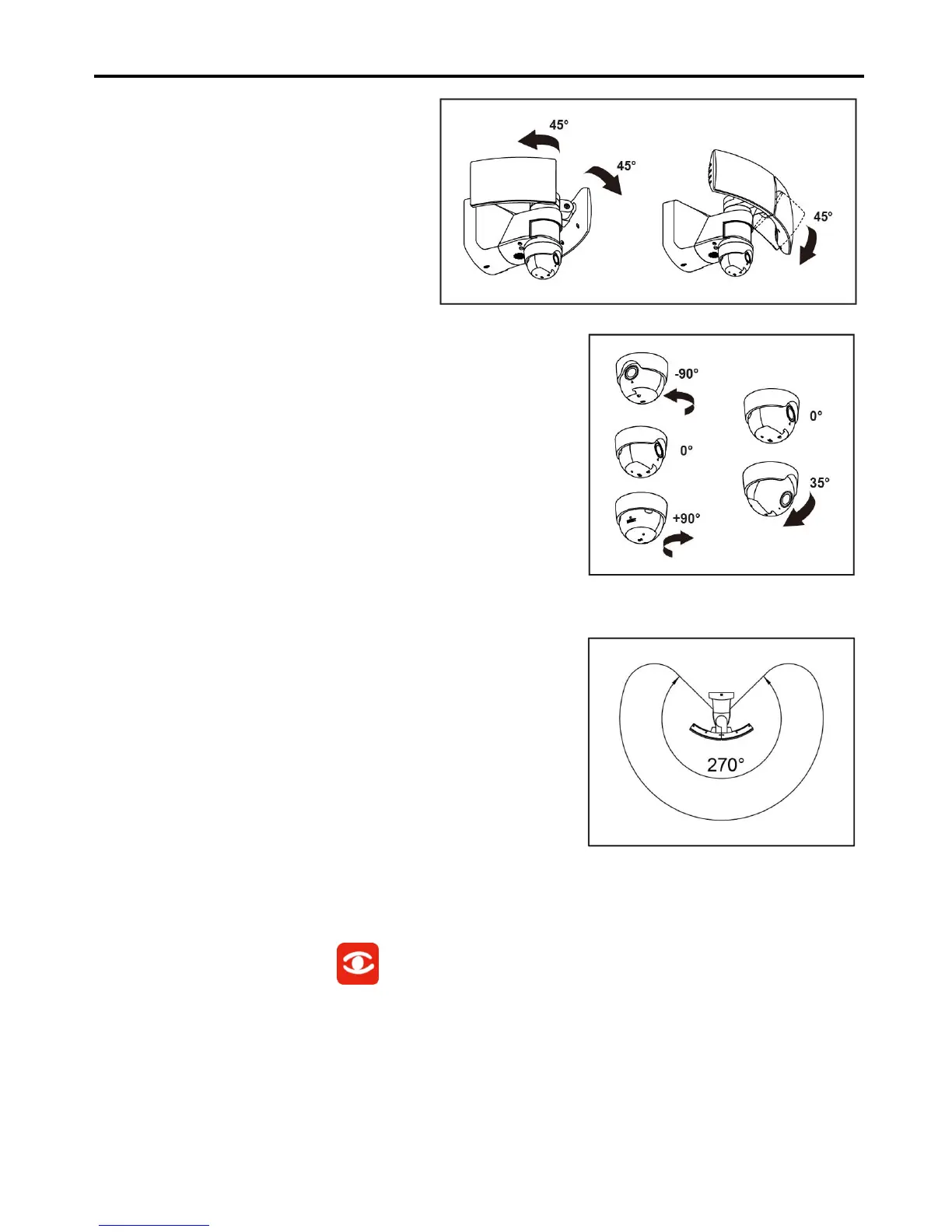
1. If needed, gently grasp the lamp heads
(A) and tilt them up or down or side to
side to adjust the light coverage area.
2. Rotating the camera to adjust the camera area.
3. Coverage area
• The motion detector has a coverage area of about 270°.
When the light is first installed, you must aim the detector
head to cover the desired area.
4. Downloading the mobile app
Download the LUTEC app by searching the word “SECURY’LIGHT”.
• iOS Devices – Download the app from the App StoreSM.
• Android Devices – Download the app from the Google Play™ store.


 To Next Page