Need help?
Do you have a question about the Utilitech UT70C and is the answer not in the manual?
Critical safety notices regarding proper assembly, potential hazards, and warranty voidance.
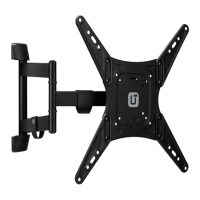
Specifies the maximum weight capacity and screen size supported by the TV mount.
Illustrates various VESA mounting patterns and dimensions for the TV mount.
Steps for removing parts, determining mounting configuration, and initial hardware usage.
Attaches the monitor plate to the TV using different screw and spacer configurations for flat or curved backs.
Detailed steps for mounting the TV bracket securely into wood studs.
Detailed steps for mounting the TV bracket securely into concrete walls using anchors.
Attaches end caps and secures the mounting plate to the arm with specific tightening instructions.
Instructions for leveling the mounted TV and adjusting the tilt angle.
 General
| VESA Compatibility | 200 x 200 mm, 400 x 200 mm, 300 x 300 mm, 400 x 400 mm |
|---|---|
| Maximum TV Size | 70 inches |
| Compatible TV Size | 32 to 70 inches |
| Material | Steel |
| Color | Black |
| Mount Type | Wall |
| Tilt Range | 15 degrees |

 To Next Page