Need help?
Do you have a question about the Utilitech UT-IO-70C and is the answer not in the manual?
Lists all included parts with descriptions and quantities for the TV mount.
Details all screws, bolts, washers, and spacers with their specifications and quantities.
Highlights potential dangers, weight limits, and installation requirements for safe operation.
Outlines checks for parts, tools required, and estimated assembly time.
Illustrates product dimensions and compatibility patterns for various TVs.
Detaching screws, removing the monitor plate, and determining mounting configuration.
Attaching adapters and the monitor plate to TVs with flat backs.
Attaching plate for curved-back TVs and adjusting for screw length.
Locating studs, marking holes, drilling pilot holes, and mounting the arm top.
Securing mounting arm for wood studs and preparing/mounting for concrete.
Inserting anchors, mounting arm top and bottom using lag bolts.
Attaching end caps, placing, and securing the monitor plate.
Leveling the mounted panel and adjusting the tilt angle.
Details the 5-year warranty, service contact, and disclaimers.
 General
| Brand | Utilitech |
|---|---|
| Model | UT-IO-70C |
| Category | TV Mount |
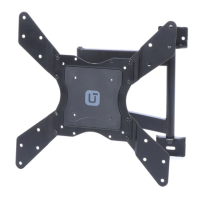
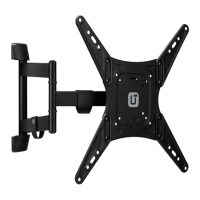
| Mount Type | Full Motion |
| Material | Steel |
| Color | Black |
| Swivel Range | 180 degrees |

 To Next Page