EasyManua.ls Logo

UTILITY WAREHOUSE Premium - User Manual

UTILITY WAREHOUSE Premium
12 pages
Print Icon
To Next Page IconTo Next Page
Loading...
1
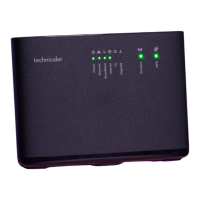
Premium router
Setup guide
Question and Answer IconNeed help?

Do you have a question about the UTILITY WAREHOUSE Premium and is the answer not in the manual?

Summary

Check

Your activation date

Wait for broadband activation before setting up your router.

Find

Your master socket

Locate and prepare your master telephone socket for connection.

Plug in

Standard master socket connection

Use a microfilter for standard sockets and connect DSL cable.

Connect

Wireless Connections

Connect to your Wi-Fi network using your network name and password.

Wired Connections

Connect your computer to the router using an Ethernet cable.

Help

Troubleshooting steps

Check connections, power, Wi-Fi, and restart equipment for common issues.

Further assistance

Contact support via phone or website if problems persist.

Broadband problems solved

Were here to help

Summary

Check

Your activation date

Wait for broadband activation before setting up your router.

Find

Your master socket

Locate and prepare your master telephone socket for connection.

Plug in

Standard master socket connection

Use a microfilter for standard sockets and connect DSL cable.

Connect

Wireless Connections

Connect to your Wi-Fi network using your network name and password.

Wired Connections

Connect your computer to the router using an Ethernet cable.

Help

Troubleshooting steps

Check connections, power, Wi-Fi, and restart equipment for common issues.

Further assistance

Contact support via phone or website if problems persist.

Broadband problems solved

Were here to help

UTILITY WAREHOUSE Premium Specifications

General IconGeneral
BrandUTILITY WAREHOUSE
ModelPremium
CategoryNetwork Router
LanguageEnglish

Related product manuals