Telephone’s Analogue Adapter – UTStarcom iAN-02EX (V1.8.2.17a) – Operating Manual pag.4
EQUIPMENT PHYSICAL CONNECTION
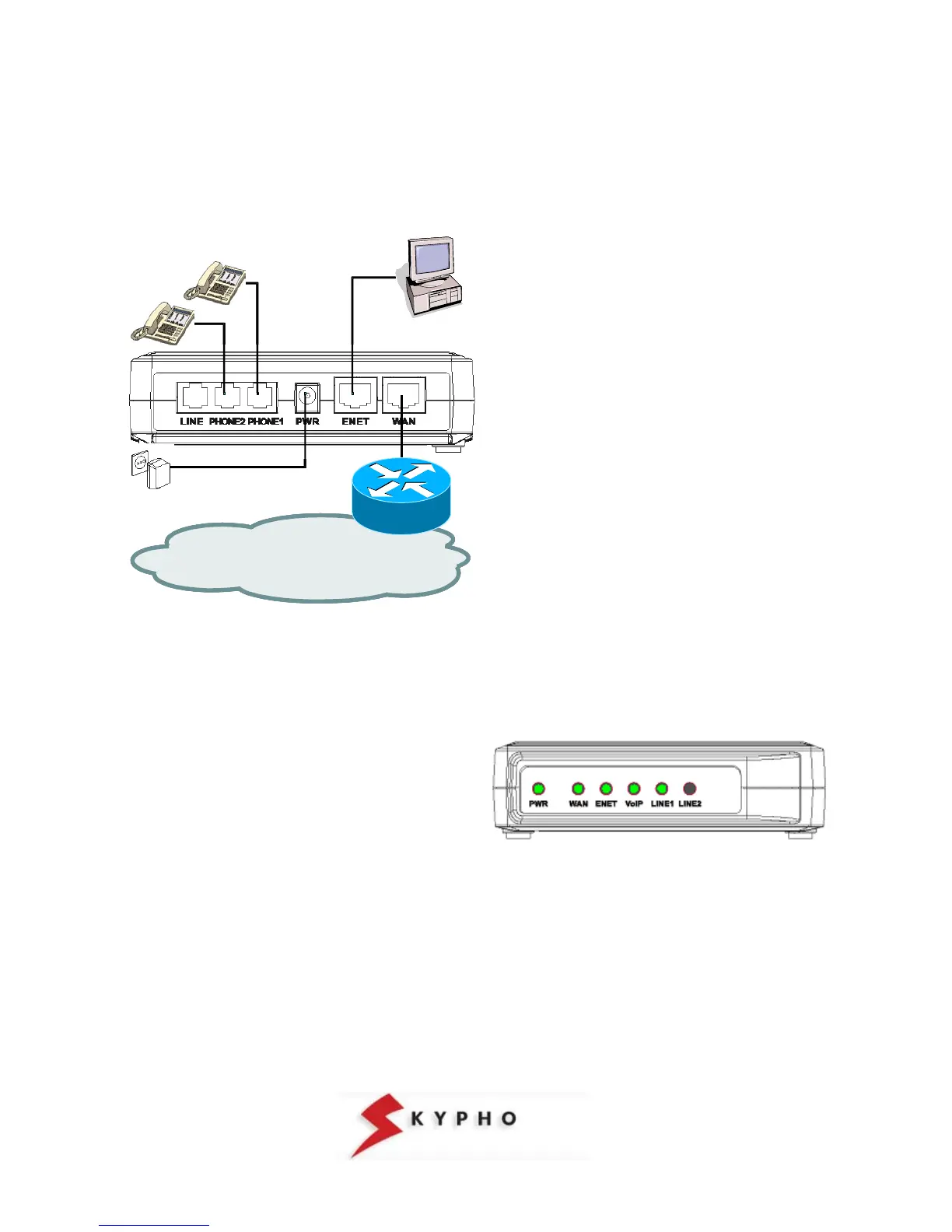
First of all, you have to make the physical connection of the equipment, following the simple instructions hereafter
included:
Internet
Internet
insert the rj-45 Ethernet cable into the
port ENET port of the iAN-02EX ATA
connect the other end of the cable to the
Ethernet port of your personal computer
connect the analogue telephone to the
ATA’s “PHONE1” port
if you have subscribed a VoIP second
line, connect another analogue telephone
to the ATA’s “PHONE2” port
connect the power adapter provided with
the iAN-02EX to the wall socket
insert the Ethernet cable to the WAN port
of the iAN-02EX ATA
connect the other end of the cable to your
LAN (Hub/Router).
At the end of the connections, the “PWR”, “WAN”, “ENET”, and “VoIP” LEDs will light:
PWR: Lighted shows that the ATA is powered by the wall
socket.
ENET: Lighted shows that the “physical” connection
between your PC and the ATA is working correctly.
Blinking when data is being transmitted or received from
or towards your PC.
WAN: Lighted shows that the “physical” connection
between the ATA and the ADSL modem is working
correctly. Blinking when data is being transmitted or
received:
VoIP: Lighted shows that you are registered to the VoIP
service of Eutelia and that you can make a calls.
LINE1/2: Blinking when call is being received or
transmitted.



 To Next Page