Telephone’s Analogue Adapter – UTStarcom iAN-02EX (V1.8.2.17a) – Operating Manual pag.7
ATA CONFIGURATION
Before proceeding with the configuration of your iAN-02EX ATA via WEB Browser, it is important that you have at your
disposal the Eutelia’s username and password for the VoIP service that you obtained during registration or those you
have modified on the Eutelia’s site.
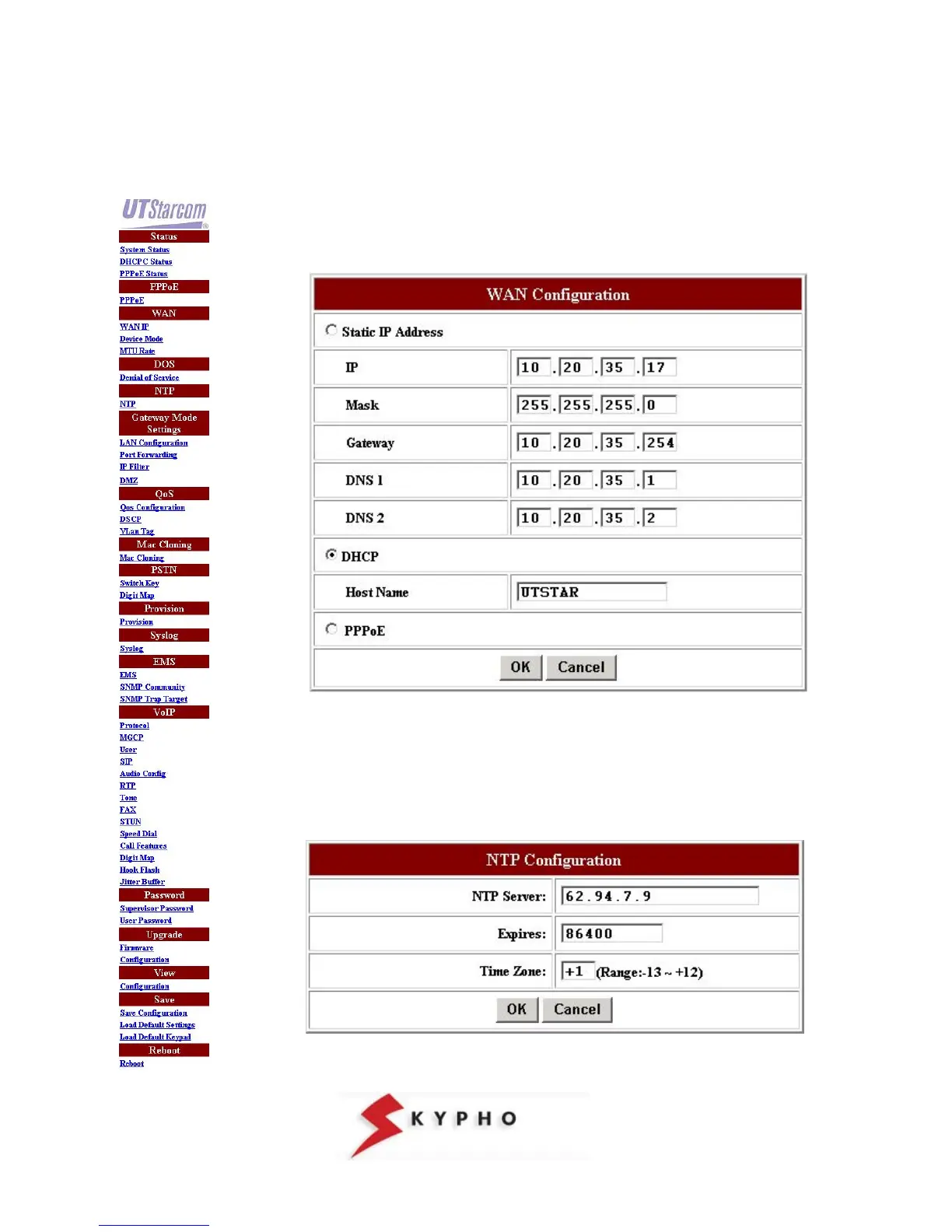
WAN parameters
Click on “WAN IP” menu, then select “DHCP", insert the text “UTSTAR” and click on
OK
Note: If in your LAN are used static IP addresses it is necessary to select the option
“Static IP Address” and insert the values of “IP, Mask, Gateway, etc...” to avoid
conflicts on the network.
NTP parameters
Click on “NTP” menu, then insert the following values and choose OK



 To Next Page