Telephone’s Analogue Adapter – UTStarcom iAN-02EX (V1.8.2.17a) – Operating Manual pag.8
LAN parameters
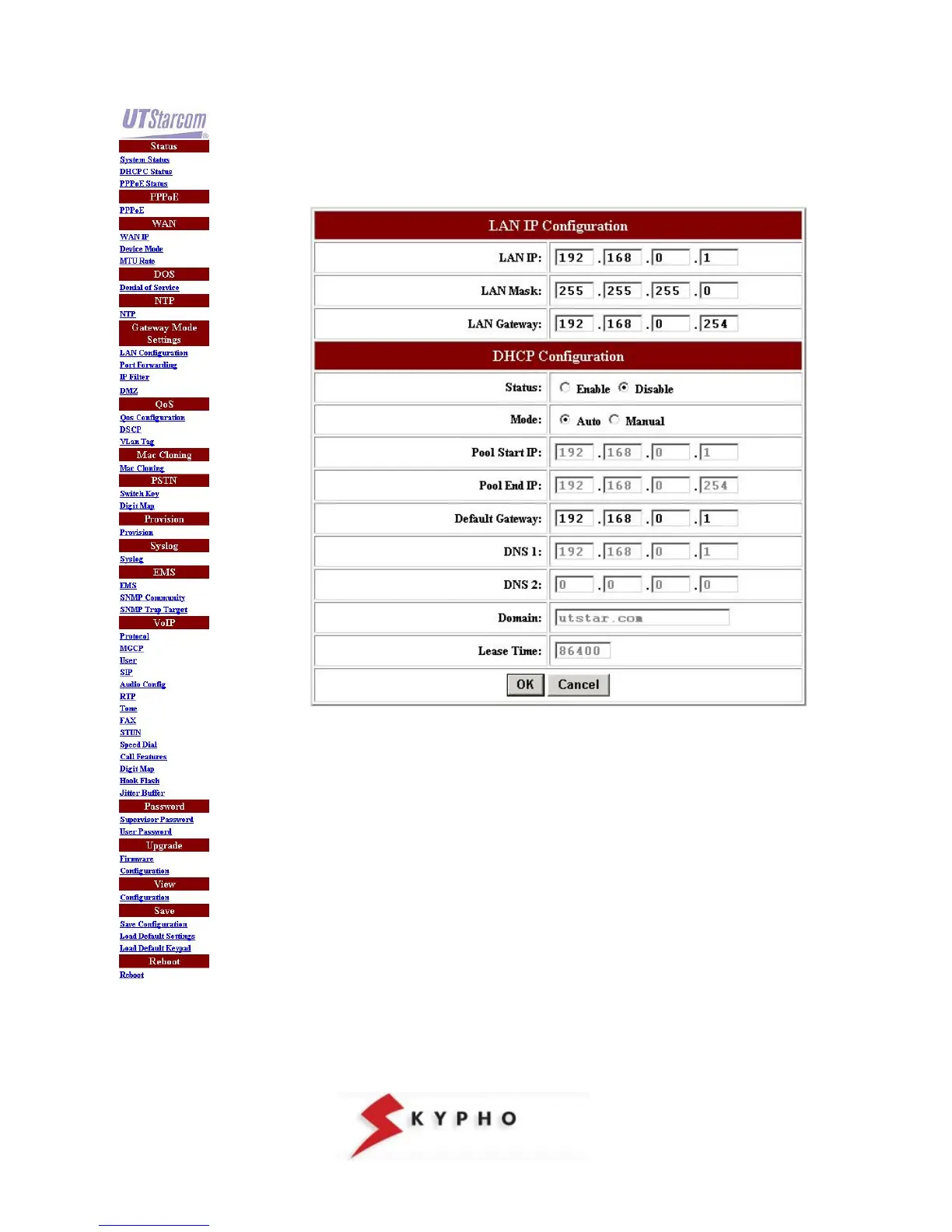
Click on “LAN configuration” menu, then verify that the “Status” item of the DHCP
Configuration is set on Disable.
Note: If in your LAN are used static IP addresses, it is necessary to modify the “LAN
IP Configuration” and insert the values “LAN IP, LAN Mask e LAN Gateway” to
avoid conflicts on the network.



 To Next Page