4.
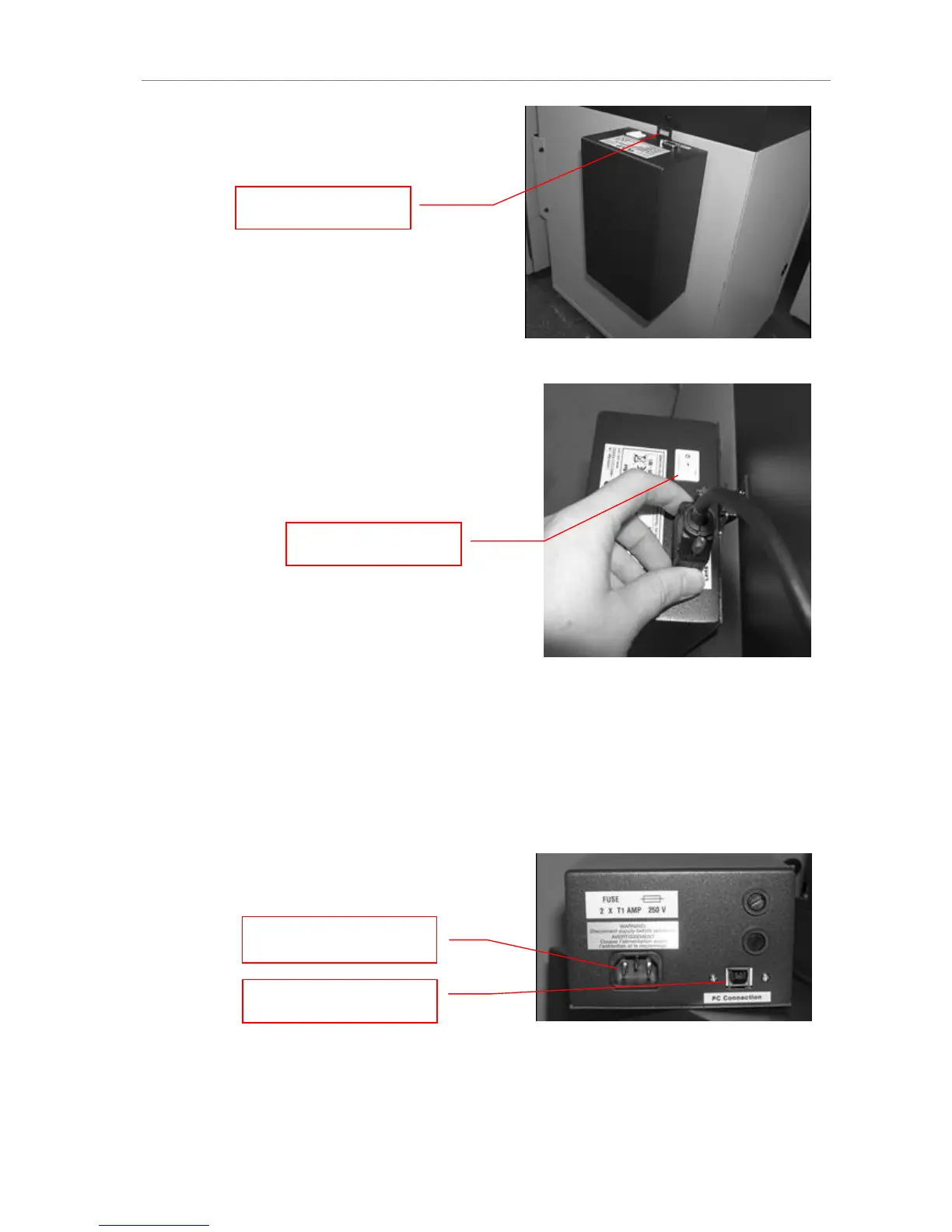
Mount the lens control box on the hook
located at the back of the darkroom.
5.
Plug the serial cable from the motorized lens
into the lens control box.
6.
Connect the USB cable to the PC connection port on the lens control box. Leave the
other end of the USB cable unplugged until installation of VisionWorks is complete.
7.
Connect the power supply to the lens control box and into the power outlet.


 To Next Page