Need help?
Do you have a question about the V-TAC VT-5555 and is the answer not in the manual?
QR code for accessing the manual in multiple languages.
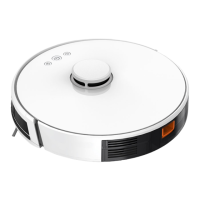
Diagram showing the front view of the robot and its parts.
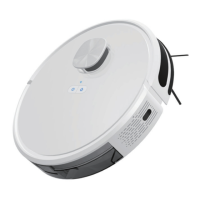
Diagram showing the back view of the robot and its parts.
Illustration of the dust box and its components.
Illustration of the water tank and mopping pad.
Illustration of the charging dock.
Illustration of the remote control.
Guidance on removing protective elements from the robot before use.
Important notes and warnings regarding the charging process.
Details on the automatic cleaning mode and its operation.
Instructions for using the single room cleaning mode.
Instructions for using the edge cleaning mode.
Guide for manually controlling the robot's movement.
Setting up a cleaning schedule for the robot via the app.
Steps to add water to the robot's water tank.
Steps to install the water tank onto the robot.
Steps to install the mopping pad onto the water tank assembly.
Initiating the floor mopping function of the robot.
Procedure for removing the dust box from the robot.
Procedure for opening the side cover of the dust box.
Procedure for emptying the collected dust from the dust box.
Procedure for opening the compartment housing the high efficiency filter.
Procedure for removing filters from the dust box compartment.
Instructions for cleaning the primary filter screen with water.
Instructions for cleaning the dust box using a dishcloth.
Procedure for drying and reassembling the dust box and filters.
Procedure for reinstalling the primary and high efficiency filters.
Procedure for closing and reinstalling the dust box onto the robot.
Procedure for removing the water tank from the robot.
Procedure for removing the mopping pad.
Procedure for emptying the water from the water tank.
Instructions for cleaning the mopping pad.
Procedure for drying the mopping pad.
Procedure for drying the water tank.
Procedure for opening the main brush cover assembly.
Procedure for removing the main brush shaft.
Using a utility tool to clean tangled hair from the main brush.
Procedure for cleaning the side brush.
Procedure for cleaning the charging pins on the charging dock.
Procedure for cleaning the robot's drive and universal wheels.
Procedure for cleaning the robot's down-view sensor.
Robot suspended due to wheels being off the ground.
Robot malfunction: dust box removed or not installed.
Troubleshooting abnormal battery charging problems.
Check and clear obstructions if the wheel is jammed.
Check if the front collision sensor is stuck or not rebounding.
Troubleshooting robot connection issues with the server.
Robot indicates low battery and automatically enters recharge mode.
Check and fix side brush entanglement or jamming.
Robot is stuck; move it to an open area for clearing.
Details on the robot's physical dimensions and weight.
Information on battery voltage and capacity.
Details on dust box, water tank, charging, cleaning modes, and working time.
Specifications for robot's rated power and operating voltage.
Instruction to turn on the robot device.
Guidance on downloading the V-TAC Smart Light mobile application.
Procedure for opening the app and registering a new user account.
Instruction to select country and enter mobile number for app registration.
Instruction to enter email address for app registration.
Verify account with code and set a new password for the app.
Instruction to add the robot device to the V-TAC Smart Light app.
Procedure to select the Robot Vacuum from Home Appliances in the app.
Confirm that the device's indicator light is blinking rapidly for pairing.
Long-press power button for 5 seconds to make the indicator flash rapidly.
Confirm rapid blinking, enter Wi-Fi password, and confirm pairing.
App searches, registers, and initializes the device after pairing.
Rename the paired device and tap 'Completed' to finish setup.
Access robot controls and features by tapping its name on the app home page.
Select cleaning modes and adjust suction power via the app interface.
Configure cleaning schedules for specific days and times through the app.
Manage standby, sleeping, and pause modes using the app.
View the robot's cleaning path on the app's working map.
Use the 'Find Robot' function to locate the robot via sound.
Share robot control with other users through the app.
Reconnect the robot to a new Wi-Fi network after changing networks.
 General
| Brand | V-TAC |
|---|---|
| Model | VT-5555 |
| Category | Vacuum Cleaner |
| Language | English |

 To Next Page