EasyManua.ls Logo

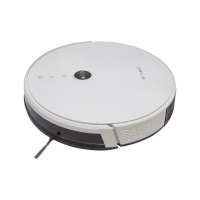
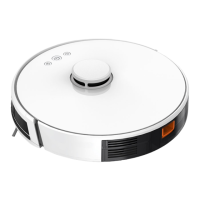
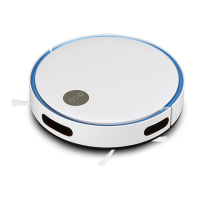
V-TAC VT-5557 - User Manual

V-TAC VT-5557
32 pages
Print Icon
To Next Page IconTo Next Page
Loading...
INSTRUCTION MANUAL
AUTO CHARGING LASER ROBOTIC
VACUUM CLEANER (VT-5557)
INTRODUCTION
Thank you for selecting and buying V-TAC product. V-TAC
will serve you the best. Please read these instructions
carefully before starting the installation and keep this manual
handy for future reference. If you have any another query
please contact our dealer or local vendor from whom you
have purchased the product. They are trained and ready to
serve you at the best.
MULTI-LANGUAGE MANUAL
QR CODE
Please scan the QR code to access
the manual in multiple languages.
1
Ok Google
works with

Questions and Answers

Summary

Introduction

Multi-Language Manual QR Code

Access the robot vacuum cleaner manual in multiple languages by scanning this QR code.

Important Safety Instructions

Warning Symbols Used

Explains the safety alert symbol indicating potential hazards like property damage or serious bodily harm.

General Safety Precautions

Covers safe usage, supervision for children, power supply, indoor use, and preventing entanglement with objects.

Important Safety Instructions

Balcony and Obstacle Safety

Advises using barriers for balconies and clearing floors of potential obstacles and hazards.

Device Handling and Floor Types

Details handling of electronics, suitable floor surfaces, and testing on small areas to prevent scratches.

Charging and Environment Precautions

Addresses using correct power supply, avoiding wet hands, humid environments, and extreme temperatures.

Important Safety Instructions

Body Part and Item Restrictions

Warns against keeping body parts near moving components and vacuuming flammable or burning items.

Usage Environment and Furniture Safety

Specifies suitable environments, avoiding suspended areas, and securing fragile items and furniture.

Maintenance and Cleaning Precautions

Outlines precautions for cleaning, using damp cloths, mopping functions, and handling the charging base.

Important Safety Instructions

Battery Disposal and Packaging

Provides guidelines for proper battery disposal and using original packaging for transport.

Long-Term Storage and Charging

Advises on shutting down the machine for long periods and periodic charging to prevent battery damage.

Environmental Disposal Notice

Explains symbols for not disposing of electronics as municipal waste and using separate collection facilities.

Package Contents

Main Unit Overview

WiFi Status Light Indicators

Describes the states of the Wi-Fi status light: off, flashing, and normally on.

Power;Clean;Pause Button Function

Explains how to power on/off and start/pause cleaning using the main button.

Recharge;Pause Button Function

Describes the function of the Recharge/Pause button for returning to the charging base or pausing.

Reset Button Usage

Details how to use a needle to press the reset button for system reset.

Product Composition and Structure

Front Side Sensor and Structure

Illustrates and labels the front-facing components of the robot vacuum, including sensors and buttons.

Back Side Sensor and Structure

Illustrates and labels the back-facing components of the robot vacuum, including wheels and brushes.

Product Composition and Assembly

Dust Bin Assembly Components

Shows the parts of the dust bin assembly, including filters and the dustbin button.

Docking Station Components

Identifies the components of the docking station, such as power status light and charging contacts.

Installation Precautions

Pre-Operation Floor Preparation

Advises cleaning the floor of wires, sundries, and hazardous items before starting the vacuum cleaner.

Prohibition of Liquid Cleaning

States that the robot vacuum cleaner should not be used to clean liquids.

Safety in Suspended Environments

Recommends using rails to prevent accidental falls in suspended or elevated areas.

Installation Steps

Robot Preparation and Side Brush Installation

Details removing protective material and installing the side brushes correctly.

Charging Base Placement and Wiring

Guides on connecting the power adapter to the charging base and tidying wires.

Installation: Charging Setup

Charging Base Placement Guidelines

Instructs on positioning the charging base away from direct sunlight and moving it arbitrarily.

Powering On and Charging Procedure

Explains how to power on the robot and initiate charging by placing it on the base.

Installation: Mopping Setup

Water Tank Filling and Detergent Caution

Guides on filling the water tank, emphasizing not to use detergent.

Attaching Water Tank and Mop Support

Details how to insert the water tank back into the robot and attach the mop support.

APP Installation Instructions

App Download and Account Creation

Instructs on downloading the 'V-TAC Smart Light' app and registering for a new account or logging in.

Entering Networking Mode

Describes how to put the robot into hotspot networking mode for app connection.

APP Installation: Account Registration

Mobile Number or Email Registration

Guides the user through entering a mobile number or email for account registration.

Verification Code and Password Setup

Details receiving a verification code and setting a new password to complete registration.

Adding the Robot to the App

Explains how to tap 'Add Device' or the '+' sign to begin adding the robot to the app.

APP Installation: Pairing Mode 1 (Smart Mode)

Selecting Robot Vacuum in App

Instructs to select 'Robot Vacuum' under 'Small Home Appliances' to start the pairing process.

Confirming Rapid Wi-Fi Blink

Guides on confirming the rapidly blinking Wi-Fi indicator and entering Wi-Fi credentials.

APP Installation: Pairing Mode 2 (AP Mode)

Selecting Alternative Pairing Modes

Explains how to select 'Other Mode' and then 'AP Mode' for connecting to the device's hotspot.

Confirming Slow Wi-Fi Blink

Instructs to confirm the slowly blinking Wi-Fi indicator for AP mode pairing.

APP Installation: Wi-Fi Connection

Entering Wi-Fi Credentials

Guides on entering the Wi-Fi name and password for network connection.

Connecting to Device Hotspot

Details connecting the mobile phone to the device's Wi-Fi hotspot, such as 'SmartLife-XXXX'.

APP Installation: Finalizing Setup

Device Connection and Initialization

Describes the app searching, registering, and initializing the device after connection.

Device Pairing and Renaming

Explains how to rename the paired device and complete the setup process.

Accessing Device Controls

Guides on tapping the device name on the app's home page to access its controls and features.

App Modes and Features

Remote Control Interface Overview

Shows the app interface for remote control, including cleaning modes and settings.

Selecting Cleaning Areas on Map

Demonstrates how to select specific areas on the map for the robot to clean.

Usage Instruction: Basic Operations

Powering On;Off and Pausing

Explains how to turn the vacuum cleaner on/off and pause/resume cleaning tasks.

Cleaning Notes and Battery Levels

Provides important notes regarding liquid cleaning, battery capacity, and wire tidying.

Charging Procedures and Modes

Details automatic and manual charging processes and what to do if the robot fails to find the base.

Suction Selection and Intelligent Cleaning

Covers selecting suction power modes and how the robot performs intelligent cleaning with map generation.

Usage Instruction: Advanced Cleaning

Robot Movement and Map Repositioning

Advises on robot placement after moving and how it repositions itself for continued cleaning.

Point Cleaning Specific Areas

Explains how to select a point on the map for the robot to clean a defined small area around it.

Cleaning Selected Map Areas

Details selecting specific zones on the map for the robot to clean.

Usage Instruction: Area Management

Cleaning Defined Areas on Map

Guides on selecting and cleaning specific defined areas shown on the map.

Setting Restricted Cleaning Areas

Explains how to define areas the robot should avoid cleaning.

Usage Instruction: Scheduling and App Functions

Scheduled Cleaning and Do Not Disturb Mode

Covers setting up scheduled cleaning times and the DND mode functionality.

Overview of Other App Functions

Lists various additional functions available through the mobile app, such as map management and language selection.

Routine Maintenance: Rolling Brush

Rolling Brush Cleaning Procedure

Details how to remove and clean the main rolling brush to remove entangled hairs and debris.

Routine Maintenance: Brushes and Bin

Side Brush Maintenance

Explains how to remove, clean, and reattach the side brushes, with replacement recommendations.

Dust Bin and Filter Cleaning

Guides on removing the dust bin and emptying its contents.

Routine Maintenance: Dust Bin and Sensors

Washing the Dust Bin and Filters

Provides instructions for washing the dust bin, primary filter, and sponge, with drying advice.

Cleaning Obstacle Avoidance Sensors

Details cleaning the infrared obstacle avoidance sensors to ensure proper navigation.

Cleaning Cliff Sensors

Explains how to clean the cliff sensors located on the robot's underside.

Routine Maintenance: Charging and Battery

Cleaning Charging Contacts

Instructs on cleaning the charging contacts on both the robot and the docking station.

Cleaning Charging Base Emitter

Details cleaning the signal emission region on the charging base for reliable docking.

Battery Care and Firmware Updates

Covers battery maintenance for longevity and the process of upgrading firmware via the app.

Troubleshooting Common Errors

Error 1-3: Bin, Placement, and Tilt Fixes

Solutions for errors related to dustbin insertion, machine placement, and tilting issues.

Error 4-5: Bumper and Battery Fixes

Solutions for errors concerning bumper obstruction and low battery warnings.

Error 6-9: Trapped and Stuck Component Fixes

Solutions for errors indicating the machine is trapped or components like wheels or brushes are stuck.

Common Problems and Solutions

Power, Charging, and Docking Issues

Addresses problems with powering on, charging, and returning to the docking station.

Abnormal Behavior and Noise Troubleshooting

Provides solutions for unexpected robot behavior and unusual noises during operation.

Common Problems and Solutions

Cleaning Performance and Wi-Fi Connectivity

Solutions for degraded cleaning performance, dust dropping, and Wi-Fi connection problems.

Scheduled Cleaning and Battery Usage

Addresses issues with scheduled cleaning and clarifies power consumption while docked and initial battery charging.

Product Parameters

Structural and Battery Specifications

Lists the diameter, height, weight, battery voltage, and capacity of the robot vacuum.

Parameter Specifications

Details dust box capacity, water tank capacity, charging types, and cleaning modes.

Robot Performance Parameters

Outlines primary charging time, working time, rated power, laser detection range, and motor suction power.

V-TAC VT-5557 Specifications

General IconGeneral
ModelVT-5557
Voltage220-240V
Frequency50/60Hz
Cord Length5m
Weight4.5kg
TypeBagless Vacuum Cleaner

Related product manuals