8
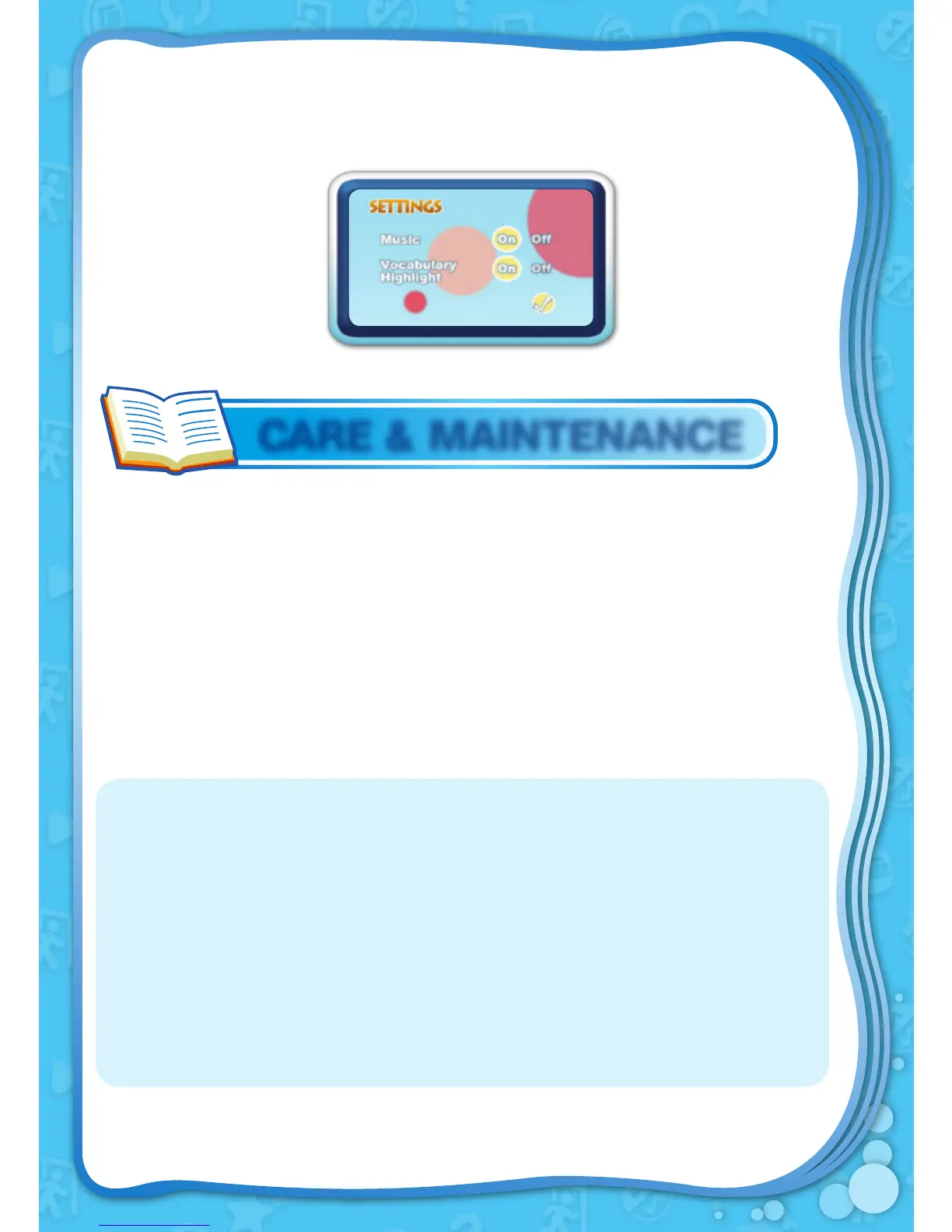
Settings
Turn the background music and vocabulary highlight feature on or off in
Settings.
1. Keep
Storio™ Animated E-Book Reader clean by wiping it with a
slightly damp cloth. Never use solvents or abrasives.
2. Keep it out of direct sunlight and away from direct sources of heat.
3. Remove the batteries when not using
Storio™ Animated E-Book
Reader for an extended period of time.
4. Avoid dropping it. NEVER
try to dismantle it.
5. Always keep
Storio™ Animated E-Book Reader away from water.
CARE & MAINTENANCE
WARNING
A very small percentage of the public, due to an existing condition, may
experience epileptic seizures or momentary loss of consciousness when
viewing certain types of flashing colours or patterns on a game screen. While
the Storio™ Animated E-Book Reader does not contribute to any additional
risks, we do recommend that parents supervise their children while they play
games with an LCD screen. If your child experiences dizziness, altered vision,
disorientation, or convulsions, discontinue use immediately and consult your
doctor. Please note that focusing on an LCD screen at close range for a
prolonged period of time may cause fatigue or discomfort. We recommend that
children take a 15-minute break for every hour of play.


 To Next Page