FUNCTIONS BUTTONS
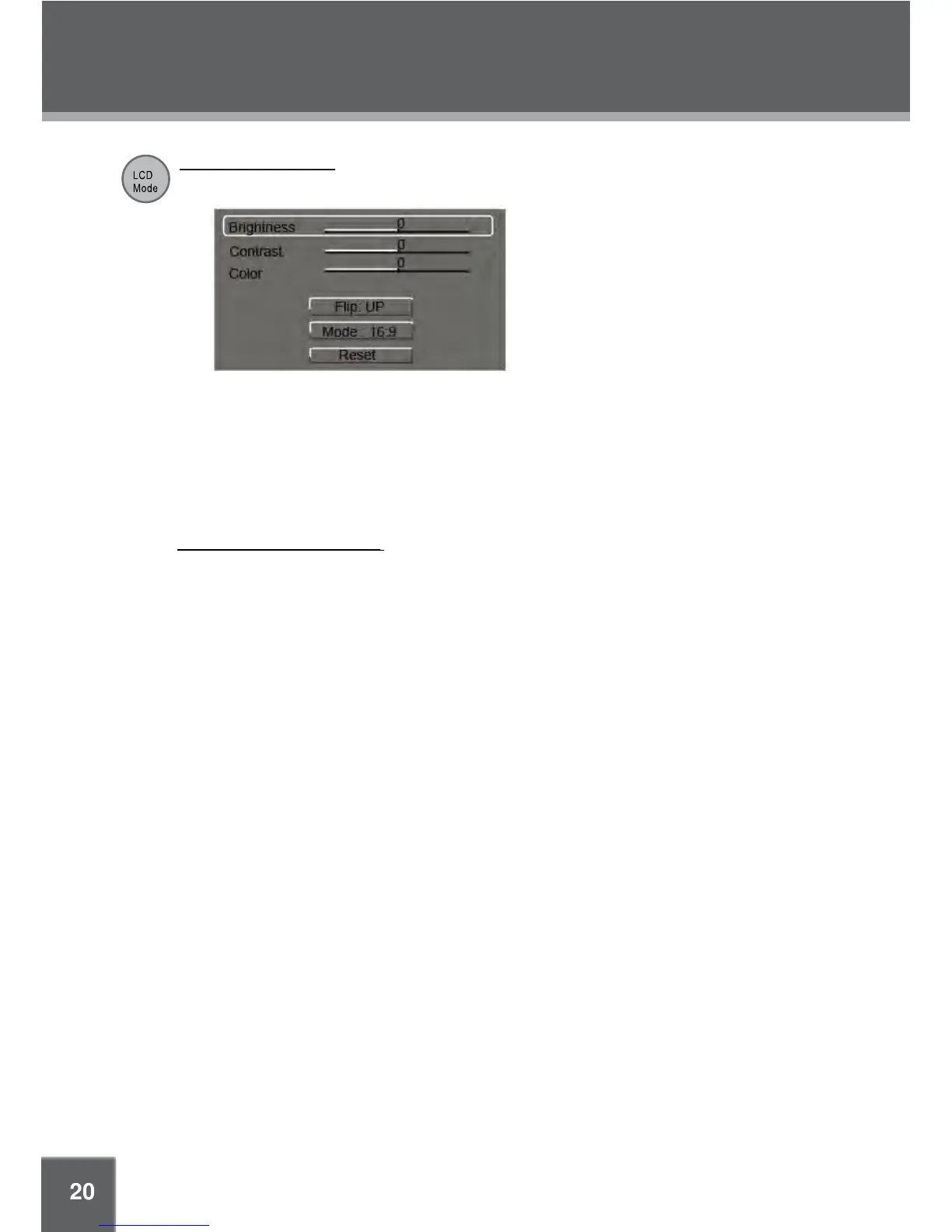
LCD Mode/USB Menu
Press this button to display the LCD menu.
Press up/down direction button to select the desired item and then make adjustment by left/1.
right direction button.
Press up/down direction button to select Flip and then press Enter button to flip the picture.2.
Press up/down direction button to select Mode and then press the Enter button to toggle the 3.
screen ratio between 16:9 and 4:3.
Select RESET and press ENTER to return the settings of 4. brightness, contrast and color to
their factory
default settings.
To access the USB/SD mode: insert a USB flash drive/SD card into the USB port/SD slot. Press
and hold this button for a short while to display the source mode, you can access DVD/SD/USB
using this menu. See USB/SD Connection section.


 To Next Page