Need help?
Do you have a question about the V-ZUG Combair-Steam SE and is the answer not in the manual?
Explains the meaning of various symbols used in the operating instructions for safety.
Details fundamental safety rules and guidelines for operating the appliance safely.
Outlines specific safety warnings and precautions related to the appliance's design and function.
Provides guidance on the correct and intended use of the appliance for optimal performance.
Initial setup steps for appliances with software version 1.
Initial setup steps for appliances with software version 2.
Final steps to complete the initial setup and prepare the appliance for use.
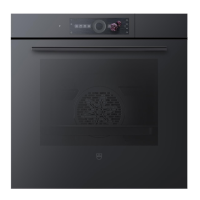
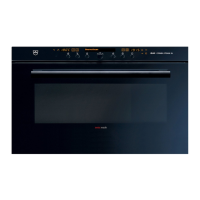
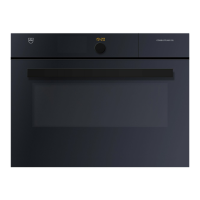
Details the physical components and structure of the appliance.
Identifies and explains the function of the control panel buttons and display.
Describes the interior of the cooking space and its features.
Lists and describes the standard accessories included with the appliance.
Information about the heatable appliance drawer and its usage.
Details the plate warmer function and its operation.
Provides a summary of all available operating modes for the appliance.
Instructions for using the steam cooking mode, including temperature and uses.
Details the top and bottom heat cooking mode, its settings, and applications.
Explanation of the hot air cooking mode, its benefits, and recommended uses.
Describes the combined hot air and steam cooking mode for enhanced results.
Information on the regeneration mode for reheating food gently.
Details the PizzaPlus mode for intensive base cooking.
Instructions for using the grill function, including levels and best practices.
Describes the combined grill and forced convection mode for even cooking.
Explanation of the top/bottom heat mode with humidity for moist cooking.
Details the hot air mode with humidity to retain food moisture.
Information on the bottom heat function and its specific uses.
Guidance on using the fast heating function to reduce preheating time.
Instructions on how to correctly fill the appliance's water tank.
Step-by-step guide to choosing and initiating an operating mode.
How to view and modify current operating mode settings.
Procedure for setting the cooking time for an operating mode.
Instructions for scheduling the appliance to start or finish at a later time.
How to stop or cancel an ongoing operating mode prematurely.
Guide to switching to a different operating mode during or after use.
Details on how to set and use the appliance's timer function.
Information on what happens when the set duration or operating mode finishes.
Instructions on the correct procedure for turning the appliance off.
Guidance on safely emptying the appliance's water tank.
Information on using the pre-programmed recipe book for cooking assistance.
Guidance on creating, saving, and managing custom recipes.
Details on the professional baking mode for pastries and dough proofing.
Describes wellness applications like hot towels and massage stones.
Information on hygiene functions, such as sterilizing baby bottles and preserving jam.
Instructions on using the keep warm function for cooked food.
Lists the categories of food available for selection within the EasyCook function.
Guide to selecting food items and starting the EasyCook cooking process.
Steps for saving preferred operating modes or applications as favourites.
How to access and run previously saved favourite settings.
Instructions for modifying existing favourite settings.
Process for removing saved favourite settings.
Troubleshooting common issues encountered during baking and roasting.
Provides general advice for efficient and effective appliance usage.
Offers methods and settings to reduce the appliance's energy consumption.
Lists all configurable user settings for the appliance.
Explains how to navigate and modify various user settings.
How to change the language displayed on the appliance.
Settings related to the appliance's display contrast, brightness, and start screen.
Instructions for setting and changing the appliance's date.
Details on setting the time, time format, and display options.
How to manage acoustic signals and instruction messages.
Information on the descaling function and its importance for maintenance.
Setting the water hardness level to optimize descaling intervals.
Adjusting the volume level for acoustic signals.
Configuration of auxiliary functions like illumination and fast heating.
Setting the preferred unit for temperature display (°C or °F).
How to activate and use the childproof lock feature for safety.
Accessing technical data and operating history of the appliance.
Information on the demo mode for product demonstrations.
Function used by testing institutes to verify appliance connection.
How to reset user-configured settings back to their original factory defaults.
Instructions for cleaning the external surfaces of the appliance.
Guidance on how to clean the interior of the cooking compartment.
Steps for cleaning the appliance door and its glass.
How to properly clean the seal around the appliance door.
Information on replacing the door seal, recommending professional service.
Instructions for replacing the interior light bulb, advising professional service.
How to clean various accessories and the interior shelf guides.
Detailed instructions on how to perform the descaling process for the appliance.
General advice and initial steps for resolving common appliance issues.
Troubleshooting steps for when the appliance fails to operate.
Steps to diagnose and resolve issues with the appliance's internal illumination.
Addresses problems like unusually long cooking times or excessive smoke.
Explanation for condensation on the control panel during steam operations.
Information regarding normal operational noises the appliance may produce.
Troubleshooting steps for inaccurate timekeeping on the appliance clock.
Guidance for interpreting and resolving specific error codes displayed by the appliance.
Explanation of the 'Residual Heat' message and related actions.
Troubleshooting steps when the descaling process fails or is interrupted.
Guidance for resolving issues related to the water tank and filling.
Describes how the appliance behaves and what to do after power interruptions.
Lists available accessories that can be ordered for the appliance.
Information on special accessories and where to find them.
Details on how to order spare parts for the appliance.
Information relevant for testing institutes regarding energy efficiency and measurements.
Explanation of how appliance temperature is measured and its limitations.
Technical specifications and energy consumption data according to EU regulations.
Details on the automatic energy-saving EcoStandby function.
Information about the use of open-source software within the appliance.
Safety instructions regarding packaging material and its disposal.
Safety measures to render the appliance unusable before disposal.
Guidelines for the environmentally friendly disposal of the appliance (WEEE).
 General
| Brand | V-ZUG |
|---|---|
| Standard Width | 60 cm |
| Appliance Height | 45 cm |
| Material | Stainless steel |
| Cooking Functions | Steaming |
| Energy Efficiency Class | A |
| Voltage | 230 V |
| Frequency | 50 Hz |
| Safety Features | Childproof lock |


 To Next Page