EasyManua.ls Logo

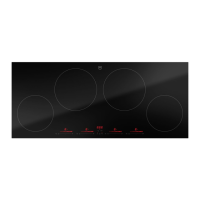
V-ZUG CookTopInduction V6000 - User Manual

V-ZUG CookTopInduction V6000
28 pages
Print Icon
To Next Page IconTo Next Page
Loading...
Operating instructions
CookTopInduction V6000
Induction hob
Question and Answer IconNeed help?

Do you have a question about the V-ZUG CookTopInduction V6000 and is the answer not in the manual?

Summary

Safety precautions

Symbols used

Explains symbols used for important information and warnings in the manual.

General safety precautions

Provides essential safety guidelines for using the appliance safely.

Appliance-specific safety precautions

Details safety measures directly related to the induction hob's design and operation.

Instructions for use

Guides users on proper installation, initial setup, and correct usage of the appliance.

Using for the first time

Your appliance

Appliance overview

Details the components and layout of the induction hob.

Operating and display elements

Explains the control panel, buttons, and indicators on the appliance.

How induction hobs function

Explains the working principle of induction technology in the hob.

Pan detection

Describes the automatic detection of suitable cookware on the cooking zones.

Flexible cooking

Allows using any zone for pans of different sizes.

Cookware

Guidance on selecting suitable cookware for induction hobs.

OptiGlass

Details the special glass surface coating and its properties.

Operation

Switching the appliance on and off

Steps to power the hob on and off.

Selecting a cooking zone

How to choose and activate a cooking zone.

Switching a cooking zone off

Procedures to turn off individual cooking zones.

Residual heat indicator

Explains the display of residual heat for safety.

Overview of power levels

Lists cooking methods, power levels, and uses.

Melting function

Low-temperature melting function instructions.

Keep warm function

How to keep food warm at a set temperature.

Simmer function

Gentle cooking just below boiling point.

PowerPlus

Booster function for temporary extra high power.

Bridging function

Combines two cooking zones into one larger zone.

Automatic boost

Automatic temporary increase in power for cooking zones.

Operating time

How to set a timer for automatic switch-off.

Timer

Instructions for using the appliance as a general timer.

Childproof lock

Activate/deactivate safety lock to prevent accidental use.

Restore function

Restore settings after accidental switch-off.

Pause cooking

Temporarily pause and resume cooking.

Wipe protection

Prevents accidental changes when cleaning the panel.

OptiLink

Connecting the hob to the range hood

Establish connection with a compatible range hood.

Deactivating OptiLink

Steps to disconnect the hob from the range hood.

User settings

Changing user settings

Modify and save user-specific appliance configurations.

Care and maintenance

Cleaning agent

Recommends suitable cleaning agents for the glass ceramic surface.

Trouble-shooting

Error messages

Lists error codes, causes, and solutions.

Other possible problems

Addresses general issues not related to specific error codes.

Technical data

Product fiche

Presents technical specifications and energy consumption data.

Disposal

Packaging

Safety advice regarding packaging material disposal.

Safety

Guidelines for rendering the appliance unusable before disposal.

Disposal

Instructions for environmentally friendly disposal of electrical equipment.

Service & Support

Summary

Safety precautions

Symbols used

Explains symbols used for important information and warnings in the manual.

General safety precautions

Provides essential safety guidelines for using the appliance safely.

Appliance-specific safety precautions

Details safety measures directly related to the induction hob's design and operation.

Instructions for use

Guides users on proper installation, initial setup, and correct usage of the appliance.

Using for the first time

Your appliance

Appliance overview

Details the components and layout of the induction hob.

Operating and display elements

Explains the control panel, buttons, and indicators on the appliance.

How induction hobs function

Explains the working principle of induction technology in the hob.

Pan detection

Describes the automatic detection of suitable cookware on the cooking zones.

Flexible cooking

Allows using any zone for pans of different sizes.

Cookware

Guidance on selecting suitable cookware for induction hobs.

OptiGlass

Details the special glass surface coating and its properties.

Operation

Switching the appliance on and off

Steps to power the hob on and off.

Selecting a cooking zone

How to choose and activate a cooking zone.

Switching a cooking zone off

Procedures to turn off individual cooking zones.

Residual heat indicator

Explains the display of residual heat for safety.

Overview of power levels

Lists cooking methods, power levels, and uses.

Melting function

Low-temperature melting function instructions.

Keep warm function

How to keep food warm at a set temperature.

Simmer function

Gentle cooking just below boiling point.

PowerPlus

Booster function for temporary extra high power.

Bridging function

Combines two cooking zones into one larger zone.

Automatic boost

Automatic temporary increase in power for cooking zones.

Operating time

How to set a timer for automatic switch-off.

Timer

Instructions for using the appliance as a general timer.

Childproof lock

Activate/deactivate safety lock to prevent accidental use.

Restore function

Restore settings after accidental switch-off.

Pause cooking

Temporarily pause and resume cooking.

Wipe protection

Prevents accidental changes when cleaning the panel.

OptiLink

Connecting the hob to the range hood

Establish connection with a compatible range hood.

Deactivating OptiLink

Steps to disconnect the hob from the range hood.

User settings

Changing user settings

Modify and save user-specific appliance configurations.

Care and maintenance

Cleaning agent

Recommends suitable cleaning agents for the glass ceramic surface.

Trouble-shooting

Error messages

Lists error codes, causes, and solutions.

Other possible problems

Addresses general issues not related to specific error codes.

Technical data

Product fiche

Presents technical specifications and energy consumption data.

Disposal

Packaging

Safety advice regarding packaging material disposal.

Safety

Guidelines for rendering the appliance unusable before disposal.

Disposal

Instructions for environmentally friendly disposal of electrical equipment.

Service & Support

V-ZUG CookTopInduction V6000 Specifications

General IconGeneral
TypeInduction Hob
ModelV6000
BrandV-ZUG
Cooking Zones4
Control TypeTouch Control
Power Levels9
Total Power7.4 kW
Boost FunctionYes
TimerYes
Residual Heat IndicatorYes
Installation TypeBuilt-in
Voltage220-240 V
Frequency50/60 Hz
Safety FeaturesChild Lock

Related product manuals