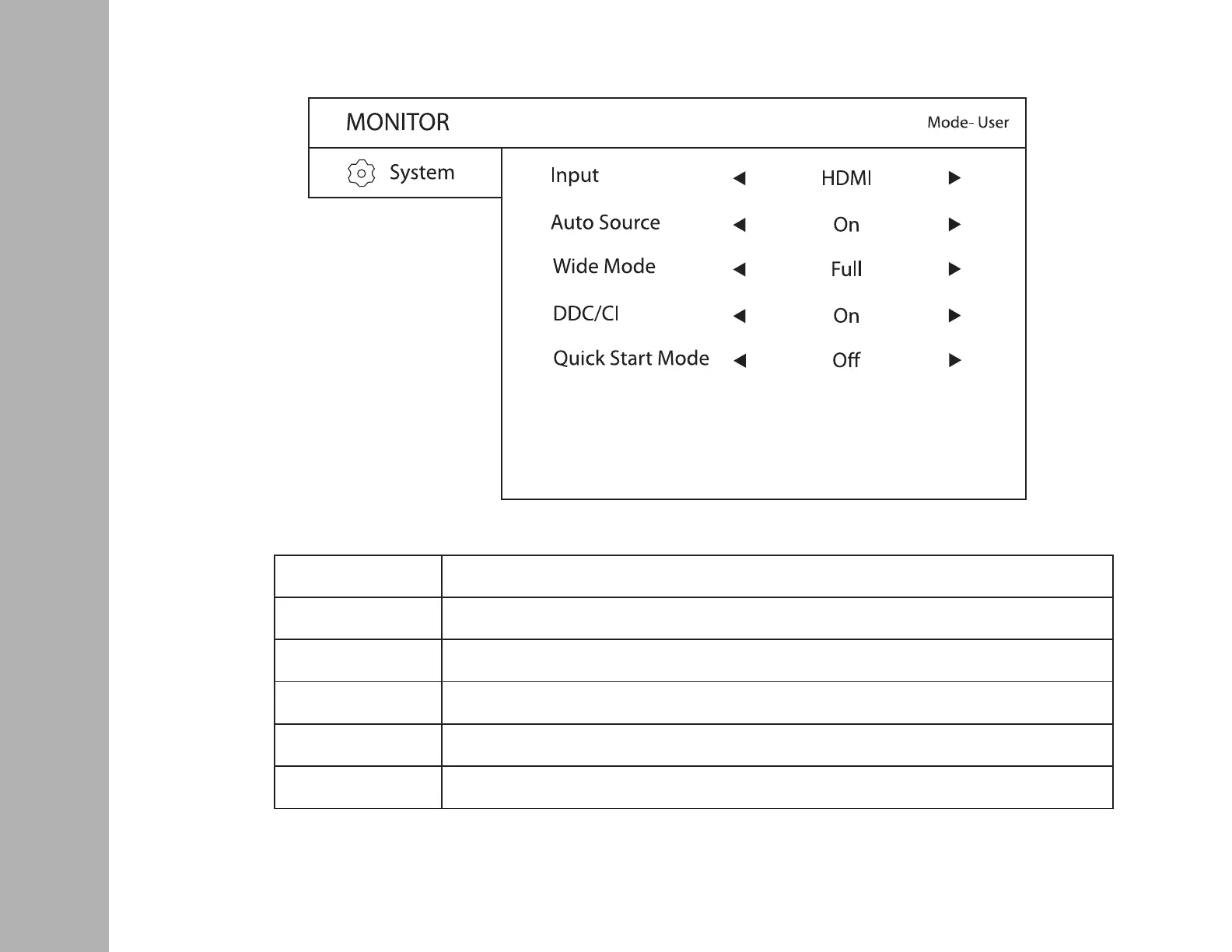
SYSTEM
Input: To select desired input source: HDMI/VGA/DP
Auto Source: To select On/O
Wide Mode: To select Aspect/Full. When some input signals are 4:3 the display can extend to 16:9 full screen
mode. Full Screen mode does not apply at high resolution settings.
DDC/CI: To turn On/O Display Data Channel (DDC) / Command Interface (CI)
Quick Start Mode: Select On & O VSeven Start up image


 To Next Page