7
07 MAIN UNIT FEATURES
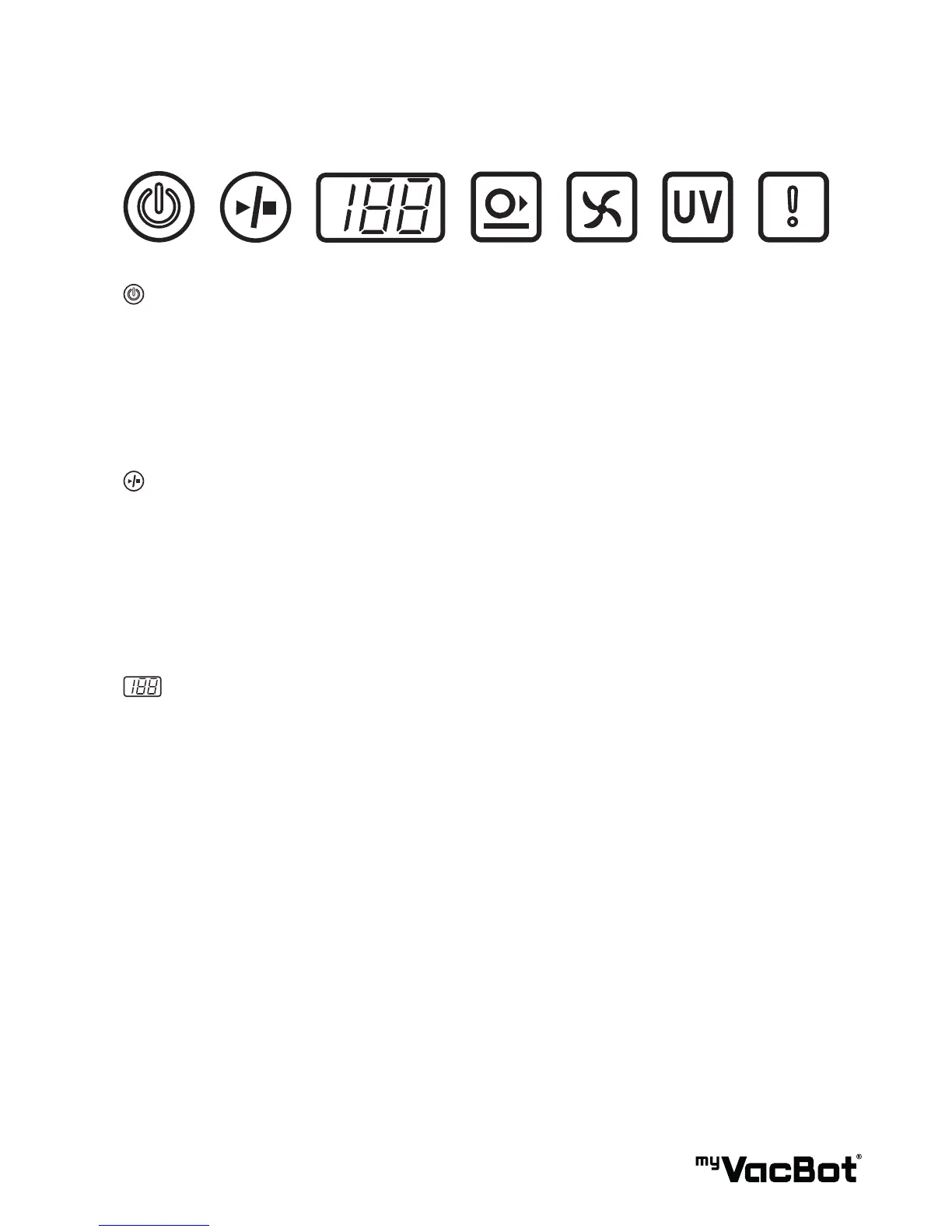
Main Power button:
Push button then blue symbol light-up, myVacBot B100 is power on.
Tips:
• During cleaning, if symbol is light-blinking in Red color, means Battery Low.
• During charging, if symbol is light-blinking in Blue, means „Charging“.
• During charging, if symbol is light-up in Blue, means Charged-Fully.
Start / Stop button:
Push button and blue symbol light up, myVacBot B100 start working.
Push button and blue symbol light off, myVacBot B100 stop working.
Tip:
• During period 24hr of Main-Power-Button on, you also can use Remote- control to Power-on and Start
/ Stop myVacBot B100. ( When myVacBot B100 did not work over 24hr, myVacBot B100 will power-off
itself to protect battery life. You must push Main-Power-Button again to wake up myVacBot B100.)
Timer/ Movement Mode / Error, display:
1. Timer : Yon can use remote-controll setting clean time, 80-60-40-20-80 repeat. During cleaning, the
timer will be countdown the setting time. (When next time turns on.Timer will be followed your last time
setting)
2. Movement Mode: When myVacBot B100 start working, it is set „Automatic Mode“.
You can use remote-control to choice 6 kinds movement pattern:
1. Spiral
2. Special-Bounce
3. Wall-Following
4. Zig-Zag
5. Polygonal
A. Automatic
TIP : When you push „Battery“ button of Remote-control, the display will show „H“, it means go
„Home“ to charge battery. myVacBot B100 will search „Charging base“ then charging.
3. Error message: When myVacBot B100 was unreasonable stop working. The display will show „Error
number“ as „E1~E10“. You can see the message on the Label of myVacBot B100 bottom side, or
trouble shooting guide of Page ?.


 To Next Page