11
GB
Remove Brush Roll for Cleaning
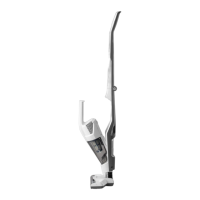
1) Make sure the vacuum cleaner is turned OFF, then remove the handheld vacuum cleaner and
set aside.
2) Youcanremovethemotorisedoorheadforeasymaintenancebypressingthetwomotorised
oorheadreleasebuttonslocatedoneithersideoftheunitneck.Pressthetworeleasebuttons
andsimultaneouslypullthemotorisedoorheadfromthemainbody.
3) Turn the unit over to access the brush roll.
4) Locate the release lever on the right side of the brush roll. Apply pressure to the bottom of the
tab and slide the tab to the right to unlock. Lift the brush roll out of housing (Fig. 15).
5) Clean off debris and anything wrapped around the brush. Use a pair of scissors to remove
threads, hair etc. If you see any hair stuck in the end cap area, remove the end cap from the
brush roll to remove the hair (Fig. 16). Then reinstall the end cap.
6) Reinsert the brush roll back into the housing by aligning the hexagon end of the brush roll into
themotorisedoorheadunitrst,ensuringitisfullyandsecurelyplacedontothemounting
bracket. Then, insert the octagon end correctly into place and lock the securing tab back into
position (Fig. 17 & 18).
NOTE:
When inserted correctly the brush roll should be able to rotate.
Remove Motorised Floor Head Blockages
1)Tocleanoutthemotorisedoorhead,pressthetworeleasebuttons,andpulltheheadaway
from the main body (Fig. 19).
2) Flex the connection hose to ensure you can see straight through the other end. If you can see
any blockages in this area, carefully remove them.
3) Reattachthemotorisedoorheadontothevacuumbody.
NOTE:
Do not damage the connection pins; do not use scissors or other sharp objects to remove
a blockage from the head.








 To Next Page