8
GB
OPERATION
CAUTION:
Moving parts!
To reduce the risk of personal injury, DO NOT touch the brush roll
when the vacuum cleaner is operating. Touching the brush roll while it is rotating can cause
personal injuries. Use caution when operating near children or pets (Fig. 5).
WARNING:
Donotoperatethevacuumcleanerwithoutalterinplace.
1. Charging
NOTE:
Tooptimisethebatterylongevity,ensurethevacuumcleanerisfullychargedbeforerst
use.Chargethevacuumcleanerforatleast5hoursbeforeusingforthersttime.Nevercharge
the batteries in temperatures above 40°C or below 4°C. It is normal for the charger to become
warm when charging.
NOTE:
Only recharge your vacuum cleaner with the supplied charger.
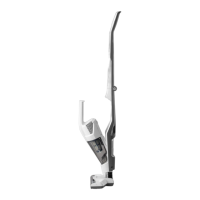
1) Before charging, make sure the cordless vacuum is turned OFF and the handheld vacuum
cleaner unit is installed in the main body.
2) Insert the charging adapter into the charging port located on the side of the charging base and
secure the cord.
3) Insert the vacuum cleaner onto the charging base. Ensure all connections are clean and free of
dirt (Fig. 6).
4) Plug the charging adapter into a suitable power supply (Fig. 7).
NOTE:
The vacuum cleaner sits against the charging pins on the base station to make the
vacuum always available for use. As a result, it does not lock into place during charging. Make
sure that there is nothing obstructing the connections which may prevent charging.
5) The handheld vacuum cleaner power switch will show the progress during charging. Whilst
thevacuumisbeingcharged,thebatterychargingindicatorwillash.Oncefullycharged,the
battery charging indicator will automatically turn off.
6) When fully charged, unplug the charging adapter from the power supply and remove the
vacuum cleaner from the charging base.
NOTE:
If the battery charging indicator does not illuminate when charging, ensure that:
• The vacuum cleaner is seated properly onto the charging base.
Battery charging indicator Status
Flashing light Charging
No light Fully charged
Power Switch
& Battery
Charging
Indicator








 To Next Page