Ethernet board technical data vacon • 5
24-hour support +358 (0)40 837 1150 • Email: fieldbus@vacon.com
1
2.2.
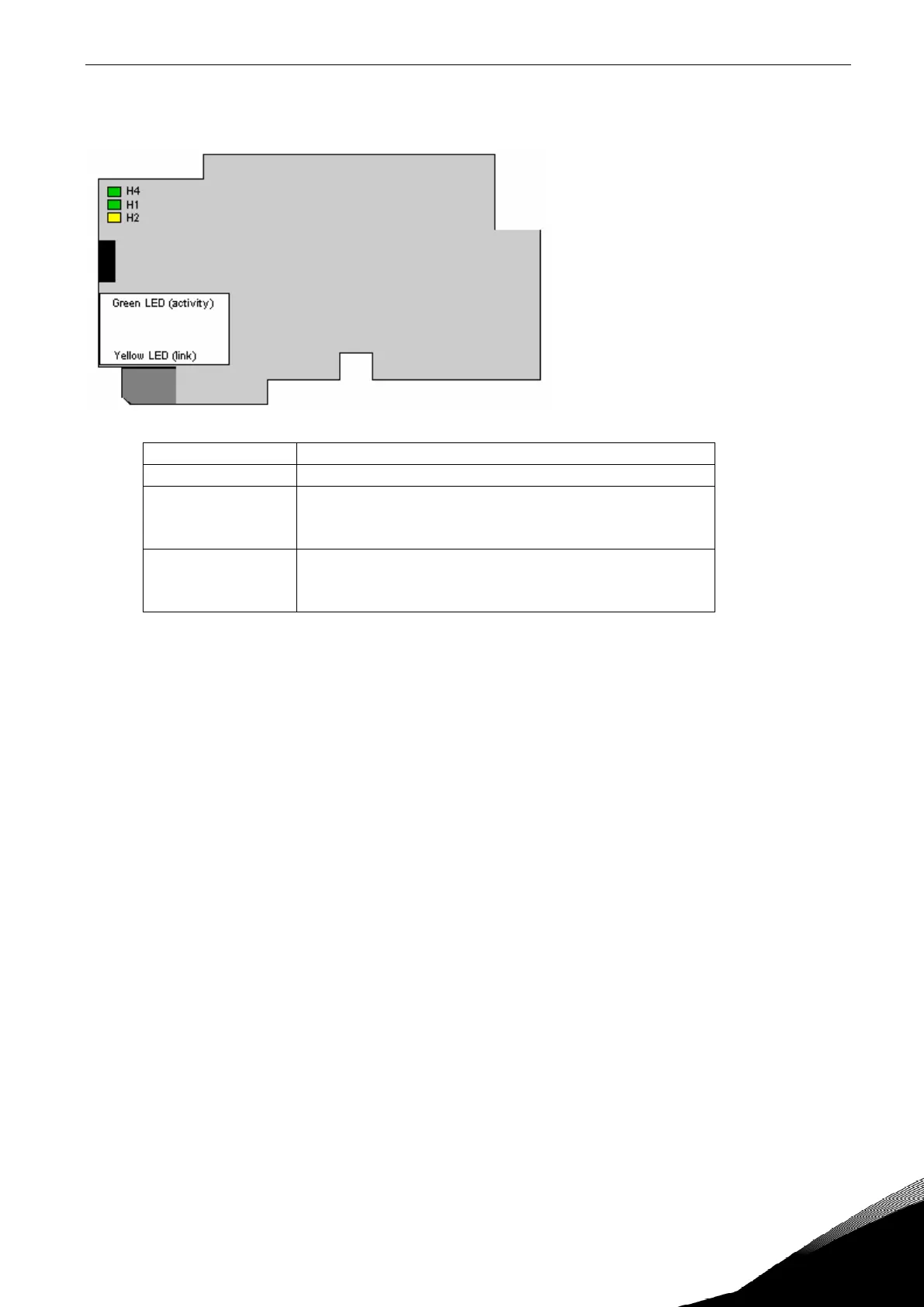
LED indications
Figure 1-2, LED indications on the OPTCP board
LED: Meaning:
H4 LED in ON when board is powered
H1 Blinking 0.25s ON / 0.25s OFF when board firmware
is corrupted (chapter 3.2.1 NOTE).
OFF when board is operational.
H2 Blinking 2.5s ON / 2.5s OFF when board is ready for
external communication.
OFF when board is not operational.
Using the "Node Flashing Test" function you can determine to which device you are directly con-
nected. For example in Siemens S7, by using the menu command "PLC > Diagnostics/Setting > Node
Flashing Test..." you can identify the station connected directly to the PG/PC by the FORCE LED that
flashes.


 To Next Page