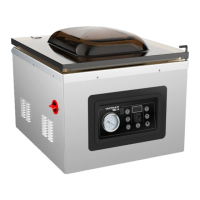
4.
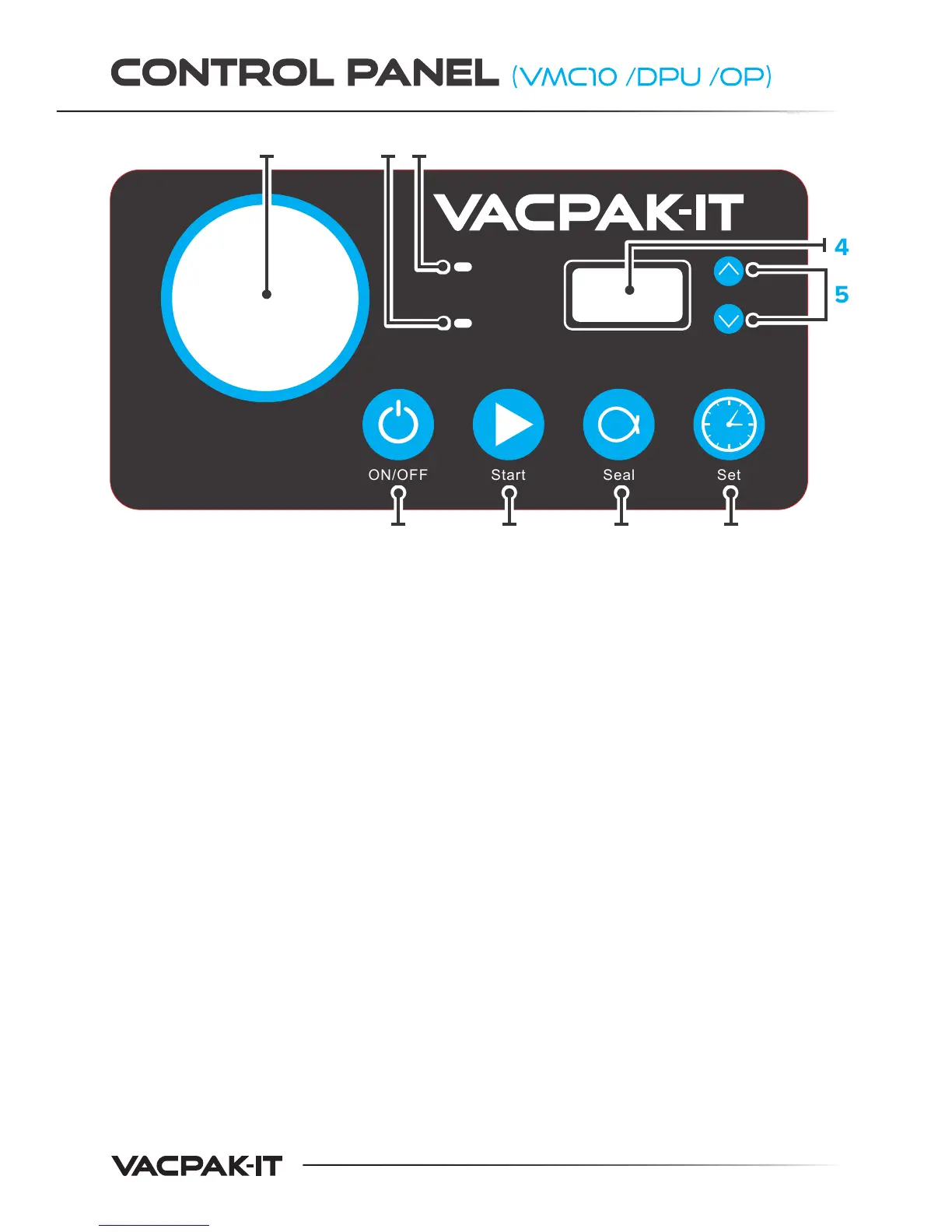
1. Vacuum Gauge - Indicates the vacuum pressure level
inside the chamber.
2. “Seal Time” Light - Illuminates when adjusting seal time.
It also illuminates during the sealing process.
3. “Vac Time” Light - Illuminates when adjusting vacuum time.
It also illuminates during the vacuum process.
4. LED Display - Displays current cycle time in seconds.
5. Up/Down Arrow Buttons - Press to increase/decrease the
vacuum or sealing time.
6. ON/OFF Button - Press to turn the machine on or o.
Can also be used as an emergency stop button.
7. Start Button - Press to begin the indicated process.
8. Seal Button - Press to begin the sealing process manually
for fragile foods.
9. Set Button - Press to set the vacuum or sealing time,
then use the up/down arrow buttons to make adjustments.
Vac Time
Seal Time
SealON/OFF SetStart
1
6 7 8 9
4
5
2 3


 To Next Page