page 18 of 36
Documents are only to be used and distributed completely and unchanged. It is strictly the users´ responsibility to check
carefully the validity of this document with respect to his product. manual-no.: 99 90 20 / 01/12/2004
How to change the basic setup
Starting the program:
➨ Press key MODE while switching on the controller.
☞ The basic setup as from last operation (factory-set: Stand-
ard) is displayed.
To change the basic setup:
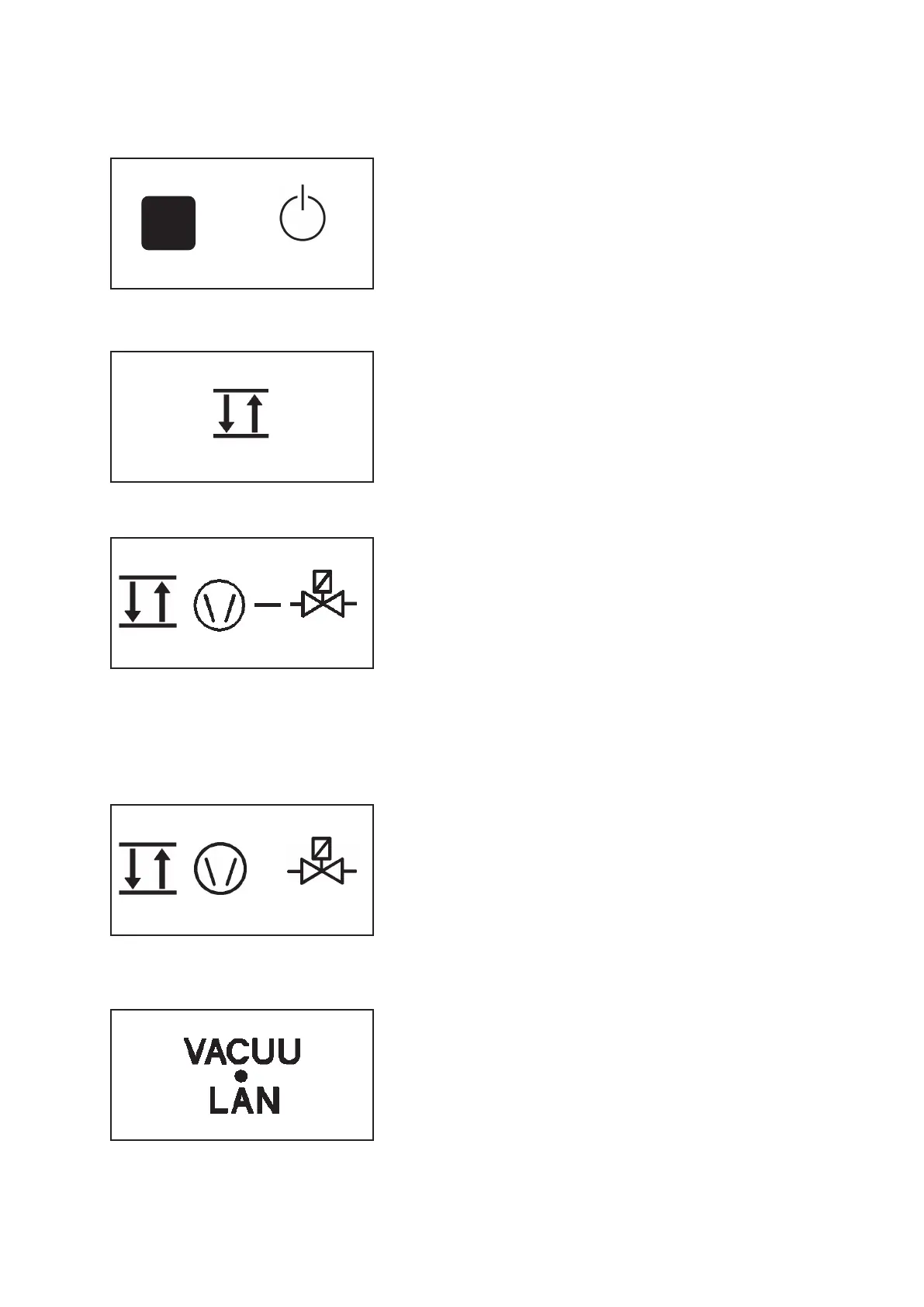
➨ Press key p▲ or p▼ until the symbols of the desired basic
setup are displayed.
➨ Press key START/STOP to confirm the selected basic setup.
(mains switch)
MODE
Standard
☞☞
☞☞
☞ An isolation valve is indispensable.
☞ Dispenses the cooling water according to the requirements
(cooling water valve 24 V= at the CVC 2
II
).
Management
Plus
☞☞
☞☞
☞ An isolation valve and a VMS Module A are indispensa-
ble.
☞ Dispenses the cooling water according to the requirements.
☞ Process-orientated switching of the diaphragm pump in two-
point control operation and in continuous operation.
☞ High tolerance to condensates due to sufficient operation
time even in interval operation.
Management
☞☞
☞☞
☞ A VMS Module A is indispensable.
☞ Process-orientated switching of the diaphragm pump in two-
point control operation and in continuous operation.
☞ Dispenses the cooling water according to the requirements.
☞ The pump is operated parallel (synchronous) to the isolation
valve.
☞ Energy consumption is reduced to a minimum.
☞ Operation is also possible without an isolation valve.
Attention: Take into account possible suck-back of gas (even
though at a very low rate) through the not-operating pump,
especially if the gas ballast valve is open. Make sure that no
potentially inflammable mixtures can be formed!
VACUU•LAN
☞☞
☞☞
☞ A VMS Module A is indispensable.
☞ The vacuum pump is switched according to the preset pres-
sure and time values.
☞ The pump is switched off if no more pumping is required, the
pump is switched on again in case of pressure rise.
+
MODE


 To Next Page