EasyManua.ls Logo

vacuubrand DVR 5 - User Manual

Default Icon
17 pages
Print Icon
To Next Page IconTo Next Page
Loading...
page 1 of 17
Documents are only to be used and distributed completely and unchanged. It is strictly the users´ responsibility to check
carefully the validity of this document with respect to his product. manual-no.: 999039 / 16/12/2009
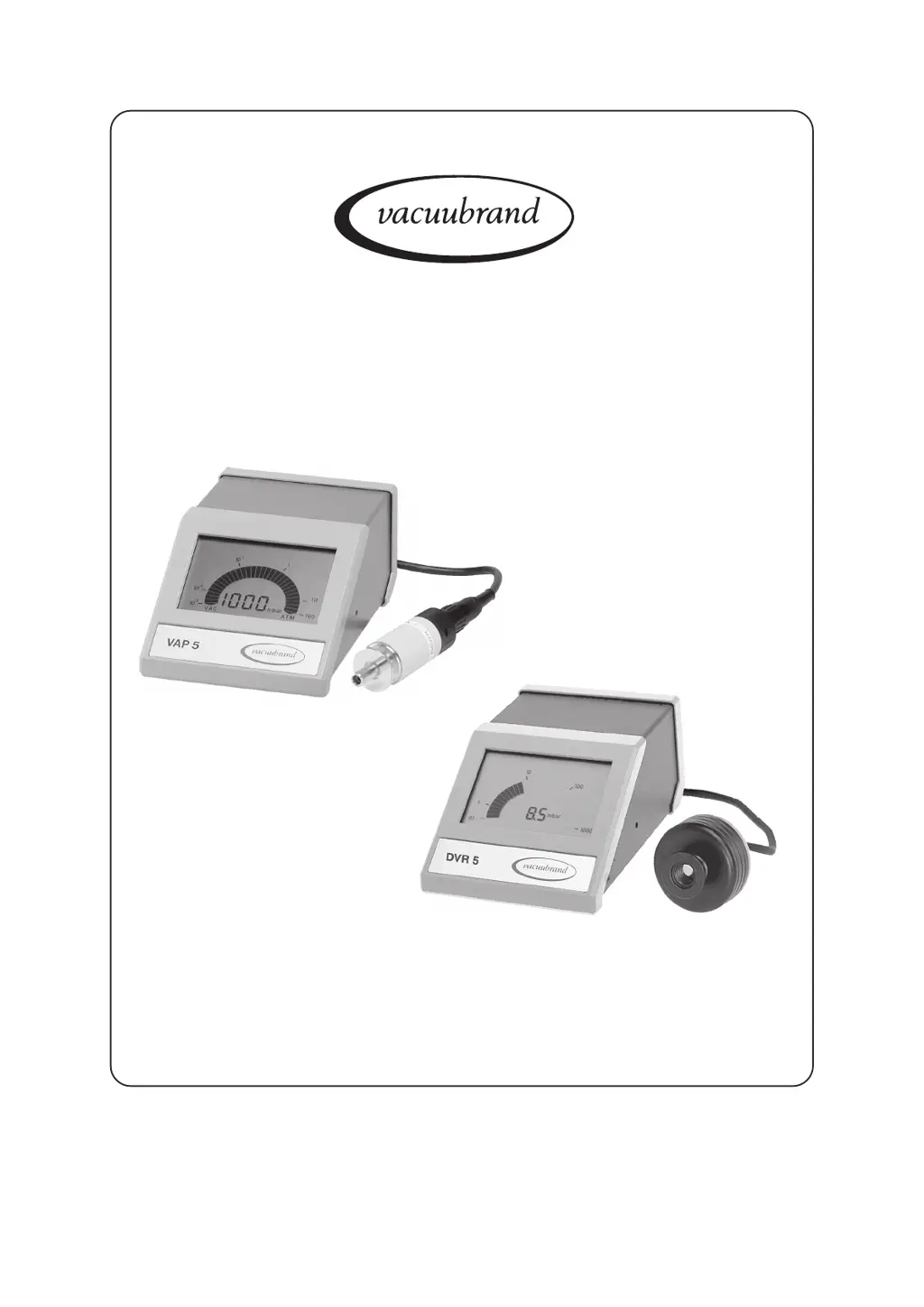
Vacuum gauges
VAP 5
DVR 5
Technology for Vacuum Systems
Instructions for use

Questions and Answers

  • J
    James CollinsAug 7, 2025
    Why is my vacuubrand DVR 5 Measuring Instruments display alternating on and off?
    • K
      Kevin MillerAug 7, 2025
      The display might be alternating on and off because the internal overload protection is activated due to thermal overload. Ensure adequate ventilation to lower the ambient temperature. If the issue persists, the device may be defective and require factory repair.
  • T
    Thomas RossAug 12, 2025
    What to do if my vacuubrand DVR 5 pressure reading is fluctuating?
    • M
      Mr. Matthew Riley Jr.Aug 12, 2025
      Fluctuating pressure readings can occur due to several reasons: * Pressure fluctuations in the vacuum system itself. Check and adjust the system setup as needed. * Loose gauge head plug. Ensure the plug is securely screwed into the female connector. * Interface interference at the DVR 5. Eliminate the source of interference or use an interface filter. * Change in position of the gauge head VSK 5 (e.g., horizontal to vertical). Readjust if precise pressure indication is necessary.
  • T
    tylermccormickAug 17, 2025
    What to do if my vacuubrand DVR 5 shows no display?
    • Z
      Zachary AdamsAug 17, 2025
      If there is no display, first check if the mains plug is properly inserted and if there is power available at the socket. Also, check the mains fuses. If these steps don't resolve the issue, the device might be defective and require factory repair.
  • T
    Taylor GarciaAug 22, 2025
    What to do if my vacuubrand Measuring Instruments pressure reading is too high in the low pressure range?
    • C
      Caitlin ChenAug 22, 2025
      If the pressure reading is too high in the low-pressure range, it could be due to: * A clogged protective filter in the gauge head VSP 5. Clean or replace the filter. * A contaminated gauge head. Clean the gauge head and readjust it. * Incorrect adjustment. Readjust the gauge head. * Poor electrical contact. Clean the socket pins of the cable.
  • D
    Donna RodriguezAug 27, 2025
    Why is the malfunction indicator flashing on my vacuubrand DVR 5?
    • E
      Emily VelezAug 27, 2025
      If the warning triangle is flashing and "Err" is displayed, it indicates a malfunction with the pressure transducer. Ensure the gauge head is properly connected. If the problem persists, the gauge head or connecting cable may be defective and need replacement.
  • M
    Marco NewmanSep 1, 2025
    How to adjust vacuubrand DVR 5 if pressure reading is too low at atmospheric pressure?
    • J
      Jon BeanSep 1, 2025
      If the pressure reading is too low at atmospheric pressure, readjust the gauge head. If you are using VAP 5 and gases other than air or nitrogen, readjust the gauge head at atmospheric pressure with the specific gas being used.

Summary

Safety Information

General Safety and Handling

Covers packing, manual, electrical, ambient temp, ventilation, gas compatibility.

Pressure Limits and Gas Handling

Specific warnings for DVR 5 and VAP 5 pressure limits and Pirani filament.

Maintenance and Repair Policies

Technician Training and Decontamination

Emphasizes trained personnel and equipment decontamination.

Spare Parts and Repair Limitations

Details using genuine parts and non-repairable components.

Operation and Interface

Troubleshooting Common Issues

Gauge Head Servicing

Advanced Calibration and Adjustment

Calibration and Reference Points

Product Returns and Safety Forms

Repair and DKD Calibration Requirements

Outlines necessary forms and procedures for returns.

Health and Safety Clearance Form

Declaration of Conformity

vacuubrand DVR 5 Specifications

General IconGeneral
Brandvacuubrand
ModelDVR 5
CategoryMeasuring Instruments
LanguageEnglish

Related product manuals