EasyManua.ls Logo

vacuubrand MD 4C NT VARIO - User Manual

Default Icon
129 pages
Print Icon
To Next Page IconTo Next Page
Loading...
page 1 of 129
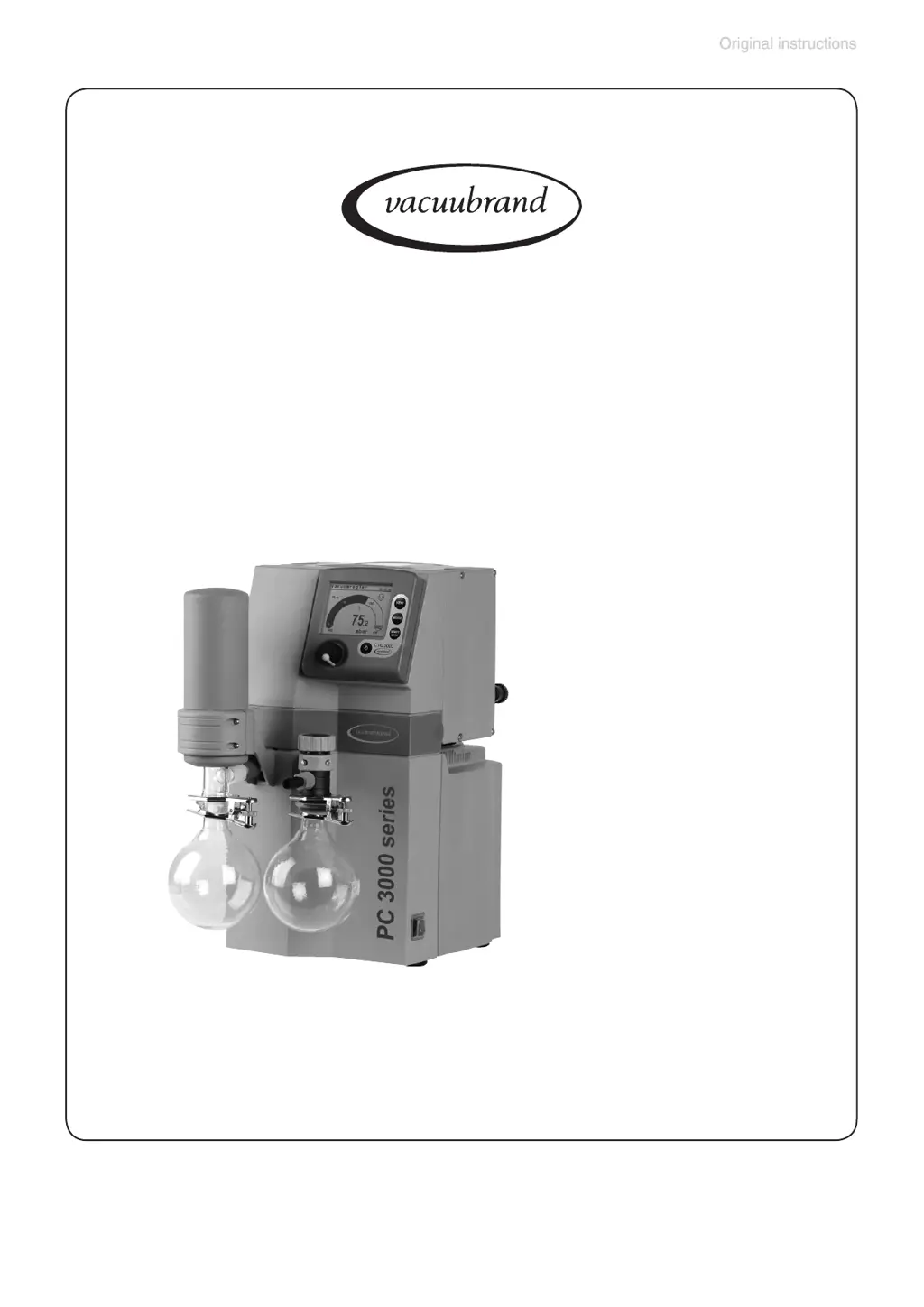
Chemistry diaphragm pumps
Chemistry vacuum systems
Chemistry pumping units
Instructions for use
Technology for Vacuum Systems
ME 4C NT VARIO
MZ 2C NT VARIO
MD 4C NT VARIO
MV 10C VARIO-B
MD 12C VARIO-B
PC 3002 VARIO
PC 3003 VARIO
PC 3004 VARIO
PC 3010 VARIO
PC 3012 VARIO
Part I of II
Part I
Part I:
Safety information - Technical data -
Use and operation

Table of Contents

Questions and Answers

  • B
    Beth TaylorSep 23, 2025
    What to do if venting valve does not respond on vacuubrand Water Pump?
    • A
      Amy GlennSep 23, 2025
      If the venting valve does not respond and the valve symbol is displayed on your vacuubrand Water Pump, the venting valve may be contaminated. Clean the valve.
  • T
    Timothy HamptonAug 25, 2025
    Why doesn't my VACUUBRAND Laboratory Equipment pump achieve ultimate vacuum?
    • P
      Patricia YoderAug 25, 2025
      If your VACUUBRAND pump isn't reaching its ultimate vacuum or usual pumping speed, check the centring ring at the small flange connection for correct positioning and inspect the pipeline and vacuum system for leaks. Ensure the controller setting is correct by selecting the ''Pump down'' function with the speed set to ''HI''. Use vacuum lines with a larger diameter and keep them as short as possible. If the pump has been exposed to condensate, allow it to run for a few minutes with atmospheric pressure at the inlet to purge. Clean and inspect the pump heads for deposits. Replace diaphragms and/or valves if they are damaged. Check process parameters for outgassing substances or vapor generation.
  • M
    Mark GomezAug 25, 2025
    What to do if VACUUBRAND Laboratory Equipment pump does not start?
    • B
      Billy StoutAug 26, 2025
      If your VACUUBRAND Laboratory Equipment pump doesn't start or stops immediately, and the warning triangle and pump symbol are flashing, it might be due to a few reasons. If the pump has been exposed to condensate, allow it to run for a few minutes at maximum speed with atmospheric pressure at the inlet. Check for overpressure in the outlet line by removing any blockage or opening the valve. If the motor is overloaded, allow it to cool down, identify, and eliminate the cause of failure, then manually reset it by switching off the pump or unplugging it.
  • C
    Christopher FordAug 27, 2025
    Why does the display disappear on my VACUUBRAND Laboratory Equipment?
    • M
      Michael AustinAug 27, 2025
      If the display on your VACUUBRAND Laboratory Equipment disappears, check the current draw of the connected devices to ensure there isn't too much load. Inspect connected valves for short circuits and replace them if necessary. Also, check the RS 232 plug and cable for any short circuits.
  • W
    Wendy DavidsonSep 23, 2025
    Why controller does not respond when pressing keys on vacuubrand Water Pump?
    • R
      ronald06Sep 23, 2025
      If the controller does not respond when pressing keys (except ON/OFF) and the PC symbol is displayed on your vacuubrand Water Pump, the controller may be in remote mode. Control the CVC 3000 via the interface or switch off remote mode.
  • M
    Mark SmithSep 13, 2025
    What to do if vacuubrand Water Pump stops and arrow down is flashing?
    • J
      jonathonandersonSep 13, 2025
      If your vacuubrand Water Pump stops during "Pump down" mode and the "arrow down" is flashing, it indicates that the pressure is below the preset minimum. Confirm by pressing the START/STOP key and adjust the minimum pressure value if necessary.
  • K
    Kevin WernerSep 12, 2025
    Why is the digital pressure reading flashing on my vacuubrand Water Pump?
    • M
      Michael MitchellSep 12, 2025
      If the digital pressure reading is flashing and the display shows "0.0" on your vacuubrand Water Pump, the pressure transducer may not be correctly adjusted under vacuum. Adjust the CVC 3000 correctly.
  • M
    millerdanielSep 12, 2025
    What to do if vacuubrand Water Pump stops and arrow up is flashing?
    • C
      Christian LarsonSep 12, 2025
      If your vacuubrand Water Pump stops during "Vac control" mode and the "arrow up" is flashing, it means the preset maximum pressure has been exceeded. Confirm by pressing the START/STOP key and adjust the maximum pressure value if necessary.
  • J
    jillhenrySep 4, 2025
    How to fix no display on vacuubrand Water Pump?
    • R
      rmcdanielSep 4, 2025
      If there is no display on your vacuubrand Water Pump, consider the following: * Check if the mains plug is properly connected to the NT VARIO / VARIO-B pump and plug it in. * Ensure that the controller CVC 3000 or pump NT VARIO / VARIO-B is switched on. * Verify the VACUU • BUS cable is correctly plugged into the controller CVC 3000.
  • P
    Patricia WaltersSep 2, 2025
    What to do if VACUUBRAND Laboratory Equipment venting valve does not respond?
    • R
      Ronald RichardSep 2, 2025
      If the venting valve does not respond and the valve symbol is displayed on your VACUUBRAND Laboratory Equipment, the venting valve might be contaminated. Clean the valve.

Summary

Part I: Technology for Vacuum Systems

Safety Information

Crucial safety instructions and warnings for operating the equipment.

General Handling & Intended Use

Initial handling, inspection, intended use, and environmental conditions.

Operational Safety & Maintenance

Critical safety measures during operation and procedures for maintenance.

Equipment Marking (ATEX)

Details on ATEX markings and their implications for operation.

Technical Data

Comprehensive specifications for pumps and pumping units.

General Pump Specs & Gas Inlet Temps

Overall technical specifications and permitted gas inlet temperature ranges.

Use and Operation

Instructions for connecting and operating the pump in a vacuum system.

System Installation & Operation Safety

Steps for safely integrating the pump and operational precautions.

Gas Ballast, Condenser, Shutdown & Controller

Notes on gas ballast, condenser, shutdown, storage, and controller.

Controller Functions and Applications

Overview of controller menus, modes, functions, and application examples.

Pump Down, Vac Control, Auto Mode

Detailed guides on pump down, vacuum control, and auto mode operations.

Program, VACUULAN, Configuration

Program function, VACUULAN, and system configuration settings.

Part II: Technology for Vacuum Systems

CVC 3000 Readjustment, Calibration, Transducer, Interface

Procedures for transducer adjustment, calibration, cleaning, and interface setup.

Accessories and Troubleshooting

List of accessories and common faults with their remedies.

Replacing Pump Components

Detailed instructions for replacing diaphragms, valves, and fuses.

Pump Head Maintenance

Procedures for cleaning and inspecting pump heads.

Diaphragm, Valve, and Fuse Replacement

Step-by-step guides for replacing pump diaphragms, valves, and fuses.

Returns, Warranty, and Safety Form

Procedures for returns, repairs, warranty, and safety declaration.

vacuubrand MD 4C NT VARIO Specifications

General IconGeneral
TypeRotary Vane Pump
Max. back pressure (absolute)1.1 bar
Voltage230 V
ConnectionPlug
Noise Level50 dB(A)
Noise level at 50 Hz49 dB(A)
Frequency50 Hz
MaterialAluminium

Related product manuals