1716 VADA FLOW BOSS DIGITAL WATER SWITCHING UNIT VFB-DSU INSTALLATION MANUAL
Additional Functions
Historical Water Consumption
This function allows you to view the historical
water consumption for each month. 12 months
of historical data is saved.
1. Press the ‘up’ or ‘down’ arrow and select
the month that is of interest.
Flow Rate and Pressure
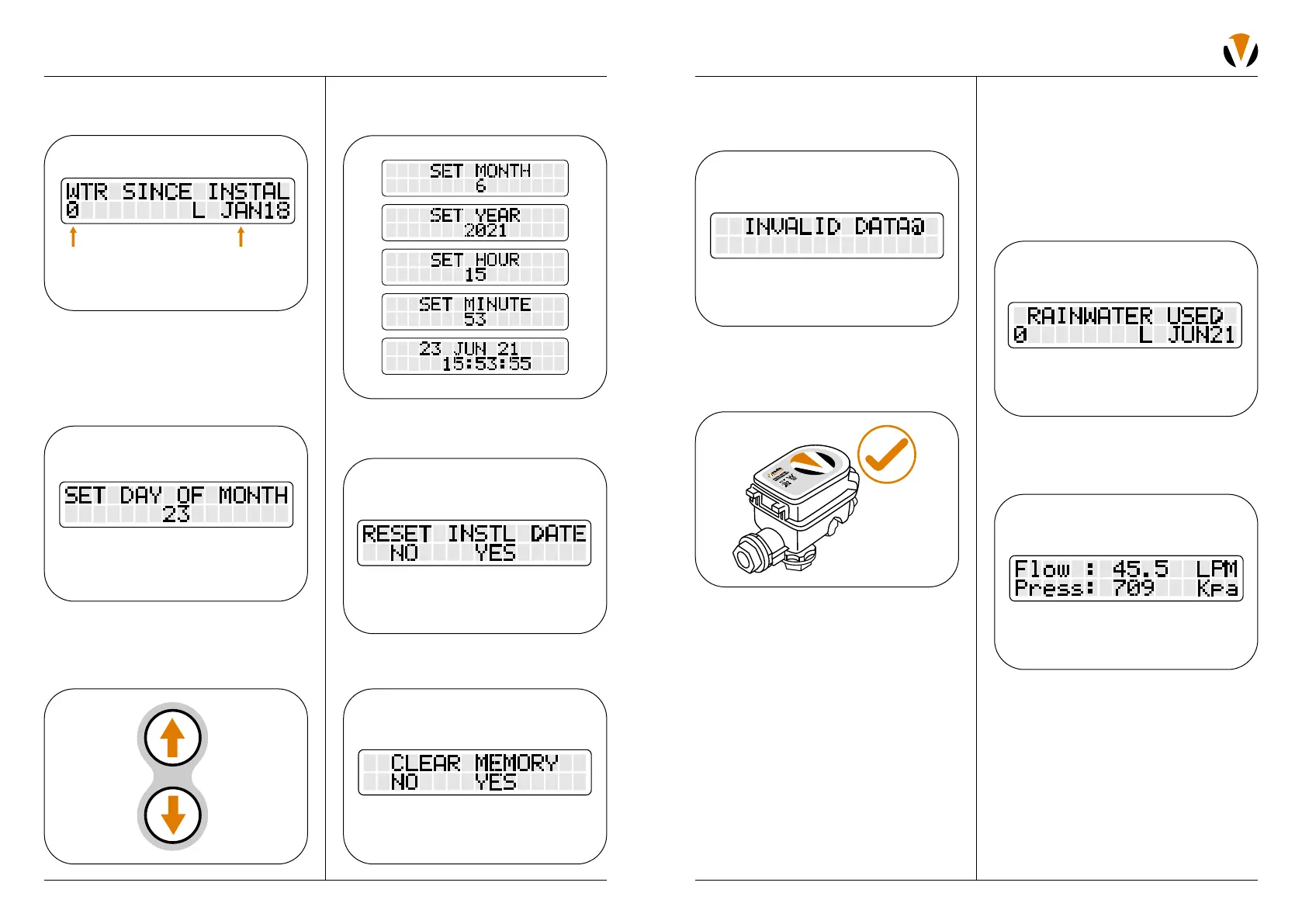
1. Press the “MODE” button until you see
“Flow” and “Press” readings displayed.
3. Provided that Mains water is available to the
unit, the following default screen will appear:
When using for the first time, the total water
pumped since installation should be zero.
The date of installation will be random.
4. To set the date and time, press the ‘Time
Set’ button.
5. Press either ‘up’ or ‘down’ arrow to select
the correct day of the month. When the
correct value is observed, press the ‘Time
Set’ button again.
9. In the event the user inputs incorrect
information, the ‘Invalid Data’ screen
will appear.
10. The VFB-DSU has been set to its basic
settings. For advanced settings and
additional functions, refer to ‘Advanced
Settings Overview’ on page 18.
OPERATION
6. Repeat this procedure until the correct
month, year, and time details are complete.
7. If you wish to make the current time the
Installation Date, the confirm ‘Yes’.
8. If you wish to clear all historical water data,
the confirm ‘Yes’.
Initial info will be displayed
Total water pumped
since installation
Date of installation on initial
setup will be random


 To Next Page