1514 VADA FLOW BOSS DIGITAL WATER SWITCHING UNIT VFB-DSU INSTALLATION MANUAL
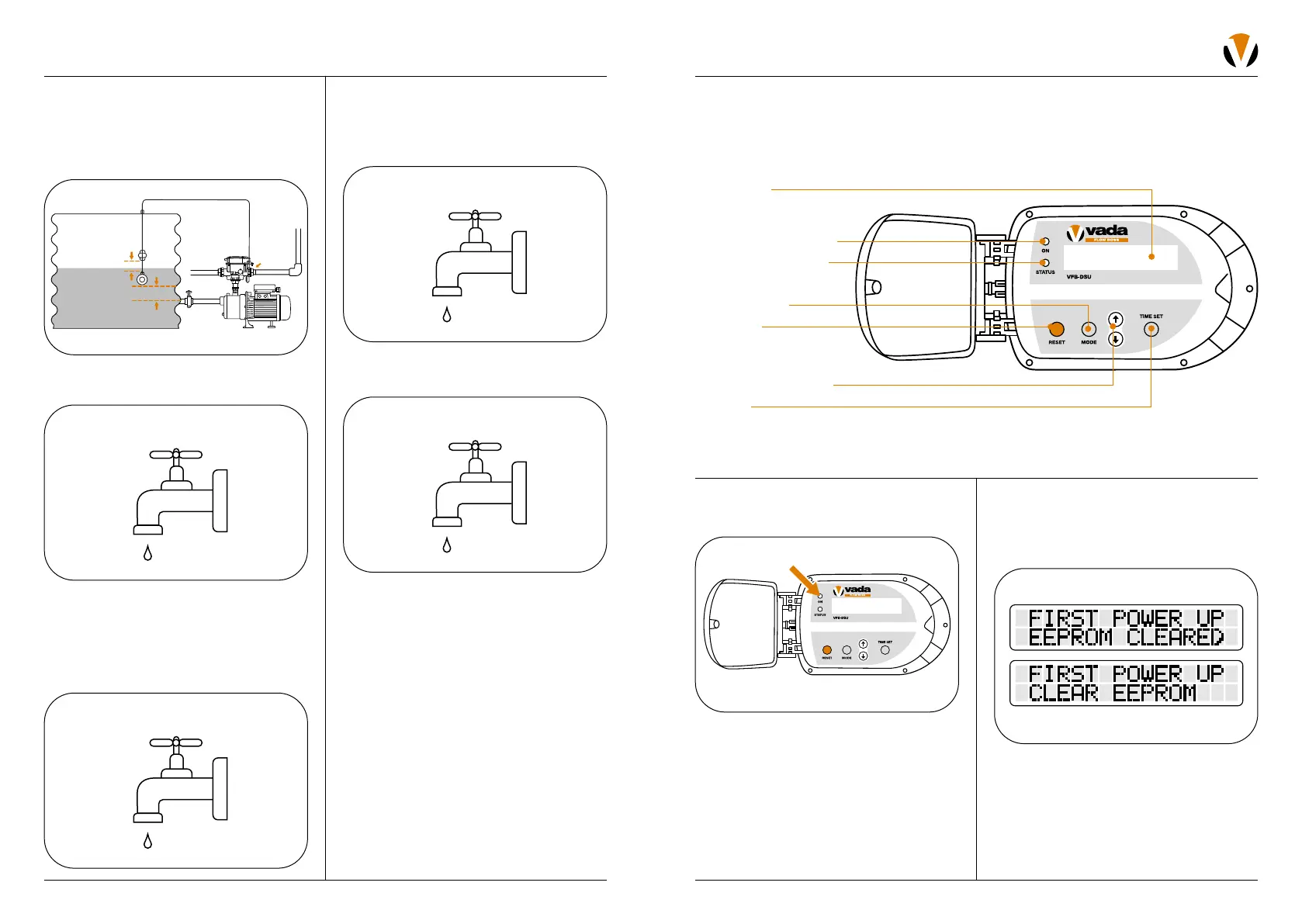
2. If this is the first time the unit has
been powered, the internal EEPROM will
reset (EEPROM is where all the user data
is saved).
OPERATION
PART 1: COMMISSIONING
THE UNIT
1. Put a small amount of water in the tank
(just about the level of the tank sensor).
2. Open an outlet on the household side
of the VFB-DSU.
3. The pump will start. Turn the tap off, and
the pump will stop. Temporarily disconnect
the float switch connection (fitting in base).
This indicates to the switching unit that
there is no water in the tank, and to switch
to mains supply operation.
4. Open an outlet on the household side
of the VFB-DSU. The VFB-DSU should
now be allowing mains water to supply
the demand.
5. Close the tap and replace the float switch
connection.
If there are any variations to these outcomes,
please refer to the Troubleshooting section
on page 28.
70mm above suction
Note:
Do not adjust
factory setting
Cable tie
Mains
Household
PART 2: INITIAL START UP
Controls & Display
LCD display
Power ON/error status
Pump ON LED indicator
Time set
Mode selection
Up/down toggle button
Error reset
1. Once the power is turned on, the LCD
screen will illuminate.


 To Next Page