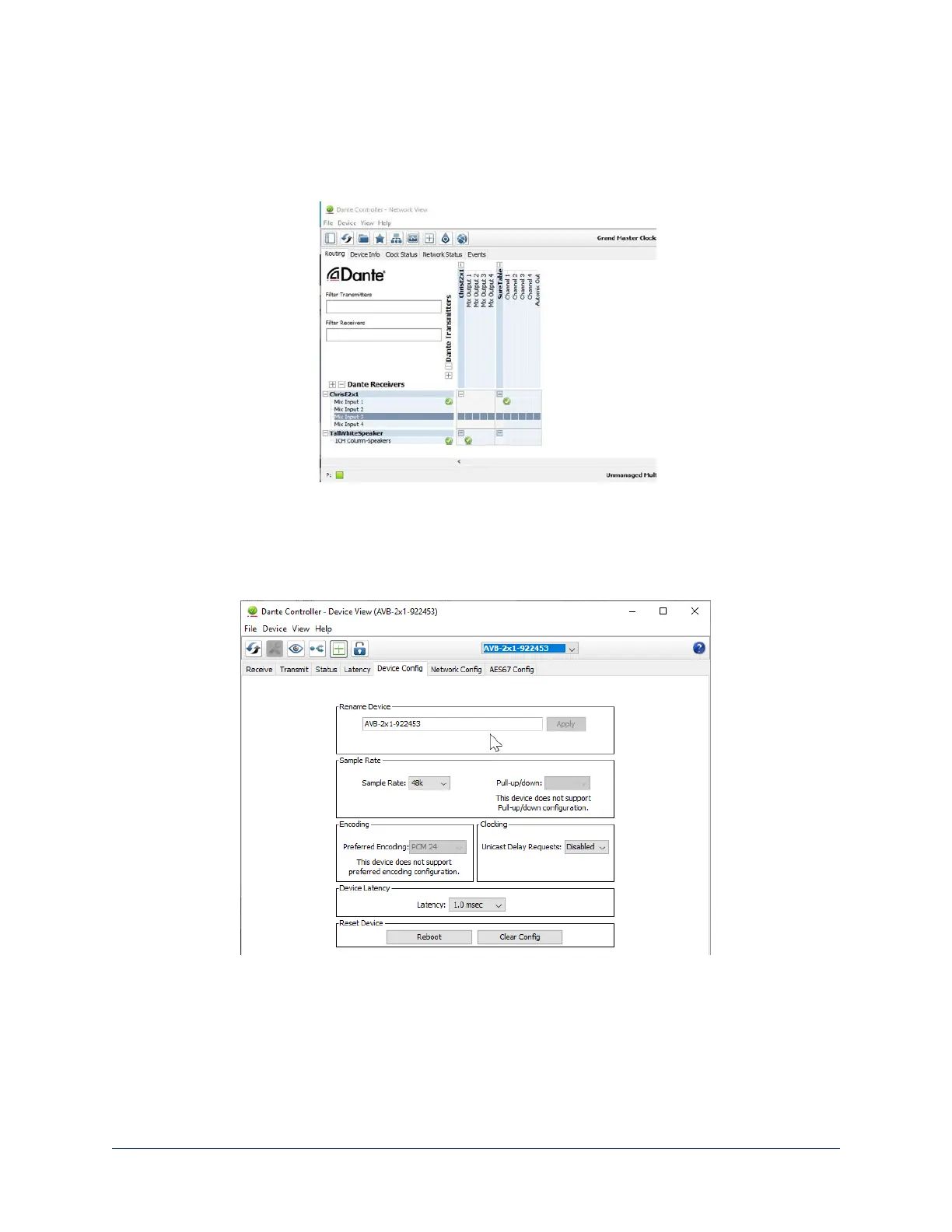
To pair EasyIP microphones to the host device:
1. From the main Network View, select Routing.
2. Use the matrix to pair Dante receivers (speakers) and transmitters (microphones) to the host device,
which is both a receiver and a transmitter.
In this example, the receiver "Speaker" is routed to Dante output 1 of the device "ChrisE2x1". The
transmitter "Table" (a tabletop microphone) is routed to the device's Dante input 1.
To rename a device in the Dante Controller application:
In the Device View window, select the device and go to its Device Config tab. The Rename Device option
is near the top of the tab.
Complete Manual for TableMIC and EasyIP TableMIC D Conference Room Microphones
15


 To Next Page