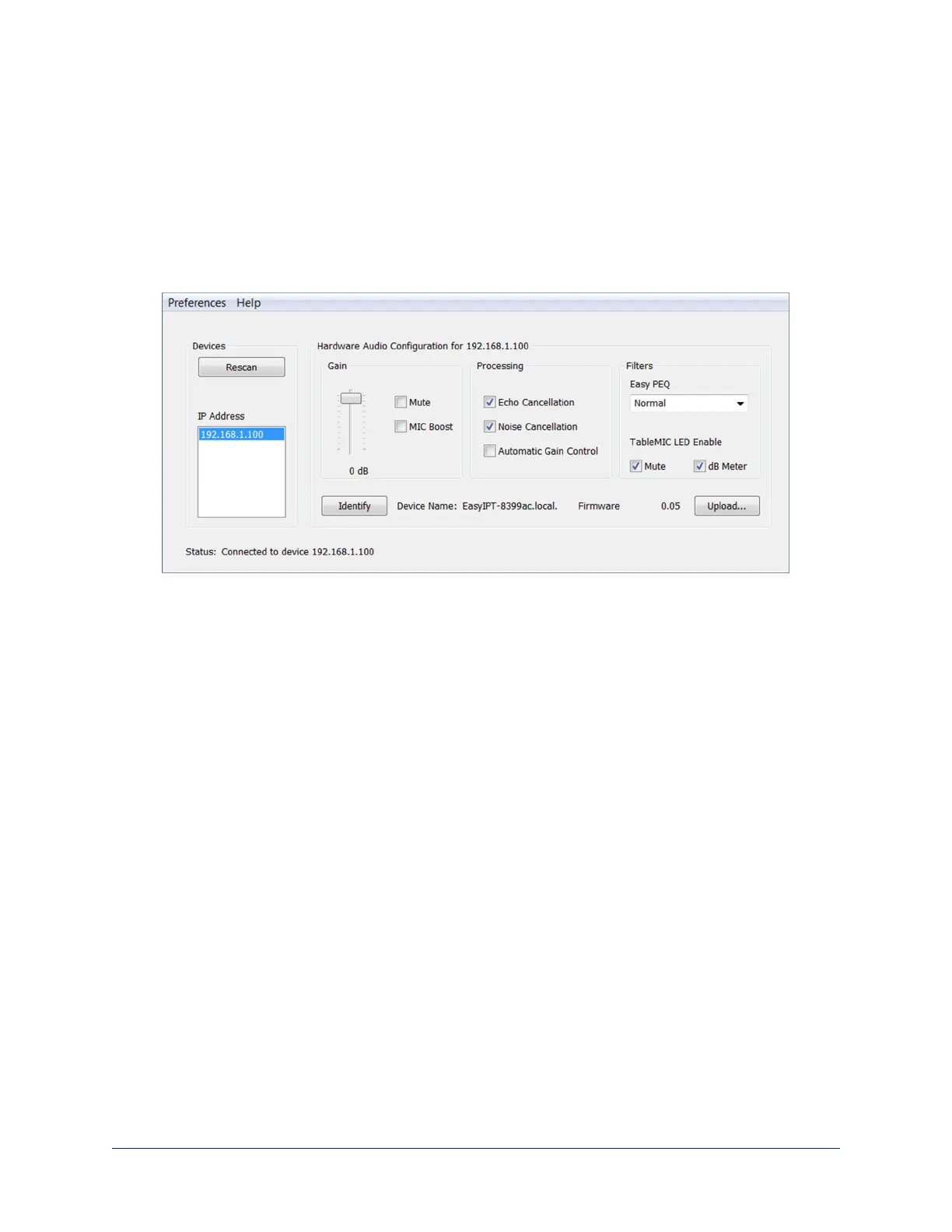
Setting Control Surface Behavior
VADDIO DANTE INTERFACE APPLICATION
By default, the Mute icon acts as a button, and the audio meter (labeled dB Meter in the Vaddio Dante
Interface Application) shows the audio pickup level. These can be disabled in the TableMIC LED Enable
area.
n Clearing the Mute checkbox disables the Mute button on the microphone's control surface. You can
still mute the microphone from the web interface of the device to which it is paired.
n Clearing the dB Meter checkbox turns off the audio meter display.
Complete Manual for TableMIC and EasyIP TableMIC D Conference Room Microphones
22


 To Next Page