9
Configuration Mode
The Sensori Digital Mixer has many features that can be configured to personalise
your showering experience, using the Configuration Mode.
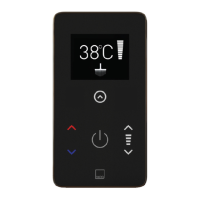
You can enter the Configuration Mode at any time by holding the TEMP +
and
TEMP - controls together for 3 seconds.
NAVIGATE THE CONFIGURATION MENU
When in the configuration mode, a selection arrow
is shown next to the
option currently selected.
The selection arrow can be moved up using the FLOW +
and moved down
using the FLOW - control.
The current selected option can be chosen by pressing the ACCEPT control /
You can return to the previous menu without updating the setting using the BACK
control /
The Configuration Mode can be exited using the back control / on the main
configuration menu screen.
If no controls are operated for a period of 3 minutes, the shower will
automatically return to Sleep Mode.
The available configuration options varies depending on the products installed
with the Sensori Digital Mixer.

 To Next Page
 Loading...