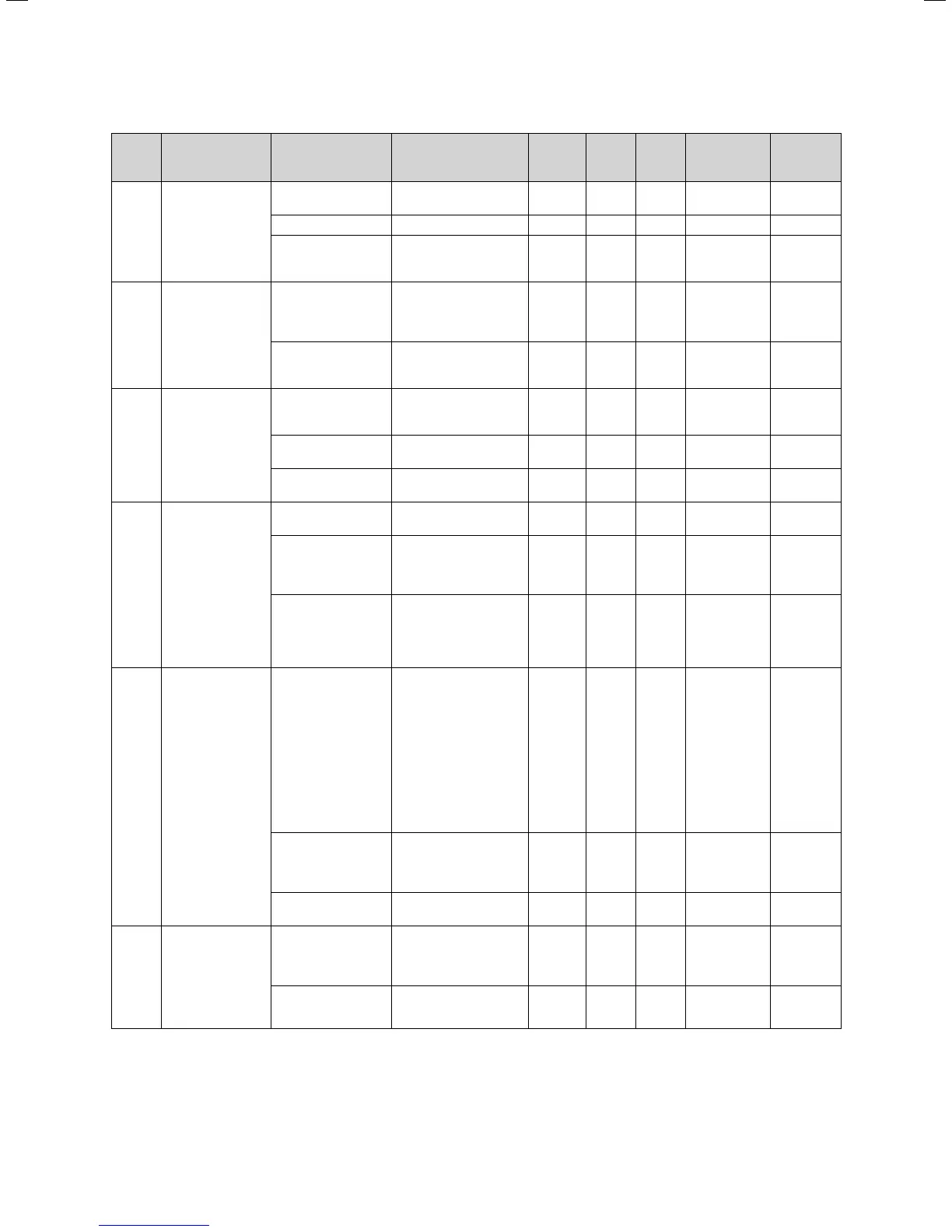
11Installation Instructions VRC430 0020042468_02
Dis-
play
screen
Title display
screen
adjustable operat-
ing values
(only display = A)
Remarks Unit Min.
value
Max.
value
Step width Preset
value
C1 HC1
Information
Supply target (A) Flow temperature tar-
get value
°C 1
Pump status (A) On, Off
FBG connection/
room actual value
Remote control con-
nected?
Room actual display
°C Yes, no and
0.5
C3 Hot water genera-
tor
information
Installation sensor
VF1 (A)
Actual value at the
feed sensor 1 or the in-
ternal sensor of the
heat generator
°C 1
Flame status
boiler (A)
Off, heating
mode, hot
water mode
C4 Hot water infor-
mation
current hot water
set target value (A)
Hot water set target
temperature of the
storage tank
°C 1
Storage probe 1 (A) Actual cylinder hot
water temperature
°C 1
Circulation pump
status (A)
On, Off
C8 HC1
parameters
Heating circuit type
(A)
Status display Heating cir-
cuit, inactive
Switch-on room
temperature
selectable with wall
mounting of the con-
troller or remote con-
trol
none,
modulating,
thermostat
none
Summer operation
mode Offset
If the outside tempera-
ture > target room tem-
perature + Summer
Offset, the boiler
switches off
R0301 1
C9 HC1
parameters
Set-back tempera-
ture
You can specify a set-
back temperature for
the times between the
holiday periods.
If your expert techni-
cian has set the frost
protection function,
the set-back tempera-
ture is automatically
5 °C. There will be no
display as set-back
temperature
°C 5 30 1 15
Heating curve in accordance with
the diagram operating
instructions
Chapter 4.7.3
0,2 4 0,05-0,1 1,2
Minimum tempera-
ture
Minimum feed temper-
ature
°C 15 90 1 15
C16 Hot water param-
eters
Legionella protec-
tion day
Day or block of days;
The cylinder is heated
to 70 °C for an hour
OFF, MO, TU,
WE, TH, FR,
SA, SU, MO-
SU
OFF
Legionella protec-
tion start time
0:00 24:00 0:10 4:00
Table 6.2 Display screens in expert technician level
Initial start-up 6







 To Next Page