12 VRT 230 Operating Manual
You can adapt the default basic pro-
gramme to suit your needs. There are
five steps to setting the times you want.
1. Press the programming button P
2. Select the time window
3. Select the day or block of days
4. Set the start time
5. Set the end time
You can define three time windows for
each day.
For clarification, the individual steps are
shown in the following table:
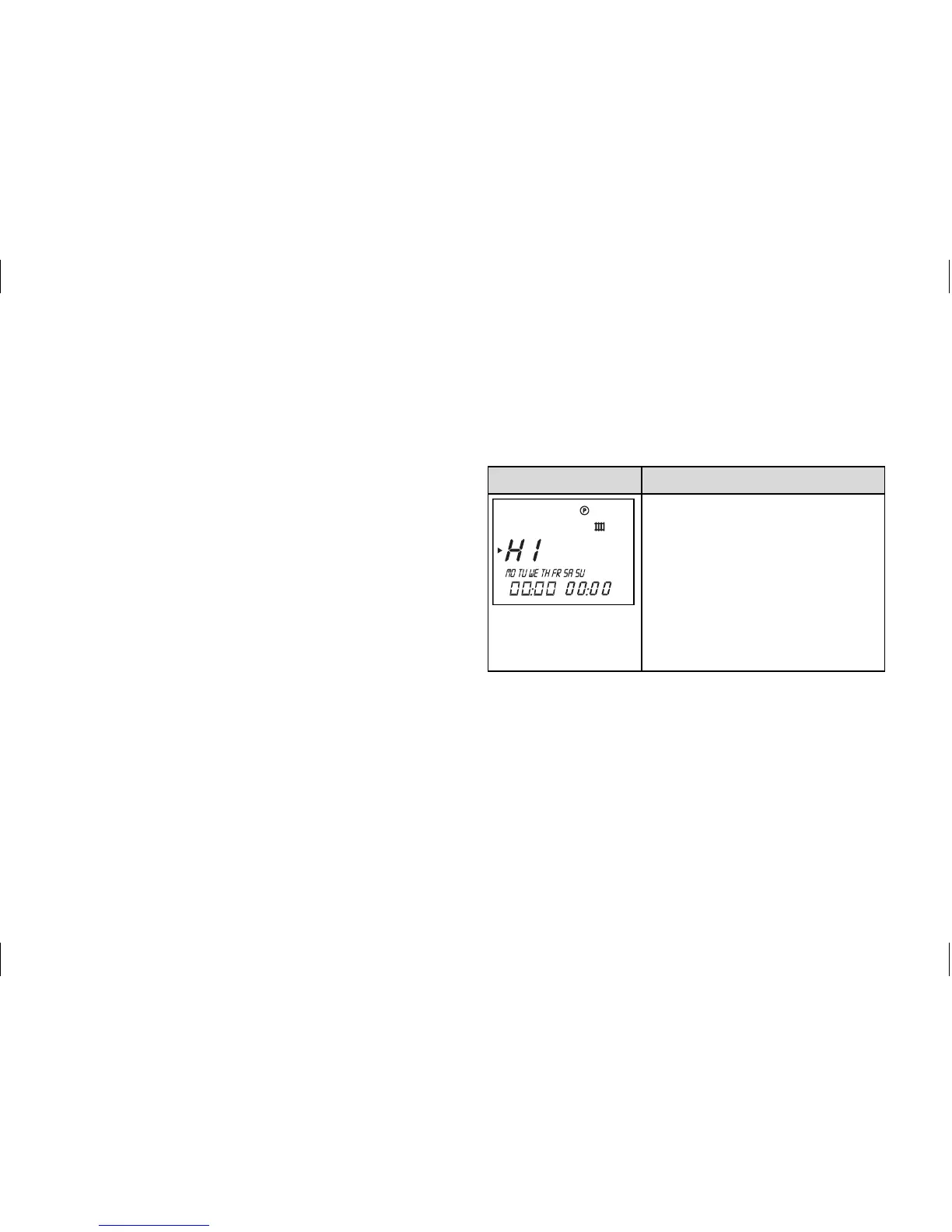
Display Required steps
Press the programming
button P - the cursor (black
triangle) marks the value
which can be changed (H1),
which also blinks.
Select the time window by
turning the dial.
Settings: H1, H2, H3
4 Operation


 To Next Page