44
3.4 Changing the opening delay and/or opening window
Firstly, deactivate the pre-set opening delay and window (see 3.3).
Then follow the steps in 3.2 to set new opening delay and window times.
3.5 Switching the audible opening window signal off or on
You can only switch the audible signal on or off with the master code.
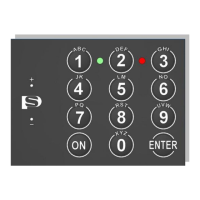
Step Action Key Signal
1.
Press ON
ON
2.
Press Enter
Enter
3.
Press 5
5
4.
Press Enter
Enter
5.
Key in the master code, e.g. 567891
567891
6.
Press Enter
Enter



 To Next Page