MUS0330202 03/10/2014
VALCO MELTON S.L.U. Pol. Ind. Agustinos C/G 34 3116 0 ORCOYEN, NAVARRA
TEL: +34 948 321580 Fax: +34 948 326584 melton@melton.es www.valcomelton.com
If the temperature set points are not correct or need to be adjusted,
select the appropriate zone and adjust the temperature setting (see the
Machine Adjustment section for setting temperatures). The system is
ready (and the System Ready LED illuminates green) when all zones
reach their respective temperature setpoints minus the System Ready
Temperature Offset.
The system ready signal enables the pump motor. This prevents the
pump motor from being activated before the adhesive in the pump has
softened.
Consult the adhesive data sheet to find the softening point temperature
of the adhesive.
5.3 CLOCK ON/OFF
The Clock must be On (Clock LED illuminated green) for all of the
programmed scheduled shifts to run, unless the unit will be operated
manually (no pre-programming).
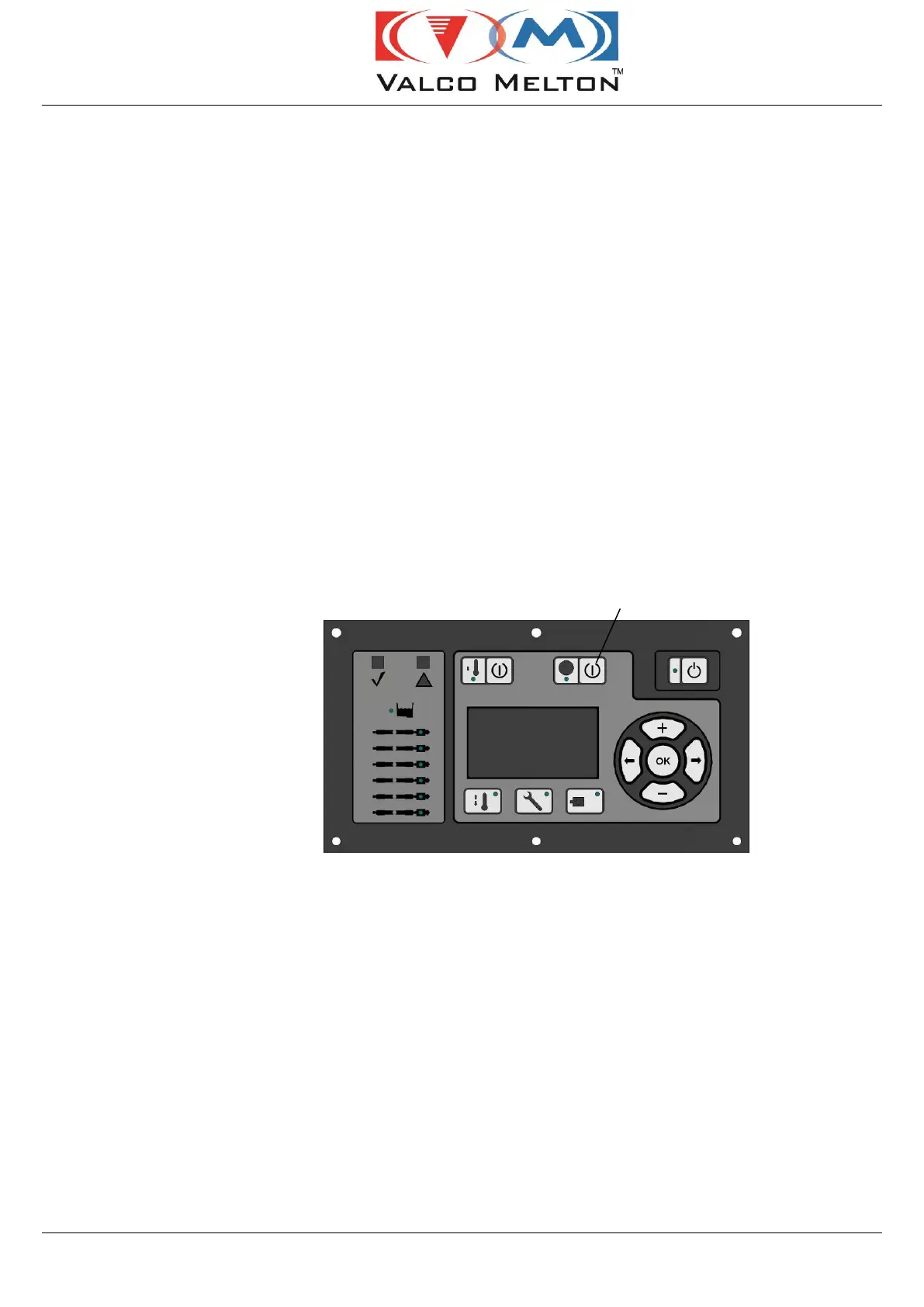
To turn the clock on or off, press the Clock On/Off Button. When the
clock is on, the Clock LED illuminates green. See the Machine
Adjustment section for detailed information on setting the clock.


 To Next Page