MUS0330202 03/10/2014
VALCO MELTON S.L.U. Pol. Ind. Agustinos C/G 34 3116 0 ORCOYEN, NAVARRA
TEL: +34 948 321580 Fax: +34 948 326584 melton@melton.es www.valcomelton.com
5.2 TEMPERATURE
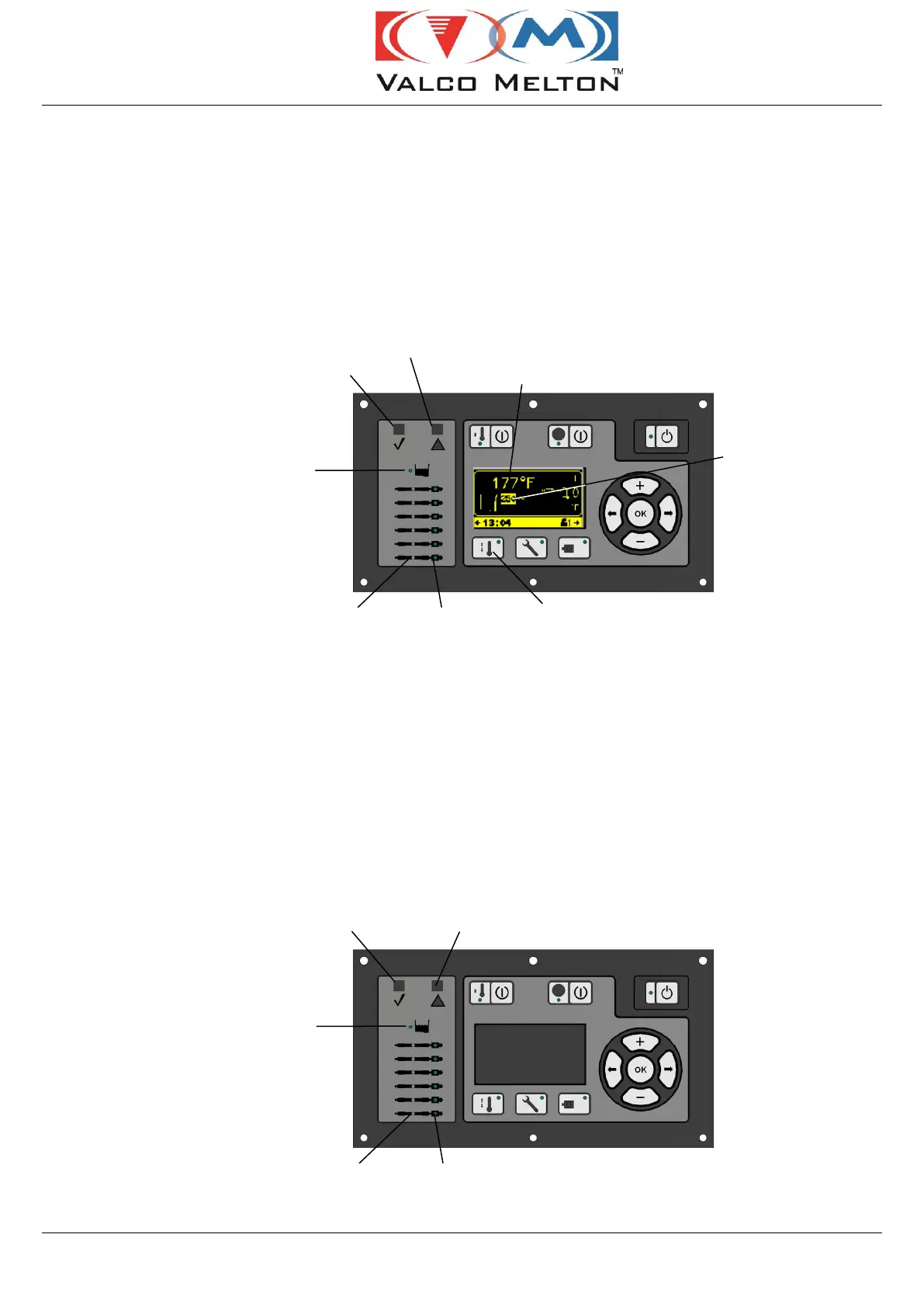
The tank temperature screen will show the actual tank temperature and
the tank temperature setpoint. For operator convenience, the right side
of the display screen alternately displays the Hose & Gun temperatures
(see the Machine Adjustment section for setting zone temperatures).
Press the Heater Key (or use the Navigation Buttons) to cycle through
the temperature screens until you reach the desired screen.
5.2.1 Setpoint and Actual Temperature
5.2.2 Temperature Status LEDs
The Control Panel contains LEDs that indicate the status of each
heated zone. When the zone is in warm-up mode, the zone LED will
illuminate green and stay on continuously. Once the zone reaches its
setpoint temperature, the LED will blink on and off indicating that the
heaters are switching on and off to maintain the setpoint temperature.
If the LED illuminates red, it indicates a fault for that zone. The status
bar will provide a more detailed explanation of the fault. Also, if the
fault triggers a temperature alarm, the Temperature Alarm LED will
illuminate red (see the Machine Adjustment section, “Over
Temperature Alarm” and “Under Temperature Alarm,” for details).
Heater (temperature) Menu Key & LED



 To Next Page