www.valcom.com
I
540.563.2000
I
800.825.2661
®
VIP-102B IP Solutions Setup Tool
The VIP-102B IP Solutions Setup Tool provides access for programming all of the available software-controlled
functions of the V-9972. The tool is available as a free download from the Valcom web site at https://www.valcom.
com/vipsetuptool. A Reference Manual for the program is also available at the same location.
When first starting the VIP-102B program, the initial screen will prompt to scan the network for available devices.
If the V-9972 has a valid IP address (from DHCP or from DTMF programming, for example), the tool should find the
V-9972 (and any other Valcom IP equipment). Follow the prompts in the VIP-102B tool to scan the found devices
into the tool for further programming. The scanning process is beyond the scope of this document, but full details
are in the VIP-102B tool Reference Manual noted previously.
The VIP-102B Programming tool downloads the programming information from the V-9972. Changes to the
programming are made off-line in the tool, then uploaded back to the V-9972. Until the programming is uploaded,
the V-9972 is not changed.
In the following discussion, some of the Properties and Time programming tabs/screens are not shown, as they are
typical for all Valcom devices and are fully described in the VIP-102B Reference Manual.
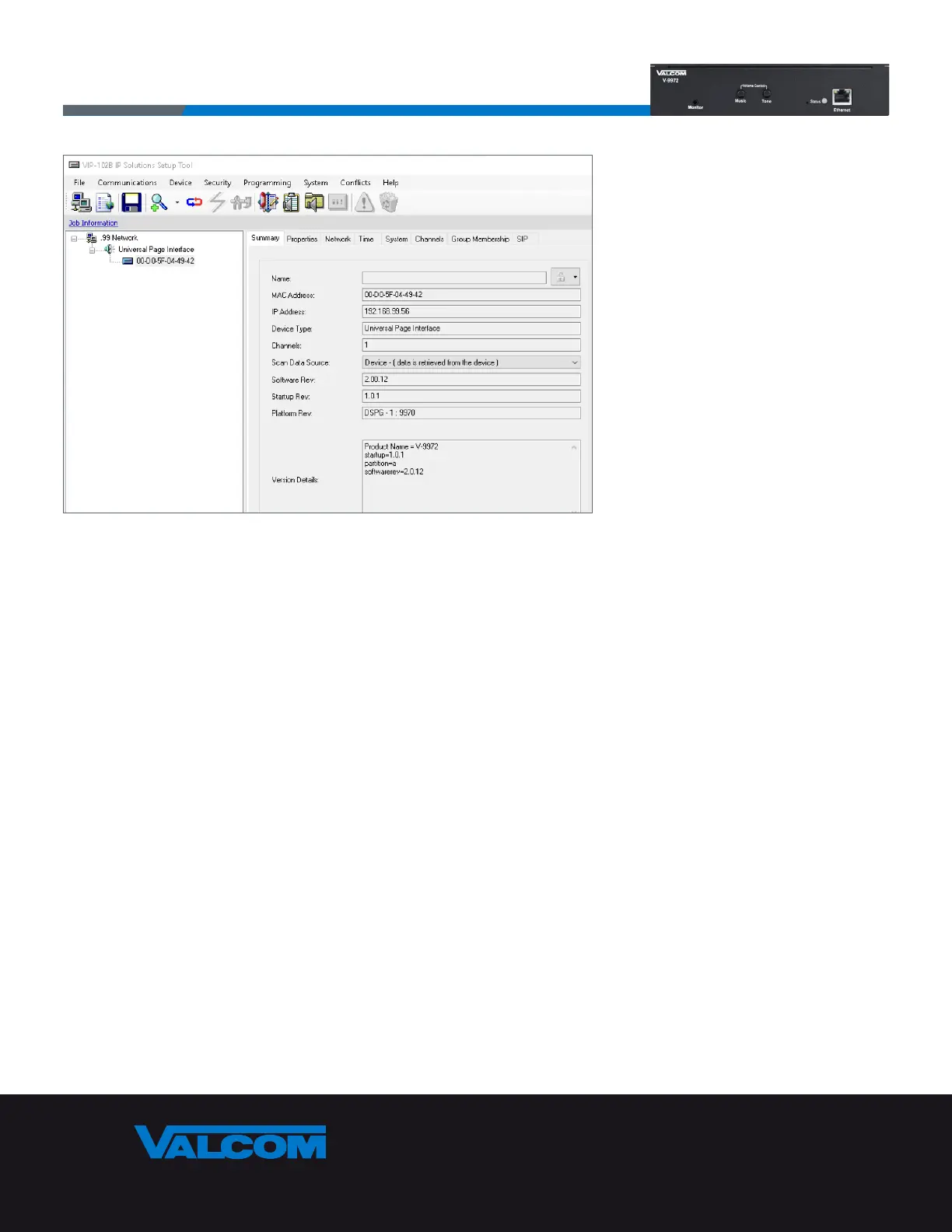
After scanning and selecting the discovered devices the V-9972 displays as a Universal Page Interface device type.
The Summary tab shows a read-only view of the basic properties of the device.
Page 6



 To Next Page