15
© Vallox • We reserve the right to make changes without prior notice
EXPERT SETTINGS
SETUP WIZARD
AWAY PROFILE
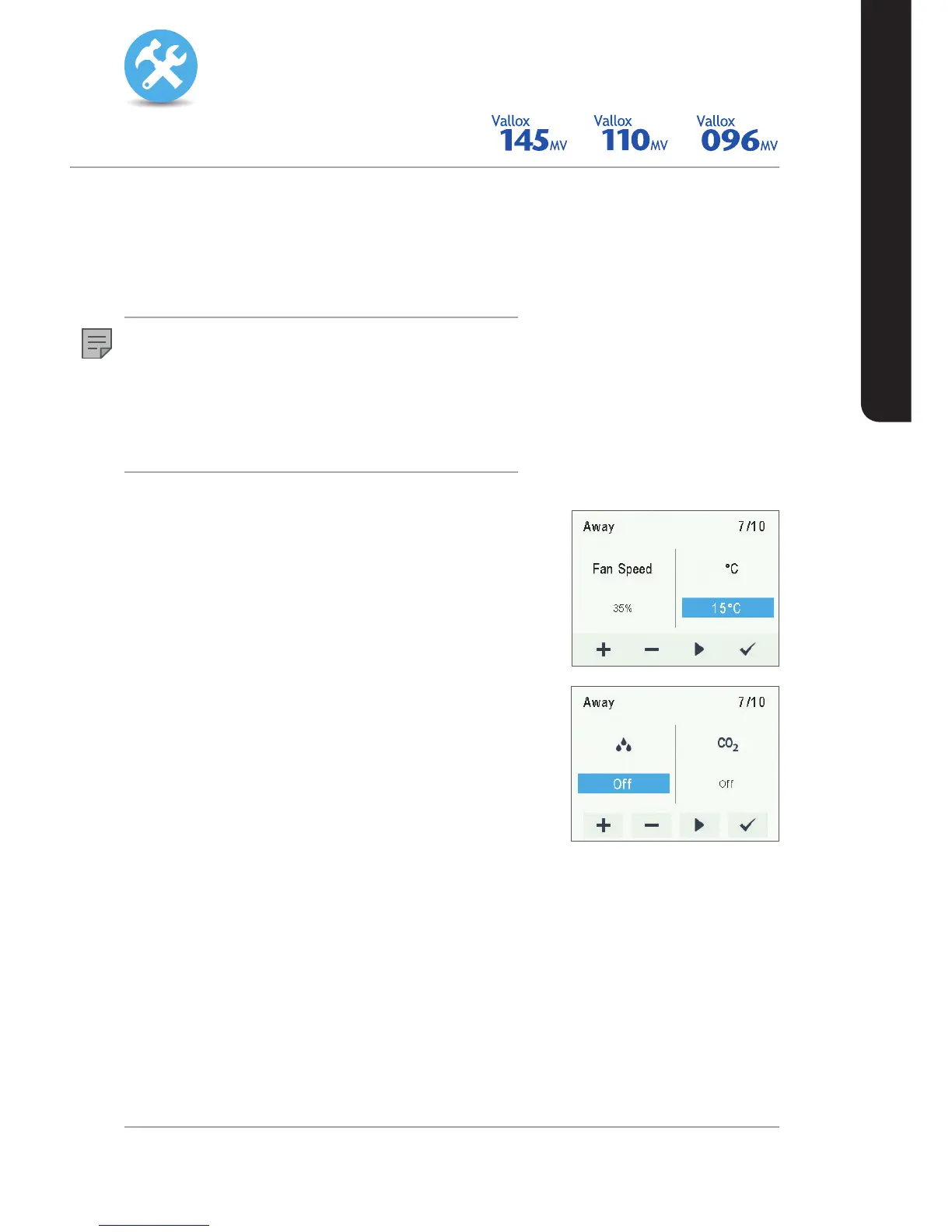
To make the Away profile settings, proceed as follows:
1. The setup wizard for Away profile opens.
NOTE
Once you have set the fan speed for the At home profile, the fan
speed for the Away profile will by default be set to -30% of the At
home profile fan speed. It is recommended that this fan speed
setting be used for the Away profile. However, the setting can be
changed as required.
2. Use the Plus and Minus buttons to set the Away profile fan
speed as a percentage of the maximum output ratio.
3. The Away profile fan speed value is now set.
4. Press the Right arrow button.
5. The temperature setup opens.
6. Set the desired supply air temperature for the Away profile
by using the Plus and Minus buttons. You can adjust the
temperature in the range +10°C ... +25°C.
7. The Away profile supply air temperature is now set.
8. Press the Right arrow button.
9. The setup for automatic fan speed control based on the
relative humidity opens.
10. Use the Plus and Minus buttons to select whether the
automatic fan speed control, based on the relative humidity
of air, is used or not.
11. The automatic fan speed control, based on the relative
humidity of air, is now set.
12. Press the Right arrow button.
13. The setup for automatic fan speed control based on the
carbon dioxide level opens.
14. Use the Plus and Minus buttons to select whether the
automatic fan speed control, based on the carbon dioxide
level, is used or not.
15. The automatic fan speed control, based on the carbon
dioxide level, is now set.
16. Press the OK button.


 To Next Page