17
© Vallox • We reserve the right to make changes without prior notice
EXPERT SETTINGS
SETUP WIZARD
FIREPLACE PROFILE
To make the Fireplace profile settings, proceed as follows:
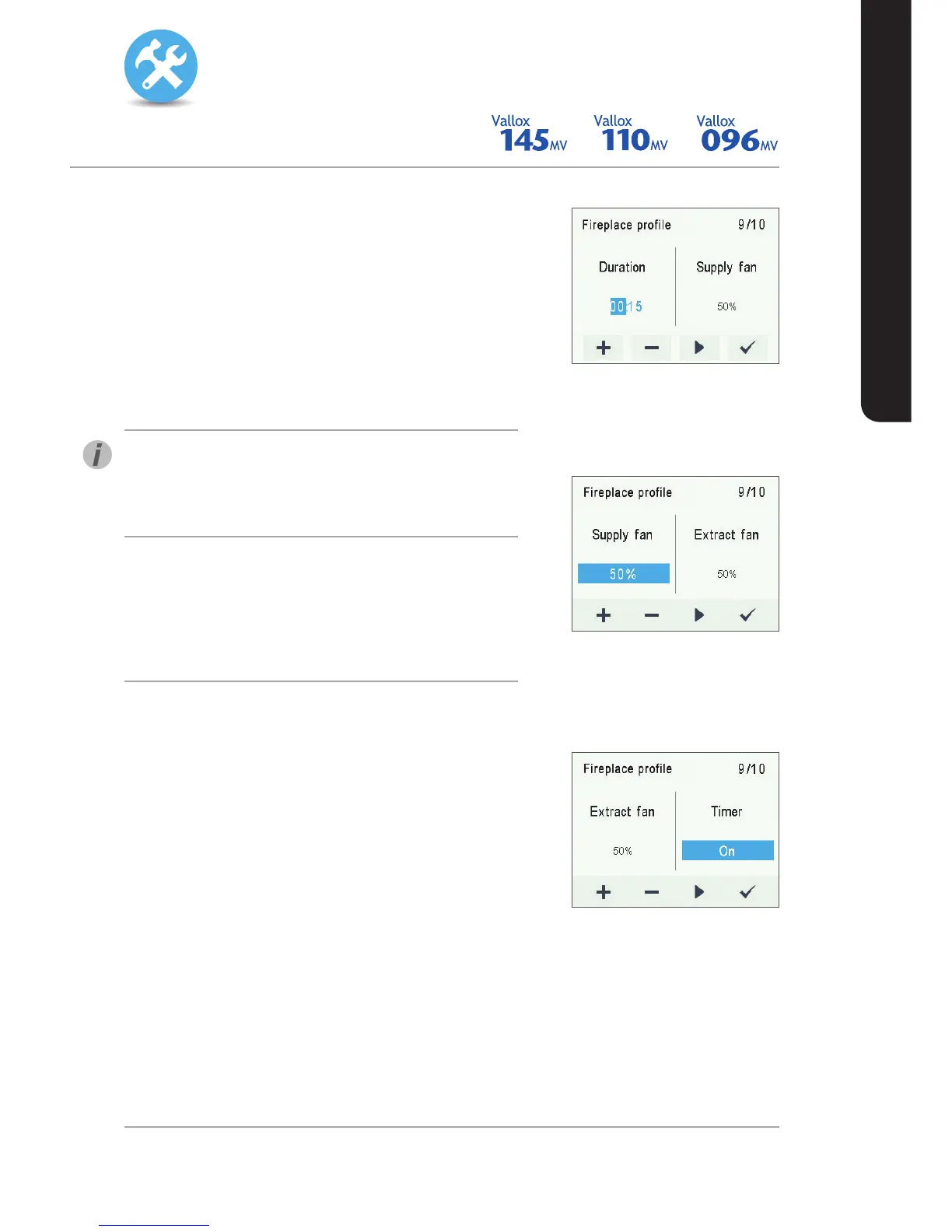
1. The setup wizard for Fireplace profile opens.
2. Set the profile timer duration in minutes by using the Plus and
Minus buttons.
3. The profile duration is now set.
4. Press the Right arrow button.
5. A display for setting the profile supply air fan speed opens.
6. Use the Plus and Minus buttons to set the supply air fan
speed of the Fireplace profile as a percentage of the
maximum output ratio.
TIP
It is recommended that a higher supply air fan speed be used in
the Fireplace mode to create overpressure in the ventilation zone.
Reducing the extract air fan speed is not recommended.
7. The Fireplace profile supply air fan speed is now set.
8. Press the Right arrow button.
9. A display for setting the profile extract air fan speed opens.
10. Use the Plus and Minus buttons to set the extract air fan
speed of the Fireplace profile as a percentage of the
maximum output ratio.
11. The extract air fan speed of the Fireplace profile is now set.
12. Press the Right arrow button.
13. A display for setting the profile timer opens.
14. Use the Plus and Minus buttons to select whether the profile
timer function is used or not. The options are:
ĆOn — When the timer is on, the Fireplace profile is used
only for the period specified by the timer.
ĆOff — When the timer is off, the Fireplace profile is
used until the profile is changed, either manually or
automatically by the Week clock.
15. The profile timer function is now set.
16. Press the OK button.
17. The Fireplace profile settings are now complete.


 To Next Page