4FXM70EN - 8/2022
32
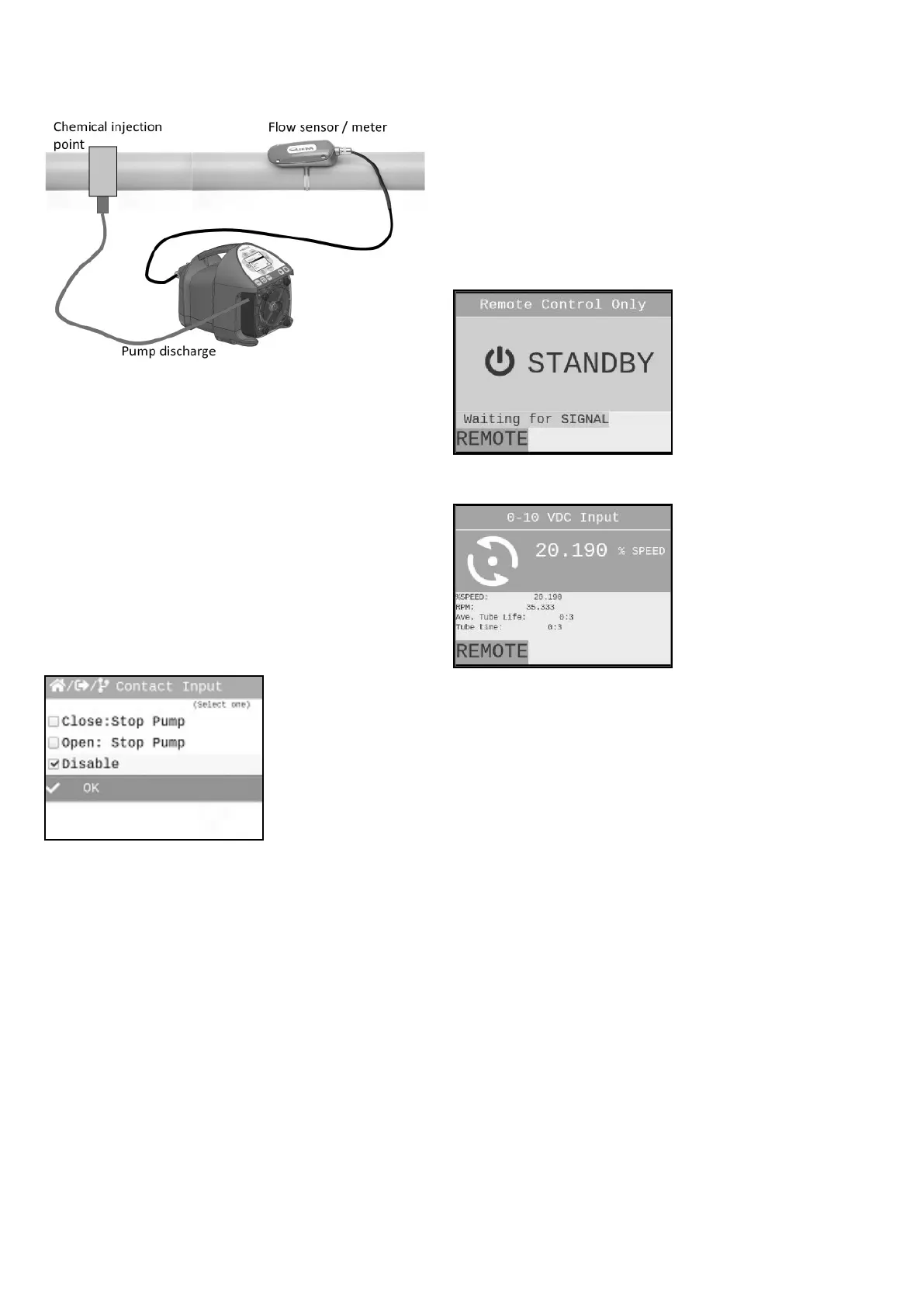
4.2 Contact Input
Used to remotely start and stop pump using a close=stop
or open=stop signal. If pump should start on an open, then
select “Close: Stop Pump” option. Can be used with an
external foot pedal, a PLC, contact closure, or other similar
external devices.
Default settings: Disable
CC Input Range: 6 – 30 VDC OR
Dry Contact Closure (no voltage required)
Navigate to Contact Input menu by MENU button, then
selecting Input Setup, and then Contact Input.
Press UP or DOWN arrow to scroll through your options.
Press ENTER to make a selection. You should then notice
radio button (square box) is now lled in next to your
selection.
Press DOWN arrow to scroll down to OK selection. en
press ENTER.
To navigate back out of menus, select Back and press the
ENTER button at bottom of every screen menu until you see
Run Mode screen displayed.
IMPORTANT: If Contact Closure Input is enabled, pump
will display STANDBY if pump is in Stop mode via the
Contact Closure. Please use caution in this mode. Pump can
Start at anytime. If you must perform maintenance to the
pump, Press STOP button.
When Contact Input is enabled, the word Remote will be
displayed on lower le side of screen at all times
*NOTE: YOU MUST SET THE “CC1 OR CC2” FORMAT
UNDER THE CONDITIONAL LOGIC SECTION 4.5 TO
ENABLE INPUT CONTROL.
Signal stopped pump:
Signal started pump:
4.3 Remote/Local Control
e FXM can be congured for Remote control only, Local
control only, or either (disabled).
When set for Remote control only, all touch pad buttons
except the menu button are disabled. To completely lock
out the menu, congure a password (see page 19, Set
Password). If REMOTE ONLY is selected, the user is
prompted to select an input operating mode which must then
be used when operating the pump.
When set for LOCAL CONTROL only, all input signals
including the remote start/stop are disabled. Note that
the “Contact Closure Input” menu setting (section 4.3) is
switched to “disabled” while LOCAL CONTROL ONLY
is selected. is menu setting will return to the previous
setting when REMOTE CONTROL ONLY or DISABLED is
selected.


 To Next Page