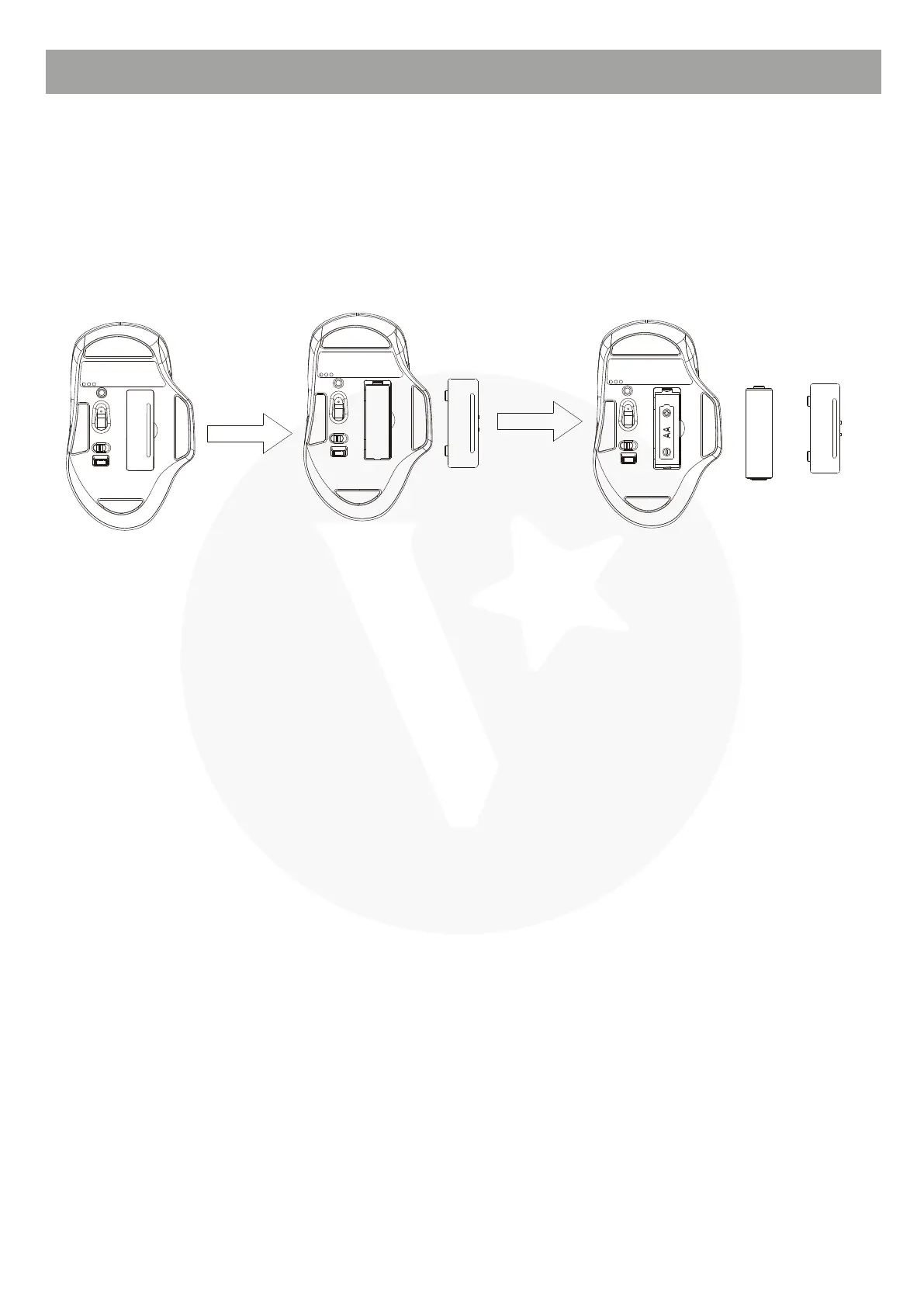
BATTERY INSTALLATION
This wireless mouse uses one AA alkaline battery.
BT mode:
1. Open the battery compartment.
2. Insert the battery into the battery compartment. Make sure to comply with the
polarity markings.
3. Close the battery compartment.
1. Switch on the mouse using the power switch.
2. Press the pairing button to switch to BT mode.
3. Turn on BT function on your device.
4. Long press the pairing button, the BT indicator light will start flashing.
5. Connect to this mouse on your device.



 To Next Page