Android Connection Instructions:
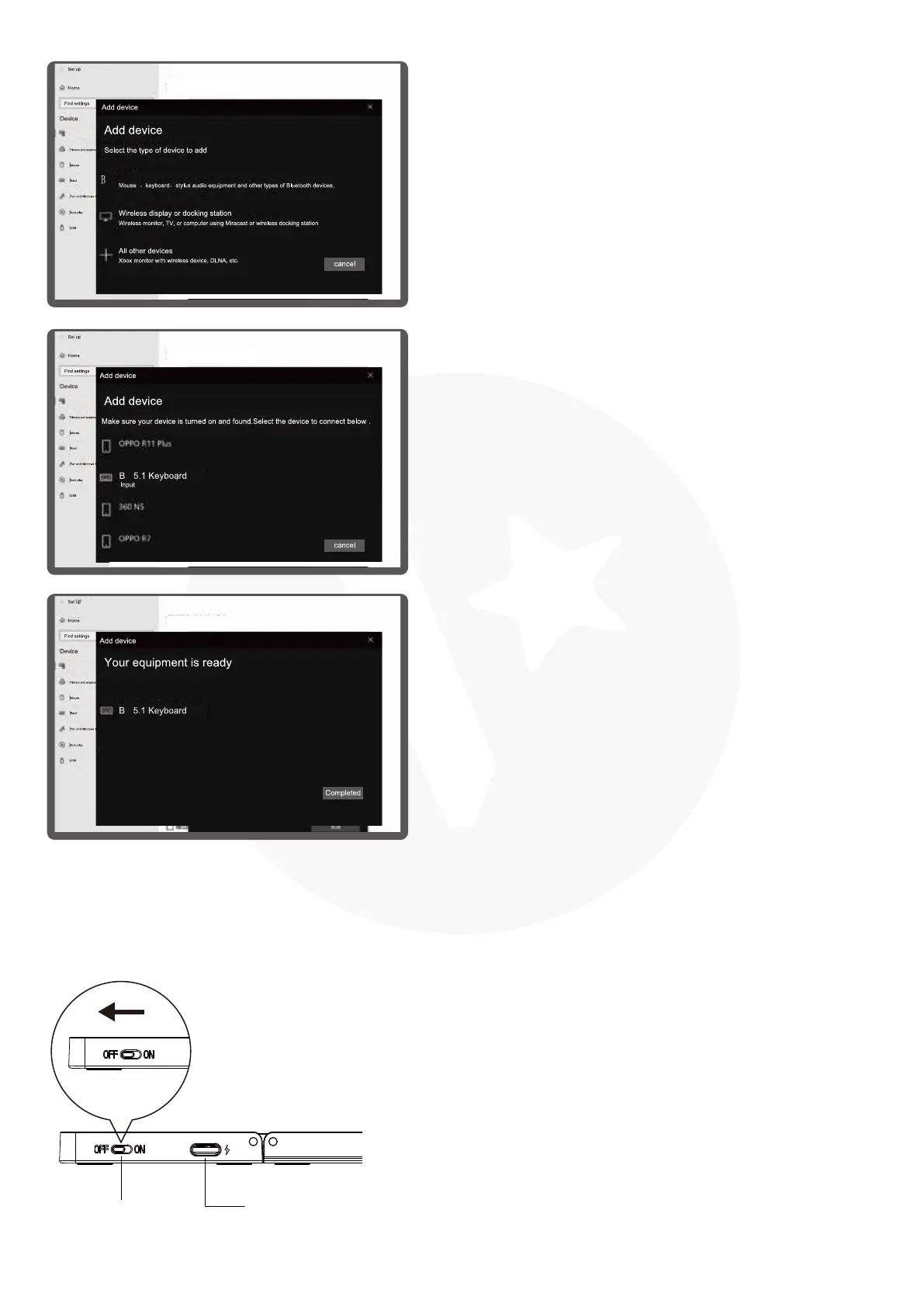
Charging Interface
Power Switch
Please open the power switch, blue lights up.
Select the channel, press the Fn+C connect
button, blue light twinkles.
1.
Select "BT" in the Add Device to search.
3.
You will find the " BT 5.1 keyboard " and
then click the pairing name to connect.
4.
There is a tip for connecting successfully,
you can use your keyboard comfortably.
5.
BT or other devices
BT
T
T
T
BT or other devices
BT or other devices
BT or other devices
BT or other devices



 To Next Page