ValueHD Corporation
39
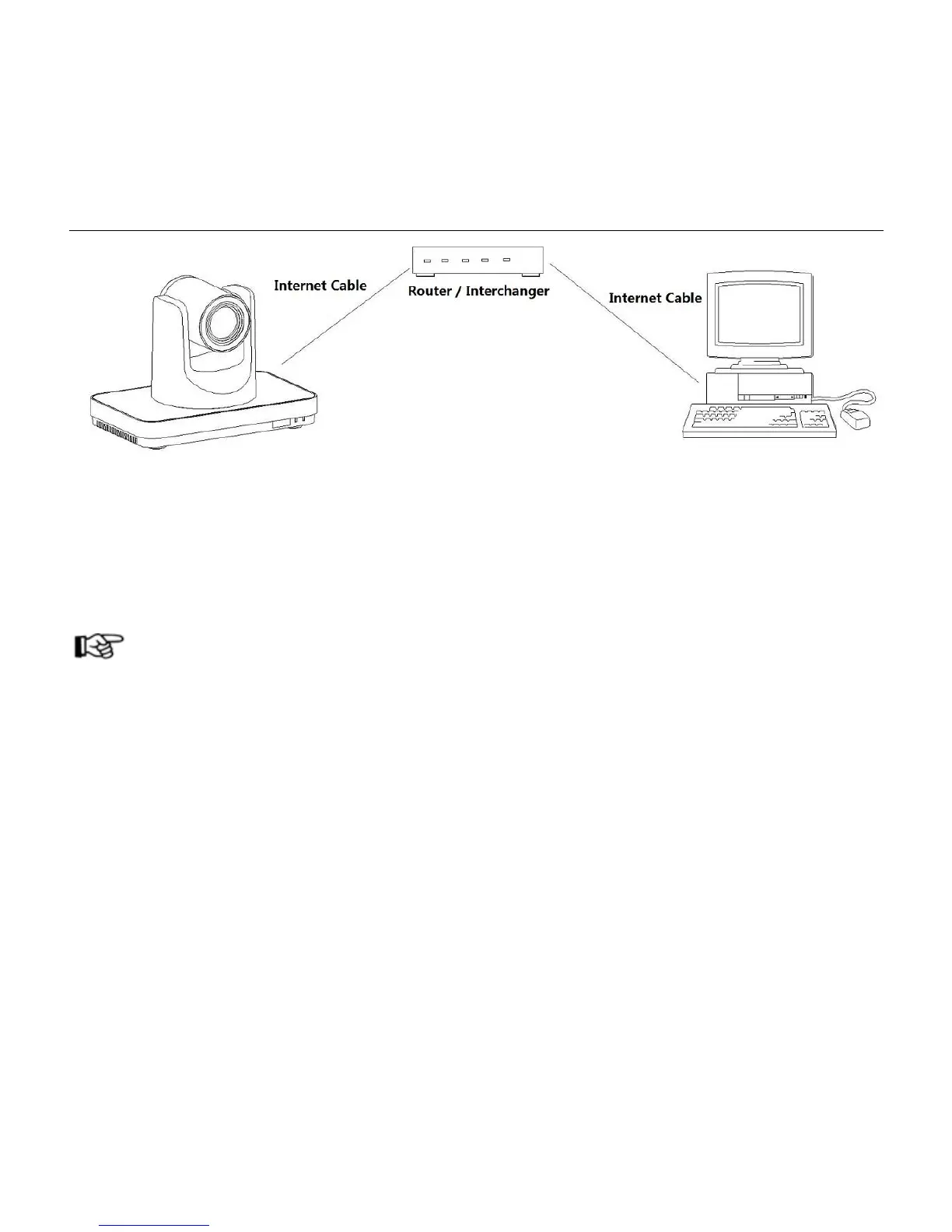
Picture 1.2 Connect by router /interchanger
IP camera visited/ controlled by LAN
1 Setup IP address
1.1 Connect IP Camera to internet (or PC), then turn on the power on IP Camera, shown as above.
NOTE!
If IP Camera connect to PC,PC IP address need manual allocation, PC IP internet segment must keep the same
as IPC, then IPC can be visited.
1.2 Before connecting IP camera (herein called IPC) to internet, IP address need to be identified, IP address can
be searched via IPCSearch software(in CD)
Run IPCSearch software in CD-Rom, click [Run].The software will display the current LAN camera's IP
address, port number, subnet mask device number and version, shown as below:


 To Next Page