ValueHD Corporation
46
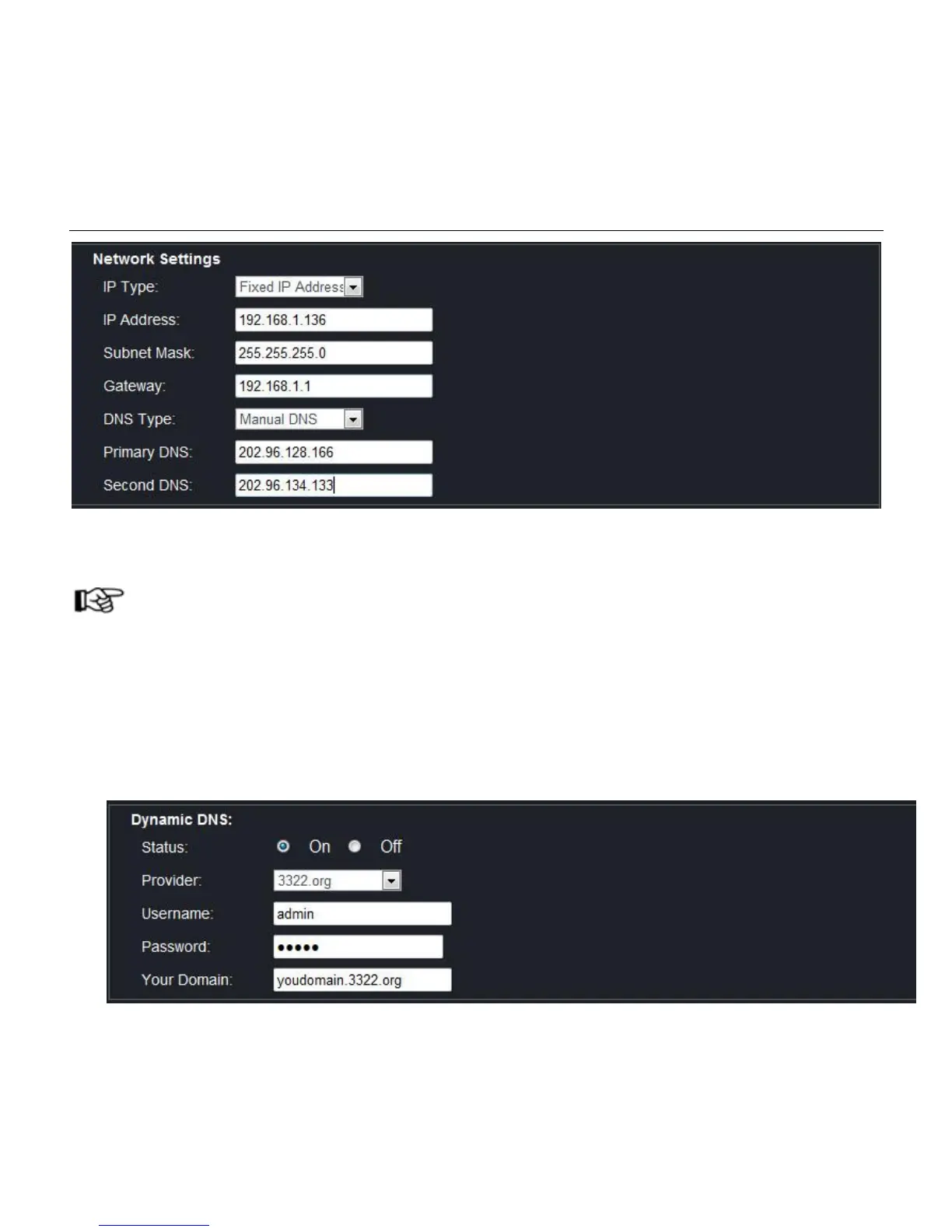
Check DNS: Take TP-Link router as example, enter router homepage, click "operation state"—"WAN port
state" showing DNSIP address.
NOTE!
If DNS address not correct, the camera cannot be connected to internet.
2. Dynamic DNS visit camera
2.1 Set dynamic DNS to IPC
Login IPC via web browser, click "Parameters"—"Network"—"DDNS"—"Dynamic DNS". Activate
dynamic DNS and select DNS server. Input DNS account, password and domain name, shown as below:



 To Next Page