ValueHD Corporation
50
1.6 PTZ Setup
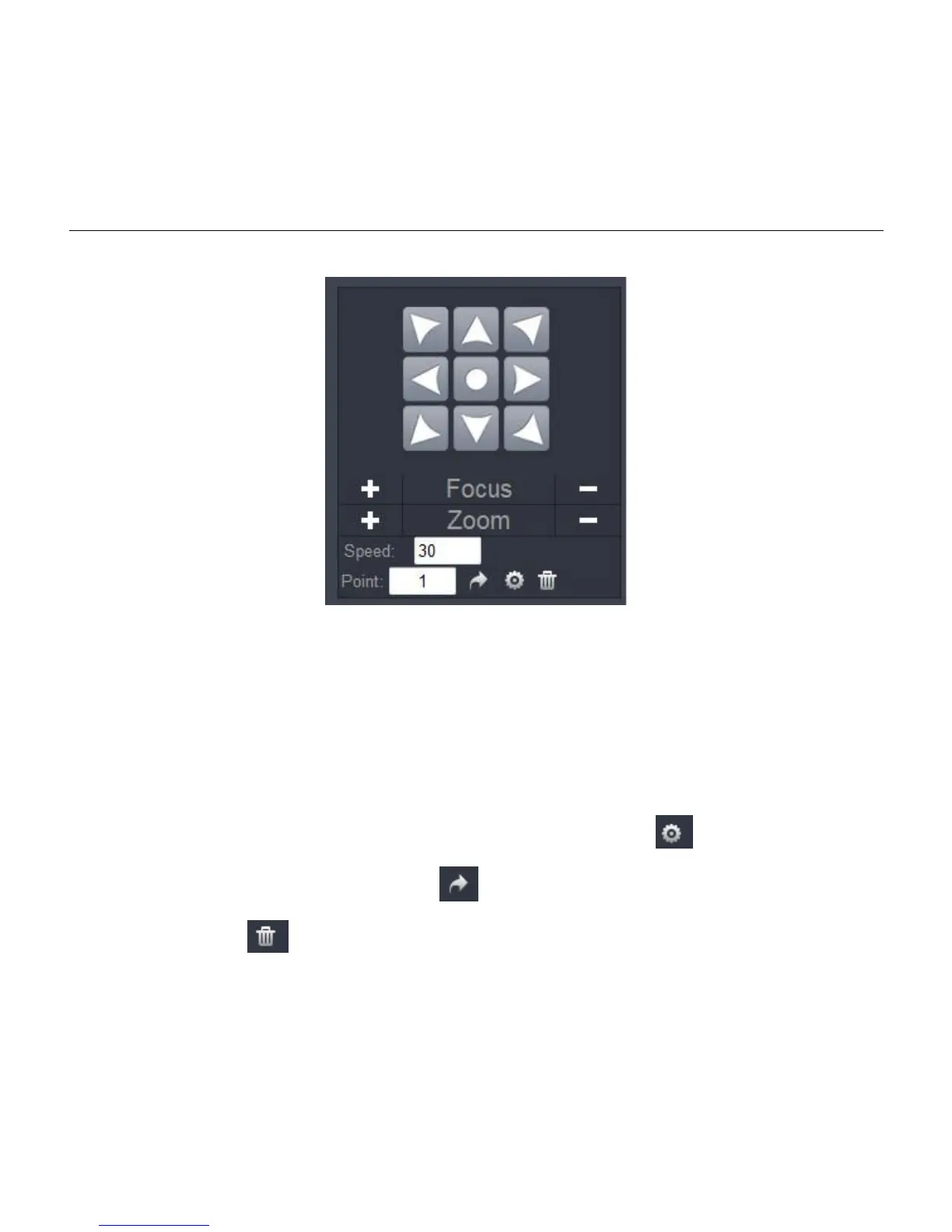
1) PTZ direction control box: Up, down, left, right, oblique button as above
2) Zoom: "+"for long distant objects,"-"for short distant objects.
3) Focus: "+"for zooming in,"-"for zooming out.
4) Speed: select corresponding speed and click direction button to realize PTZ speed up or speed
down.
5) Point: When PTZ turn to expected position, click "Set" button ,when PTZ turn to other
position, click "Goto" button ,PTZ turn back to preset position, click "Clear"
button ,then all preset position clear out.


 To Next Page