Manually operated rear light
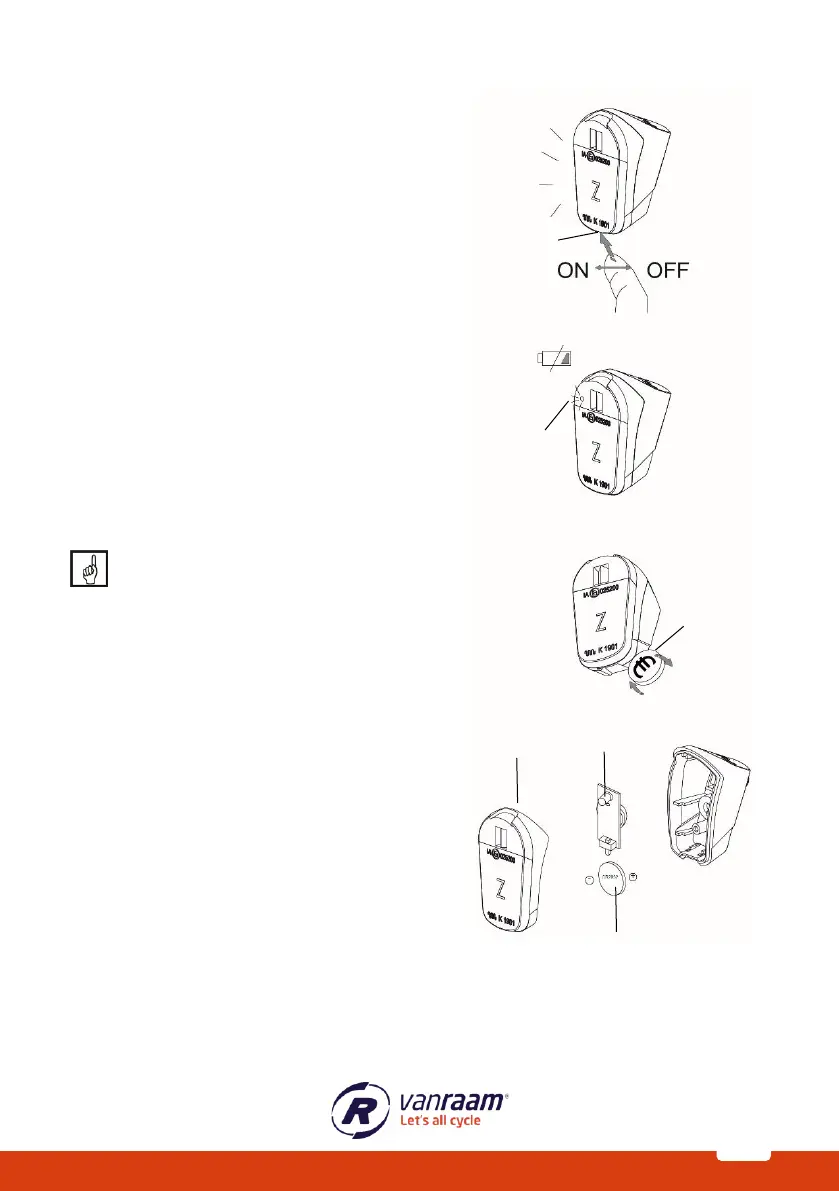
The rear light can be switched on by using the
ON / OFF button underneath.
The rear light works with batteries. When the
battery is almost empty, a red LED lights up [B].
Follow the steps below to replace the batteries.
1. Use a flat object [C], such as a coin, to
pry off the front of the lamp.
2. Remove the front cover [D] from the
housing.
3. Replace the battery [E] at the back of
the PCB [E].
Battery type: CR2032
Batteries pollute the environment. When
disposing of them, please follow local
regulations.



 To Next Page